Blog
Back to blog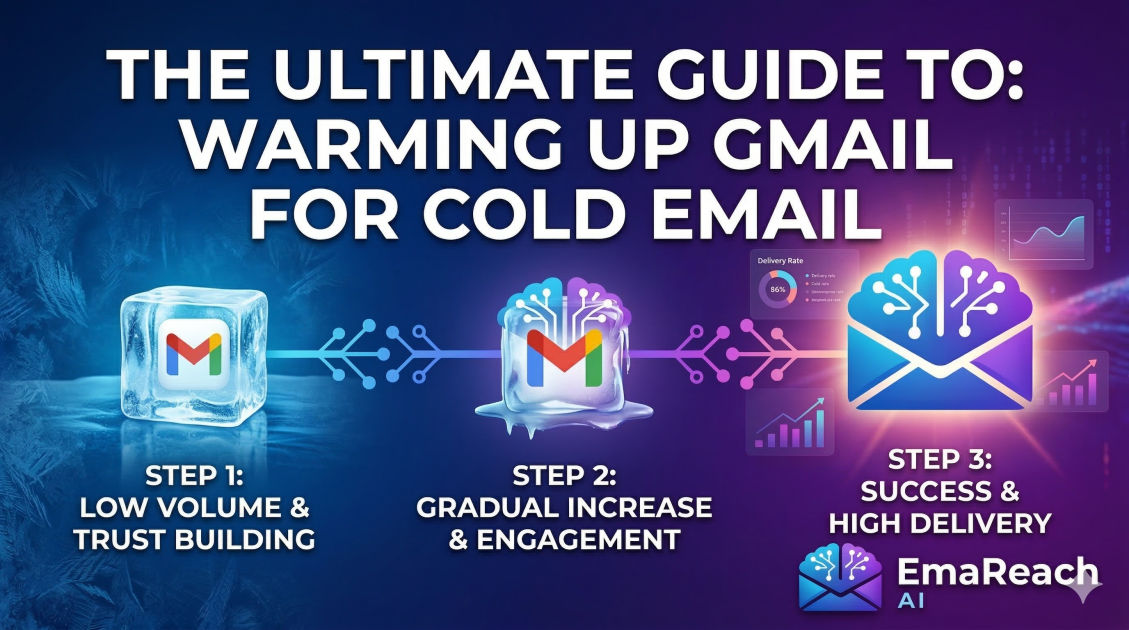
The Ultimate Guide to Warming Up Gmail for Cold Email
cold emaildeliverabilitygmail warm upemail marketingsales outreachgoogle workspacelead generation
Introduction
In the world of digital outreach, the difference between a successful campaign and a total failure often comes down to one technical factor: deliverability. You can write the most compelling, high-converting copy in the world, but if your message lands in the 'Spam' or 'Promotions' folder, it might as well not exist. For those using Gmail or Google Workspace for cold email, the process of ensuring your messages reach the primary inbox begins with a critical phase known as 'warming up.'
Email warming is the practice of gradually increasing the volume of emails sent from a new or inactive email account to build a positive reputation with Internet Service Providers (ISPs) like Google. Without this process, sudden spikes in outgoing mail trigger red flags, leading to blacklisting or account suspension. This guide provides a comprehensive roadmap to warming up your Gmail account effectively, ensuring your cold email outreach is built on a foundation of high deliverability.
Understanding the Gmail Reputation System
Google employs some of the most sophisticated machine learning algorithms in the world to protect its users from spam. When you send an email via Gmail, Google’s filters analyze hundreds of data points to decide where that email belongs.
The Concept of Sender Reputation
Sender reputation is a score assigned to you by ISPs. It is influenced by your sending history, the quality of your contact list, and how recipients interact with your messages. If you start a brand-new Google Workspace account and immediately send 100 cold emails, Google’s systems view this as 'bot-like' behavior. Since most spammers use fresh accounts to blast thousands of messages before being caught, Google is naturally suspicious of any new account that lacks a history of normal, human-like interaction.
Factors Influencing Deliverability
- Open Rates: High open rates signal to Google that your content is expected and wanted.
- Reply Rates: This is the 'holy grail' of deliverability. When people reply to your emails, it proves a two-way conversation is happening, which is a strong indicator of legitimacy.
- Spam Complaints: If even a small percentage of users mark your email as spam, your reputation will plummet.
- Bounce Rates: High hard-bounce rates (sending to non-existent addresses) suggest you are using a poor-quality or scraped list.
- Engagement Consistency: Sending 500 emails on Monday and zero on Tuesday looks suspicious. Consistency is key.
Technical Foundations: The Prerequisites
Before you even think about sending your first warm-up email, your technical infrastructure must be flawless. Google checks the 'ID' of your domain to ensure you are who you say you are.
SPF, DKIM, and DMARC
- SPF (Sender Policy Framework): A DNS record that specifies which mail servers are authorized to send email on behalf of your domain.
- DKIM (DomainKeys Identified Mail): Adds a digital signature to your emails, allowing the receiver to verify that the email was indeed sent by the domain owner and wasn't tampered with in transit.
- DMARC (Domain-based Message Authentication, Reporting, and Conformance): A policy that uses SPF and DKIM to give the receiving mail server instructions on what to do if an email fails authentication.
Without these three records properly configured, your emails are significantly more likely to be flagged as spam regardless of your warm-up efforts.
Custom Tracking Domains
Most cold email tools track opens and clicks by inserting a tiny pixel or rewriting links. By default, these tools use a shared tracking domain. If another user on that shared domain sends spam, your deliverability could suffer. Setting up a Custom Tracking Domain (CTD) ensures that your reputation is tied only to your own domain.
The Step-by-Step Manual Warm-up Process
While automated tools exist, understanding the manual process is vital for grasping the logic of email deliverability.
Week 1: Establish a Human Presence
In the first week, your goal is to look like a regular person starting a new job.
- Day 1-3: Send 5-10 emails per day to people you know (friends, colleagues, or your own secondary email addresses). Ensure these people open the emails and, most importantly, reply to them.
- Day 4-7: Increase the volume to 15-20 emails per day. Sign up for a few high-quality newsletters (like Harvard Business Review or reputable industry blogs). This creates 'inbound' traffic, which balances your sender profile.
Week 2: Increasing Interaction
- Volume: Move to 30-40 emails per day.
- Engagement: Continue the back-and-forth threads. If your emails land in the 'Promotions' tab of your friends' accounts, have them move those emails to the 'Primary' inbox. This sends a direct signal to Google’s algorithm that your emails are important.
Week 3: Introducing 'Cold' Templates
- Volume: 50-60 emails per day.
- Content: Start sending emails that look like your actual outreach templates, but send them to 'safe' contacts first. This helps Google’s filters get used to the specific keywords and links you will be using in your campaigns.
Transitioning to Automated Warm-up
Manual warming is time-consuming and difficult to scale, especially if you are managing multiple accounts. This is where automated warm-up services become indispensable.
Services like EmaReach (https://www.emareach.com/) streamline this entire process. Instead of you having to manually ask friends for replies, these platforms use a network of real accounts to interact with your emails. EmaReach focuses on ensuring your cold emails reach the inbox by combining AI-written outreach with consistent inbox warm-up and multi-account sending. This ensures that your emails land in the primary tab and get replies without the manual headache.
How Automated Warm-up Works
- Peer-to-Peer Interaction: Your account joins a 'pool' of other accounts. They send emails to you, and you send emails to them.
- Auto-Unspam: If your email lands in the spam folder of an account in the pool, the software automatically moves it to the inbox and marks it as 'not spam.'
- Auto-Reply: The system generates sensible replies to your warm-up emails, mimicking a high-engagement conversation.
- Gradual Scaling: The software handles the 'ramp-up' schedule automatically, increasing volume by 2-5 emails every day.
Optimal Sending Limits for Gmail and Google Workspace
It is a common mistake to think that because Google Workspace allows for 2,000 emails per day, you should send 2,000 cold emails. In reality, sending at the limit is a fast track to being banned.
- Gmail (Free): Limit of 500 emails per day. For cold email, never exceed 50.
- Google Workspace (Paid): Limit of 2,000 emails per day. For cold email, a safe ceiling is 100-150 per day per inbox.
If you need to send 1,000 emails a day, the solution is not to send more from one account; it is to spread the load across 10 different accounts and domains.
Content Best Practices for High Deliverability
Even with a perfectly warmed-up account, the content of your cold email can trigger spam filters.
Avoid 'Spammy' Keywords
Words like 'Free,' 'Buy Now,' 'Winner,' 'Cash,' and 'Urgent' are heavily scrutinized. Use natural, professional language. Instead of "Check out our amazing deal!", try "I thought you might find this perspective on [Industry Topic] useful."
Minimize Links and Attachments
In your initial outreach, avoid including more than one link. Never use URL shorteners (like bit.ly) as they are frequently used by spammers to hide malicious destinations. Attachments should generally be avoided in the first touchpoint; instead, offer to send a resource if the recipient is interested.
Personalization at Scale
Google’s filters can detect if you are sending the exact same block of text to 100 people. Using 'spintax' (variations of words) and deep personalization (mentioning a specific recent accomplishment of the prospect) makes each email unique, which is much safer for your reputation.
Monitoring Your Progress
Warming up isn't a 'set it and forget it' task. You must monitor the health of your domain.
Google Postmaster Tools
This is a free tool provided by Google that gives you direct insights into how Gmail views your domain. It provides data on:
- IP Reputation: Whether the IP you are sending from is trusted.
- Domain Reputation: The overall health of your domain.
- Spam Rate: What percentage of users are flagging your mail.
- Encryption: The percentage of your traffic that is encrypted.
Deliverability Tests
Periodically use a 'spam checker' tool. These services provide a unique email address for you to send a test message to. They then analyze your email’s headers, content, and server configuration to give you a 'deliverability score.'
Managing Multiple Domains and Accounts
For serious outreach, professional senders often use 'throwaway' or secondary domains. For example, if your main site is company.com, you might buy getcompany.com or companyoutreach.com for your cold emailing. This protects your main business domain from any potential deliverability issues.
The 'Saturation' Strategy
When using multiple domains, ensure each one goes through the full 3-4 week warm-up process. Do not link these domains to each other in the DNS records. Each should stand alone as its own entity.
Common Pitfalls to Avoid
- Stopping Warm-up Once Campaigns Start: Many people turn off their warm-up tool once they start sending cold emails. This is a mistake. Keep the warm-up running in the background to maintain a high ratio of 'good' interactions compared to cold outreach.
- Using Poor Data: Sending to an unverified list will lead to high bounce rates. Always use a lead verification service before importing a list into your sending tool.
- Ignoring the 'Unsubscribe' Link: While it might seem counter-intuitive to make it easy for people to leave your list, an unsubscribe link is far better than a spam report. Make it clear and easy to find.
- Too Much Formatting: HTML-heavy emails (with lots of colors, fonts, and images) look like marketing blasts. Plain text emails look like personal correspondence and have much better deliverability.
Conclusion
Warming up a Gmail account is not an overnight task; it is a strategic investment in your outreach infrastructure. By taking the time to properly configure your technical records (SPF, DKIM, DMARC), gradually increasing your sending volume, and fostering genuine engagement, you position yourself far ahead of the competition.
Whether you choose the manual path or leverage an advanced platform like EmaReach to handle the heavy lifting, the goal remains the same: proving to Google that you are a responsible, high-value sender. Maintain consistency, monitor your metrics religiously, and prioritize the recipient's experience. When your emails consistently hit the primary inbox, the results in terms of replies and revenue will far outweigh the effort spent on the warm-up phase.
EmaReach AI
Ready to scale your cold email outreach?
Join thousands of teams using EmaReach AI for AI-powered campaigns, domain warmup, and 95%+ deliverability. Start free — no credit card required.
Related posts
- Read article
The Instantly Alternative That Finally Gets Outbound Analytics Right
Discover why high-volume cold email requires a shift from surface-level vanity metrics to deep, data-driven revenue attribution, and explore the ultimate alternatives for mastering outbound engineering.
- Read article
What You Gain and What You Give Up When Switching From Instantly
Thinking about migrating your cold email stack? This detailed guide breaks down the exact operational advantages you gain and the core features you sacrifice when switching away from Instantly's popular outreach platform.