Blog
Back to blog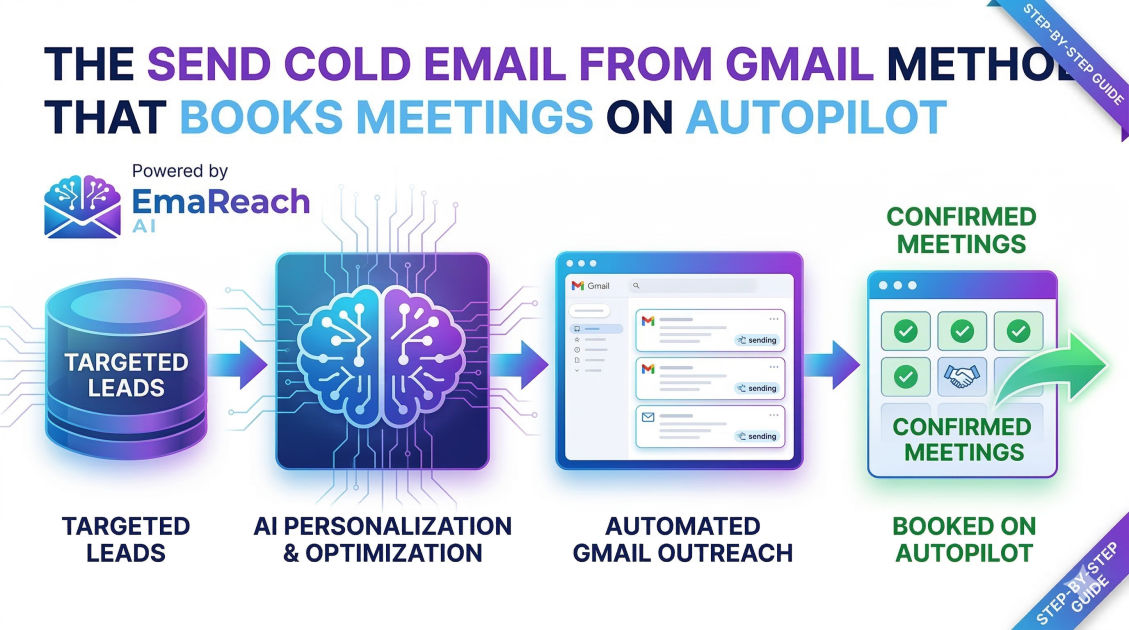
The Send Cold Email from Gmail Method That Books Meetings on Autopilot
cold emailoutreach strategygmail automationlead generationemail deliverabilitysales automation
The Evolution of Outreach: Why Gmail is Your Best Secret Weapon
In the modern landscape of digital sales, the struggle to get noticed in a crowded inbox is more intense than ever. Traditional email marketing platforms are fantastic for newsletters, but they often fall short when it comes to high-stakes, one-on-one cold outreach. This is where the "Gmail Method" comes into play. By leveraging the world’s most popular email provider as a specialized engine for outbound sales, you can achieve deliverability rates and engagement levels that standard automation tools simply cannot match.
Sending cold emails directly through Gmail—when done correctly—mimics human behavior so closely that it bypasses the automated filters that relegate marketing blasts to the 'Promotions' or 'Spam' tabs. This guide explores the systematic approach to turning your Gmail account into a meeting-booking machine that operates with minimal manual intervention.
The Foundation: Setting Up Your Gmail Infrastructure
Before you send a single message, you must ensure your technical foundation is rock solid. Using a standard @gmail.com address for professional cold outreach is a recipe for a quick trip to the spam folder. Instead, you must use Google Workspace (formerly G Suite) with a professional domain.
Domain Choice and Warm-up
Experienced growth hackers never use their primary company domain for cold outreach. If your main domain gets flagged for spam, your internal company communication and transactional emails (like invoices) will suffer. Instead, purchase a 'lookalike' domain. If your company is brandname.com, consider getbrandname.com or trybrandname.com specifically for your outbound efforts.
Once the domain is secured, it needs to be 'warmed up.' Modern algorithms look for a history of healthy email activity. If a brand-new domain suddenly sends 50 emails a day, it triggers a red flag. You must gradually increase your volume over several weeks, ensuring your emails are opened, replied to, and marked as 'not spam' by recipients. This builds the 'sender reputation' necessary for long-term success.
Essential Technical Authentication
To prove to receiving servers that you are who you say you are, you must configure three specific DNS records:
- SPF (Sender Policy Framework): Specifies which mail servers are authorized to send email on behalf of your domain.
- DKIM (DomainKeys Identified Mail): Adds a digital signature to your emails, ensuring the content hasn't been tampered with in transit.
- DMARC (Domain-based Message Authentication, Reporting, and Conformance): Provides instructions to the receiving server on what to do if the SPF or DKIM checks fail.
The Autopilot Framework: Automation Without the 'Bot' Feel
The goal of the Gmail Method is to book meetings while you sleep, but the content must feel like it was hand-typed by a thoughtful human. This requires a balance of sophisticated software and personalized variables.
Leveraging Google Sheets and Scripts
At its core, the most basic version of the Gmail Method involves connecting a Google Sheet to a script or a specialized Gmail extension. Your Sheet acts as your database, containing columns for the recipient's name, company, a unique observation about their work, and their email address.
By using 'Mail Merge' functionality, you can pull these specific data points into a Gmail template. However, true 'autopilot' status comes from using professional-grade tools that handle the scheduling and follow-ups automatically. These tools interface with your Gmail API, sending messages at staggered intervals to maintain a natural sending pattern.
The Role of AI in Personalization
Generic templates are dying. To stand out, your emails need deep personalization. This is where modern technology changes the game. Instead of just saying "I saw your website," you can use AI to analyze a prospect's recent LinkedIn post or a news article about their company, generating a unique opening line for every single lead.
For those looking to streamline this process further, EmaReach offers a powerful solution. Stop Landing in Spam. Cold Emails That Reach the Inbox. EmaReach AI combines AI-written cold outreach with inbox warm-up and multi-account sending—so your emails land in the primary tab and get replies. This level of integration ensures that while the process is automated, the quality of the outreach remains exceptionally high.
Crafting the High-Conversion Cold Email Script
Even with the best technical setup, your campaign will fail if your copy is weak. The Gmail Method relies on a specific copywriting structure designed for brevity and action.
The Subject Line: Curiosity Over Clarity
Your subject line has one job: get the email opened. Avoid 'salesy' language like "Improve your ROI" or "Free Consultation." Instead, use short, informal subject lines that look like they came from a colleague:
- Question for [Name]
- [Company] + [Your Company]
- Quick thought regarding [Project]
The Hook: The 5-Second Rule
You have roughly five seconds to convince the reader you aren't a robot. Start with a compliment or a specific observation that proves you've done your homework. Mentioning a specific achievement or a recent pivot their company made is highly effective.
The Value Prop: Solving a Pain Point
Don't list features. Instead, describe a specific problem you solve. Use the "Problem-Agitation-Solution" framework. For example: "I noticed your team is hiring 10 new sales reps. Scaling that quickly usually leads to a mess in the CRM data (Problem). We've helped companies like [Competitor] automate their data entry so reps can actually focus on selling (Solution)."
The CTA: Low Friction is Key
Never ask for a 30-minute demo in the first email. That’s a big commitment for a stranger. Instead, use an 'Interest-Based CTA.'
- "Would you be open to seeing a brief video of how this works?"
- "Is this something that’s on your radar for this quarter?"
- "Mind if I send over a quick PDF with the details?"
Advanced Deliverability: Avoiding the Dreaded Spam Folder
Gmail has some of the most sophisticated spam filters in the world. To run your outreach on autopilot without getting blocked, you must adhere to several strict 'rules of the road.'
The Volume Cap
While Google Workspace allows for a high daily limit, sending hundreds of cold emails a day from a single account is risky. The sweet spot for the Gmail Method is usually between 30 to 50 emails per day, per account. If you need to send 500 emails a day, you don't send them from one account; you set up 10 accounts across different domains and distribute the load. This 'Inbox Rotation' strategy is essential for protecting your sender reputation.
Tracking vs. Deliverability
Every time you add a tracking pixel to see if someone opened your email, you slightly decrease your deliverability. Spam filters recognize these pixels as markers of automated marketing. For the highest possible success rate, consider turning off open tracking and only tracking clicks or, better yet, only tracking direct replies.
Formatting and Links
Keep your emails in plain text. Excessive bolding, colorful fonts, and multiple links or attachments are hallmarks of spam. Ideally, your cold email should have zero links (not even in your signature) until the prospect has replied and expressed interest.
Managing the Inbox: Turning Replies into Meetings
Once the autopilot system starts generating replies, the 'Gmail Method' moves into the management phase. Not every reply is a 'yes,' and how you handle the 'no' or the 'not now' responses determines your ultimate success rate.
Categorizing Responses
Use Gmail Labels to categorize your incoming leads:
- Hot Lead: Ready for a meeting immediately.
- Information Requested: Needs more data before committing.
- Referral: Asked you to speak to someone else in the company.
- Not Now: Follow up in 3-6 months.
The Power of the Multi-Touch Sequence
Most meetings are booked on the 4th to 7th touchpoint. Your autopilot system should be configured to send follow-up emails if the recipient doesn't reply. These follow-ups shouldn't just say "Just circling back." Each follow-up should provide a new piece of value, a different case study, or a fresh perspective on the problem you're solving.
Analyzing Metrics for Continuous Optimization
To keep your autopilot system running efficiently, you must treat it like a laboratory. Data-driven decisions will always outperform gut feelings.
Key Performance Indicators (KPIs)
- Positive Reply Rate: This is the only metric that truly matters. How many people are saying "Tell me more" versus total emails sent?
- Bounce Rate: Keep this under 2%. A high bounce rate means your lead list is poor quality, which will eventually destroy your domain reputation.
- Meeting Conversion Rate: The percentage of positive replies that actually result in a scheduled call.
A/B Testing Everything
Never stop testing. Run one subject line against another for 200 emails. Once you find a winner, test the opening line. Then test the call to action. Over time, these marginal gains (improving a reply rate from 3% to 5%) can result in hundreds of thousands of dollars in additional revenue.
Scaling the Gmail Method
Once you have a single Gmail account booking 2-3 meetings a week on autopilot, the logic for scaling is simple: replicate the process. By adding more domains, more warmed-up accounts, and more personalized data, you can scale your outreach to thousands of prospects while maintaining the intimacy of a one-on-one conversation.
Scaling requires a shift in focus toward lead list hygiene. As you increase volume, the risk of hitting 'spam traps' increases. Regularly cleaning your lists with verification tools ensures that you are only ever reaching out to valid, active email addresses.
Conclusion: The Path to Predictable Pipeline
The "Send Cold Email from Gmail Method" is not a 'get rich quick' scheme; it is a sophisticated engineering approach to sales development. By respecting the technical limits of Gmail, utilizing the power of AI for genuine personalization, and maintaining a relentless focus on providing value to the recipient, you can build a system that consistently puts you in front of your ideal customers.
In an era where everyone is trying to 'scale' by being louder and more aggressive, the winners are those who use technology to be more human, more relevant, and more deliverable. Start small, get your infrastructure right, and let your automated Gmail engine drive your business growth.
EmaReach AI
Ready to scale your cold email outreach?
Join thousands of teams using EmaReach AI for AI-powered campaigns, domain warmup, and 95%+ deliverability. Start free — no credit card required.
Related posts
- Read article
The Instantly Alternative That Finally Gets Outbound Analytics Right
Discover why high-volume cold email requires a shift from surface-level vanity metrics to deep, data-driven revenue attribution, and explore the ultimate alternatives for mastering outbound engineering.
- Read article
What You Gain and What You Give Up When Switching From Instantly
Thinking about migrating your cold email stack? This detailed guide breaks down the exact operational advantages you gain and the core features you sacrifice when switching away from Instantly's popular outreach platform.