Blog
Back to blog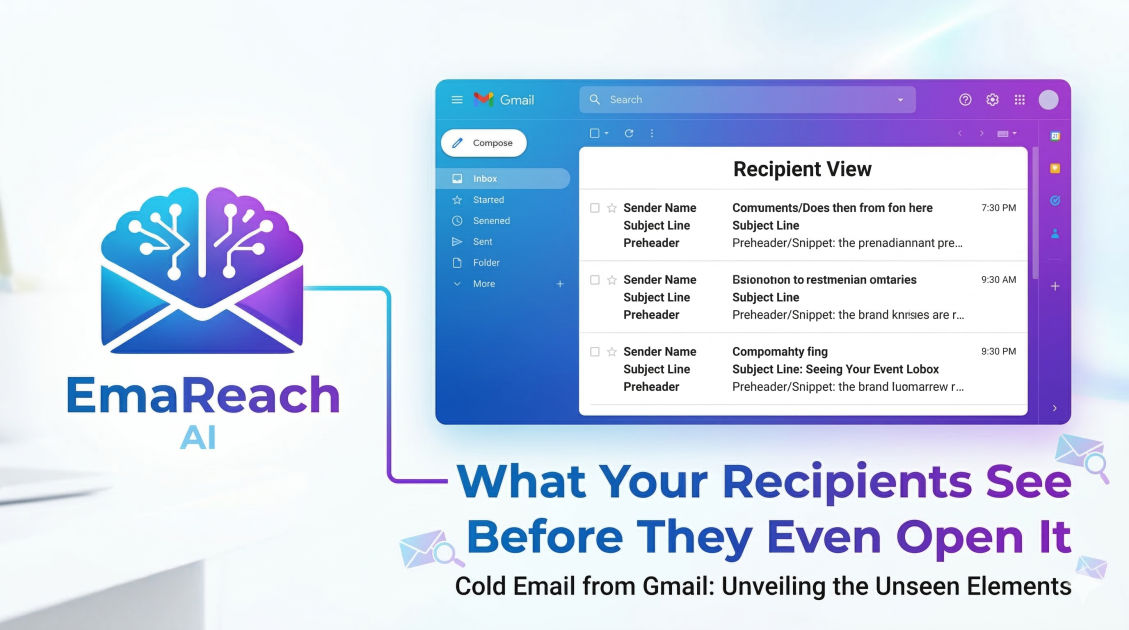
Send Cold Email from Gmail: What Your Recipients See Before They Even Open It
cold emailGmail outreachemail marketingdeliverabilitysales tipslead generationinbox optimization
Introduction: The Battle for the Inbox
Every day, the average professional is inundated with dozens, if not hundreds, of emails. In this crowded digital landscape, the decision to open an email or hit the delete key happens in a fraction of a second. When you send a cold email from Gmail, your recipient hasn't yet seen your carefully crafted pitch, your impressive case studies, or your persuasive call to action.
Instead, they are judging you based on a few select pieces of metadata that appear in their inbox view. These "pre-open" elements are the gatekeepers of your outreach success. If they look automated, suspicious, or irrelevant, your email will die in the inbox without ever being read. Understanding exactly what your recipients see before they even open your message is the first step toward mastering the art of cold outreach.
The Anatomy of the Inbox View
When a message arrives in a Gmail or Google Workspace inbox, it is displayed as a single row of information. While the specific layout may vary slightly depending on whether the recipient is using a desktop browser or a mobile app, the core components remain the same:
- The Sender Name (From Field)
- The Subject Line
- The Snippet (Preheader Text)
- The Profile Picture (BIMI or Google Profile)
- The Inbox Tab (Primary, Promotions, or Social)
- Security Warnings or Labels
Let’s dive deep into each of these elements to understand how they influence recipient behavior and how you can optimize them for maximum impact.
1. The Sender Name: Establishing Instant Trust
The "From" field is arguably the most important element in the pre-open experience. Research consistently shows that the sender's name is the primary factor people use to decide whether to open an email.
Personal vs. Corporate
When sending cold emails from Gmail, you have a choice: should the email come from a person (e.g., "John Smith"), a company (e.g., "Acme Corp"), or a combination (e.g., "John from Acme Corp")?
In most cold outreach scenarios, a personal name performs better. It signals that a human being is reaching out to another human being, rather than a brand broadcasting a marketing message. However, adding the company name can provide immediate context if your brand is well-known in your prospect's industry.
The Dangers of "Salesy" Names
Avoid using names like "Sales Team," "Info," or "No-Reply." These are immediate red flags that trigger the recipient's internal spam filter. If you want a response, you must appear approachable. Ensure your Gmail account settings reflect your real name or the professional alias you intend to use consistently.
2. The Subject Line: The Hook
If the Sender Name establishes who you are, the Subject Line explains why you are there. It is the headline of your email.
The Psychology of Curiosity and Relevance
A successful subject line for a cold email should feel like a natural part of the recipient’s workflow. High-pressure sales tactics or all-caps shouting often lead to lower open rates. Instead, focus on:
- Personalization: Including the recipient's name or company can increase the sense of relevance.
- Specificity: Instead of "Quick Question," try "Question regarding your [Specific Project] strategy."
- Shortness: On mobile devices, subject lines are often truncated after 30-40 characters. Keep your most important words at the beginning.
Avoiding Spam Triggers
Gmail's sophisticated algorithms scan subject lines for patterns associated with spam. Words like "Free," "Guarantee," "Act Now," or excessive use of exclamation points can land your email in the Promotions tab or, worse, the Spam folder. To ensure your outreach actually hits the mark, services like EmaReach can be invaluable. EmaReach AI combines AI-written cold outreach with inbox warm-up and multi-account sending, ensuring your emails land in the primary tab where they belong.
3. The Snippet: Your Secret Weapon
The snippet, often referred to as preheader text, is the short preview of the email's body that follows the subject line. Many senders ignore this space, allowing it to be filled with generic text like "Dear [Name]," or worse, "View this email in a browser."
Optimizing the First Sentence
In Gmail, the snippet is pulled directly from the first few lines of your email body. This is prime real estate. If your email starts with a long-winded introduction about yourself, the recipient will see that in the preview and likely move on.
Instead, use the first sentence to demonstrate that you’ve done your homework. A snippet that says, "I saw your recent post about the challenges of scaling remote teams..." is far more compelling than "My name is Sarah and I work for a company that..."
4. The Profile Picture and Brand Identity
Gmail displays a circular profile icon next to the sender's name. If you haven't set a profile picture, it will show a generic colored circle with your first initial.
The Power of a Human Face
Setting a professional, high-quality headshot as your Google profile picture can significantly increase trust. It puts a face to the name and reinforces the idea that the email is a 1-to-1 communication.
BIMI (Brand Indicators for Message Identification)
For larger organizations, implementing BIMI allows your official company logo to appear in the profile slot. This requires a verified VMC (Verified Mark Certificate) and specific DNS records (DMARC). While more complex to set up, it provides an unparalleled level of brand authority and security verification before the user even clicks.
5. The Inbox Tab: The Final Frontier
Gmail automatically categorizes incoming mail into tabs: Primary, Social, and Promotions. If your cold email lands in the Promotions tab, it is essentially buried.
How Gmail Categorizes Your Email
Google looks at several factors to determine where your email belongs:
- The ratio of text to images: Emails with heavy imagery or HTML formatting often get flagged as promotional.
- Links: Too many outbound links, especially to known marketing domains, can trigger the Promotions filter.
- Unsubscribe links: While legally required in many jurisdictions, a standard marketing-style unsubscribe footer tells Google the email is a broadcast, not a personal note.
- Engagement history: If people frequently open and reply to your emails, Google is more likely to place future messages in the Primary tab.
This is where deliverability tools become essential. By using a service that focuses on "warming up" your inbox through simulated peer-to-peer interactions, you signal to Google that your account is a reputable sender of personal messages.
6. Security Warnings: The Red Banner of Death
Perhaps the most damaging thing a recipient can see before opening an email is a warning banner from Google. These often appear at the top of the message list or as a prominent warning if the user clicks the message.
Warnings like "This message may not have been sent by..." or "Be careful with this message" are usually caused by technical misconfigurations in your DNS settings. Specifically, you must ensure that your SPF (Sender Policy Framework), DKIM (DomainKeys Identified Mail), and DMARC (Domain-based Message Authentication, Reporting, and Conformance) records are correctly set up for your sending domain.
Mobile vs. Desktop: Differences in Perception
It is vital to remember that a large portion of your recipients will see your email on a mobile device first. On mobile, the hierarchy of information changes:
- Verticality: Everything is stacked. The sender name is bolded and prominent.
- Truncation: Subject lines and snippets are cut off much earlier than on desktop.
- Dark Mode: Many users view emails in dark mode. If your profile picture has a white background, it may look like a stark box rather than a seamless circle.
[Image showing a side-by-side comparison of a cold email in desktop view vs mobile view]
The Role of Deliverability in First Impressions
You could have the most perfect subject line in the world, but if your domain reputation is poor, the only thing your recipient will see is the "Spam" folder—if they even look there.
Cold emailing from a fresh Gmail account or a new domain is risky. Google's filters are designed to catch sudden spikes in outbound volume. To avoid this, a gradual warm-up process is necessary. This involves sending a small number of emails and slowly increasing the volume while ensuring a high reply rate. Modern outreach strategies often involve using multiple accounts to distribute the load, keeping each account under the "radar" of automated spam detection.
Actionable Checklist for Your Next Outreach Campaign
Before you hit send on your next sequence, run through this checklist to ensure your "pre-open" elements are optimized:
- Check the 'From' Name: Is it a person? Is it spelled correctly?
- Test the Subject Line: Send a test to your own mobile device. Does it get cut off?
- Review the Snippet: What are the first 100 characters of your email? Do they provide value or just fluff?
- Verify the Profile Picture: Does your Google account have a professional headshot?
- Audit DNS Records: Are SPF, DKIM, and DMARC active and passing?
- Minimize Formatting: Is your email mostly plain text to avoid the Promotions tab?
The Psychology of the Split-Second Decision
Why does all of this matter? Because humans are hardwired to use heuristics—mental shortcuts—to process information quickly. In an inbox, the recipient is looking for reasons to not read your email. They are looking for signs of a bot, a generic template, or a security threat.
By optimizing what they see before the open, you are removing friction. You are moving from the category of "unwanted noise" to "potentially valuable contact." The goal isn't just to get an open; it's to start a conversation. When your pre-open elements align perfectly with a well-researched and thoughtful email body, your conversion rates will inevitably climb.
Conclusion
Sending cold emails from Gmail is a powerful way to grow a business, but it requires a deep understanding of the recipient's perspective. Your sender name, subject line, and snippet are the digital equivalent of a first impression in a physical meeting. They dictate whether you are welcomed in or turned away at the door.
By paying attention to the technical details of deliverability and the psychological nuances of the inbox view, you can ensure that your messages don't just reach the inbox, but actually get noticed. Remember, the journey to a successful deal begins long before the recipient clicks "Open." It begins the moment your name appears on their screen.
EmaReach AI
Ready to scale your cold email outreach?
Join thousands of teams using EmaReach AI for AI-powered campaigns, domain warmup, and 95%+ deliverability. Start free — no credit card required.
Related posts
- Read article
The Instantly Alternative That Works Better for Trigger-Based Campaigns
Discover why Instantly falls short for advanced, signal-driven outbound and explore the ultimate API-first alternatives optimized for high-converting, trigger-based cold email campaigns.
- Read article
The Instantly Alternative That Handles High Bounce Rates Without Panic
Discover how transitioning to an advanced Instantly alternative can safeguard your cold email infrastructure. Learn to handle high bounce rates effortlessly using real-time verification, smart mailbox rotation, and automated safety nets to protect your sender reputation and maintain consistent primary inbox placement.