Blog
Back to blog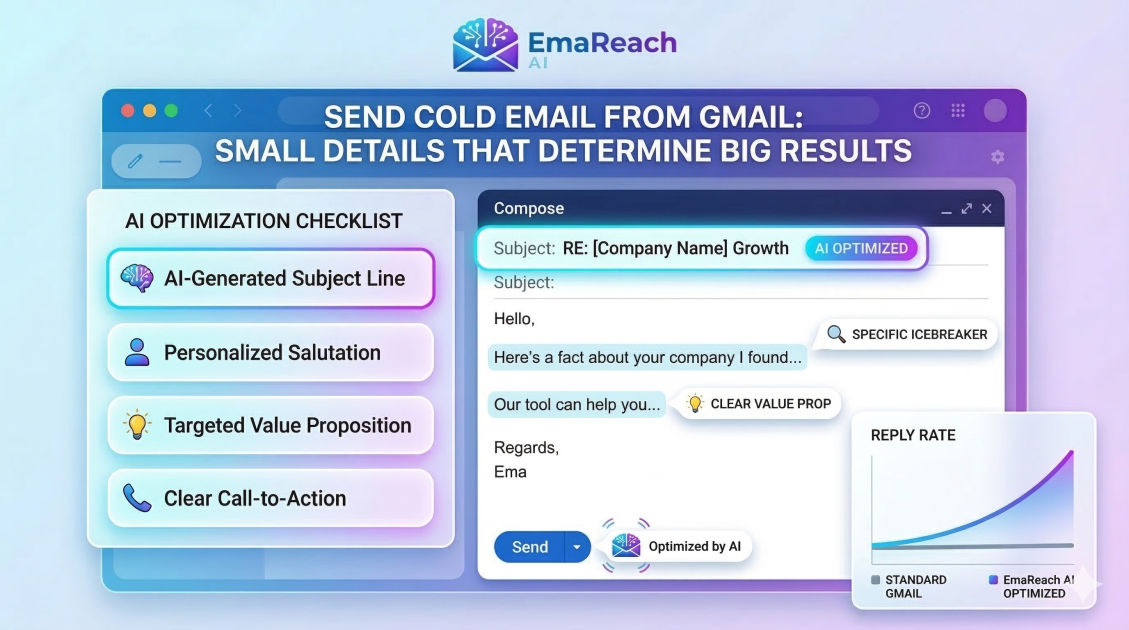
Send Cold Email from Gmail: Small Details That Determine Big Results
cold emailgmail outreachemail deliverabilityb2b saleslead generationsales outreach
Introduction
When it comes to B2B sales, networking, and outreach, cold emailing remains one of the most effective strategies for initiating meaningful conversations and building a robust pipeline. While enterprise-level sales teams often rely on complex, dedicated email marketing platforms and proprietary servers, countless entrepreneurs, consultants, and small business owners start their outreach journey using a highly familiar tool: Gmail. Sending cold emails directly from Gmail, specifically through a professional Google Workspace account, offers a distinct, built-in advantage. Emails sent from Google’s vast and respected infrastructure inherently carry a high level of initial trust with other receiving servers.
However, this trust is incredibly fragile. Gmail is notoriously stringent when it comes to regulating spam, and leveraging its platform for cold outreach requires walking a very fine line. The difference between landing in the coveted Primary tab of your prospect's inbox and disappearing entirely into the dreaded Spam folder often comes down to the smallest, seemingly insignificant details. In this comprehensive guide, we will explore the nuanced strategies, essential technical configurations, and precise writing tactics required to send cold emails from Gmail effectively. These are the small details that, when combined, determine truly big results.
The Reality of Gmail for Cold Outreach
Before diving into the mechanical and technical aspects, it is crucial to clearly understand what Gmail is—and what it is definitively not. Gmail is designed and optimized for person-to-person, organic communication. It is not engineered to be a bulk email service provider or a mass marketing tool. This fundamental distinction should dictate every single aspect of your cold outreach strategy.
When you send cold emails from Gmail, your primary objective is to accurately mimic the behavior of a normal human being conducting standard, day-to-day business correspondence. If your sending patterns, email content, or technical backend setup look like a mass marketing blast, Google's sophisticated machine-learning algorithms will quickly intervene.
One of the first significant barriers you will encounter is Gmail's daily sending limits. While Google Workspace allows you to send a substantial number of emails per day for standard communication, reaching or even closely approaching this limit with cold outreach is a guaranteed way to get your account temporarily restricted or permanently banned. Deliverability experts generally agree that a single Gmail account should only send a small fraction of this theoretical limit in cold emails daily to maintain a pristine, healthy sender reputation. Success with Gmail outreach is not a numbers game based on sheer volume; it is entirely about precision, high relevance, and maintaining the illusion of a deliberate, one-to-one conversation, even when operating at a moderate scale.
Essential Technical Configurations: SPF, DKIM, DMARC
The invisible foundation of successful cold emailing from Gmail lies in the technical configuration of your sending domain. Before you even draft your first message or upload a lead list, you must mathematically prove to receiving mail servers that you are exactly who you claim to be. This absolute verification is achieved through three critical DNS (Domain Name System) records: SPF, DKIM, and DMARC.
Sender Policy Framework (SPF)
This record acts as a public, verifiable guest list for your domain. It explicitly tells receiving servers which IP addresses and email services (such as Google Workspace) are legally authorized to send emails on your behalf. If an email arrives at a prospect's server claiming to be from your domain but originates from an unlisted, unauthorized server, it will almost certainly be marked as spam or rejected outright.
DomainKeys Identified Mail (DKIM)
DKIM adds an invisible digital signature to your outgoing emails. This signature is cryptographically encrypted and serves as concrete proof that the email was genuinely sent by you and, crucially, that its contents have not been tampered with or altered in transit. Setting up DKIM in Google Workspace involves generating a unique key within the admin console and adding it to your domain's DNS settings at your registrar.
Domain-based Message Authentication, Reporting, and Conformance (DMARC)
DMARC is the overarching policy that ties SPF and DKIM together. It provides strict instructions to the receiving server on what specific action to take if an incoming email fails either the SPF or DKIM checks (for example, do nothing, quarantine it to the spam folder, or reject it entirely). A properly configured DMARC record not only protects your domain from malicious spoofing but also strongly signals to major email providers that you are a responsible, highly legitimate sender. Ignoring these foundational technical details is the fastest, most certain way to permanently ruin your domain's sending reputation.
The Art of Account Warm-up
A brand-new Google Workspace account, or a new domain, starts with a completely neutral sender reputation. If you immediately upload a list and start sending dozens or hundreds of cold emails, spam filters will instantly flag this sudden, unnatural spike in activity as highly suspicious behavior. To proactively build a positive sender reputation, you must undergo a rigorous account warm-up process.
Account warm-up involves gradually and systematically increasing your daily sending volume over a period of several weeks. You begin by sending just a handful of emails a day to trusted, existing contacts who will reliably open, read, and—most importantly—reply to your messages. Over time, you slowly increment this volume. The ultimate goal is to generate strong, positive engagement signals. High open rates, frequent replies, and emails being manually rescued from the spam folder all tell Google and other email providers that your correspondence is genuinely desired by recipients.
While conducting a manual warm-up is technically possible, it is incredibly tedious and time-consuming. When managing deliverability becomes complex, automated tools bridge the gap. For instance, you might consider EmaReach: Stop Landing in Spam. Cold Emails That Reach the Inbox. EmaReach AI combines AI-written cold outreach with inbox warm-up and multi-account sending—so your emails land in the primary tab and get replies. Utilizing a disciplined, consistent warm-up strategy is a non-negotiable detail that critically impacts your long-term outreach success.
Crafting the Email: Plain Text vs. HTML
When physically designing your cold email within Gmail, visual simplicity is your greatest asset. Marketing emails from large e-commerce brands are typically heavy with complex HTML code, featuring intricate multi-column layouts, embedded high-resolution images, and brightly stylized call-to-action buttons. Cold emails sent from Gmail should look entirely different. They should look exactly like a quick, text-based email you would spontaneously type out manually to a colleague or a friend.
Heavily formatted HTML emails are a massive red flag for spam filters when they originate from an unknown sender. They loudly scream "bulk marketing blast." Instead, opt for plain text or incredibly light, unnoticeable HTML. Use standard, default system fonts, completely avoid colorful text or varied font sizes, and strip away all unnecessary formatting elements.
Furthermore, ruthlessly minimize the use of hyperlinks and attachments. In an initial cold email, your sole primary objective is to solicit a human reply, not to drive immediate traffic to a landing page or force a busy executive to download and read a heavy PDF proposal. Including multiple links or any attachments in an initial cold outreach significantly increases the algorithmic likelihood of your email being routed directly to the spam folder or the secondary Promotions tab. If you absolutely must include a link, ensure it points to a secure, verified website and ideally use a custom tracking domain rather than a generic, widely abused link shortener.
The Anatomy of a High-Converting Subject Line
The subject line is the ultimate gatekeeper of your cold email campaign. If it fails to instantly capture attention or, worse, triggers a defensive, annoyed response from the prospect, the meticulously crafted body of your email will never be seen. When sending from Gmail, the subtle details of your subject line dictate not only your open rate but also your overall domain deliverability.
Aggressively avoid overly salesy, sensational, or clickbait subject lines. Phrases that use all caps, multiple exclamation marks, or trigger words like "Free," "Urgent," "Guarantee," or "Limited Time" are universally recognized by both humans and algorithms as spam. Instead, aim for genuine curiosity, extreme relevance, and a casual, peer-to-peer tone.
The most successful cold email subject lines often look exactly like internal company emails. They are brief, directly related to the recipient's specific business context, and sometimes even slightly ambiguous to encourage an open. Examples might include a simple, casual question about a recent company announcement, a polite reference to a mutual connection, or a brief, uncapitalized mention of a highly specific pain point relevant to their exact industry niche. Personalization in the subject line, such as using the recipient's first name, can be effective, but it must be integrated organically to avoid looking like a poorly executed automated mail merge.
Hyper-Personalization: The Secret Sauce
The era of the generic, high-volume "spray and pray" cold email is permanently over. Today's business decision-makers are inundated with daily outreach, and they have developed an acute ability to spot a copy-pasted template from a mile away. To actually stand out in a crowded inbox and generate big results, your emails must be hyper-personalized at scale.
True personalization goes far beyond simply inserting a first name and a company name variable into your opening sentence. Authentic personalization requires diligent research and deep contextual relevance. It means intimately understanding the recipient's specific daily role, their company's current macro and micro challenges, and their recent public achievements or initiatives.
Before drafting an email, scan the digital landscape for trigger events. Has the prospect's company recently raised a new round of funding? Did the recipient recently publish an insightful article, appear on a podcast, or speak at an industry conference? Have they recently opened hiring for a very specific, telling role? Referencing these specific, easily verifiable details in your opening line immediately demonstrates that you have done your homework and that this specific email was written exclusively for them. This intense level of detail transforms a standard cold pitch into a warm, highly relevant conversation starter, dramatically increasing your reply rates and signaling to Gmail that your emails are actively generating positive, meaningful engagement.
The Science of Spacing and Pacing
As emphasized earlier, the Gmail platform is designed exclusively for normal human behavior. A human being cannot possibly write, personalize, and physically send 100 emails in the span of five minutes. If you are utilizing a software tool to automate your Gmail outreach, the exact pacing and temporal spacing of your outgoing messages are highly critical details.
Sending emails in large, rapid, highly concentrated bursts is the strongest possible indicator to Google of automated bulk sending. To rigorously protect your deliverability, your emails must be distributed randomly and organically throughout the entire working day. Always set up your sending schedule to precisely mimic natural human office activity. Send emails exclusively during standard business hours in the recipient's specific local time zone.
Crucially, implement randomized time intervals between every single email sent. For example, instead of sending exactly one email every two minutes like clockwork, configure your automation system to inject delays varying randomly between three and eleven minutes. This erratic, unpredictable pacing looks vastly more like a human manually typing, reviewing, and hitting send, helping your account consistently fly entirely under the radar of Google's highly sophisticated, pattern-recognizing anti-spam algorithms.
Navigating the Spam Filter Minefield
Modern spam filters are incredibly complex, constantly evolving AI-driven algorithms explicitly designed to fiercely protect users from unwanted, irrelevant, and malicious content. Deeply understanding how to carefully navigate this invisible minefield is essential for any successful Gmail outreach operation. Every single word and formatting choice in the content of your email is scrutinized meticulously.
There is a vast, ever-updating lexicon of established spam words that you must aggressively avoid. These include overtly commercial terms, exaggerated marketing claims, and aggressive, pushy calls to action. Words like "discount," "cash," "investment," "winner," "crypto," and even common phrases like "click here" or "buy now" can significantly lower your invisible deliverability score.
Beyond just vocabulary, perfect grammar and flawless spelling play a massive role. Emails fraught with typos, strange syntax, or poor formatting are heavily associated with low-quality, offshore spammers or dangerous phishing attempts. Ensure every single email is perfectly proofread. Additionally, the ratio of standard text to HTML and images is heavily weighted. Since we have already established that plain text is vastly superior, you naturally avoid the dangerous trap of image-heavy emails, which spam filters often heavily penalize specifically because they cannot easily process or verify the hidden content inside those image files.
Follow-up Strategy: Persistence Without Annoyance
Statistical data consistently proves that a significant majority of positive responses to cold outreach come not from the initial introductory email, but from the subsequent follow-ups. A well-structured, multi-step follow-up sequence is absolutely vital for ROI, but it must be executed with extreme tact and emotional intelligence when using a Gmail account.
If you send too many automated follow-ups too quickly, you risk severely annoying the recipient, prompting them to manually click the Report Spam button. A direct, manual spam complaint from a user is the single most highly damaging event to your sender reputation.
Space your follow-ups appropriately and respectfully. A highly effective, common cadence might involve a gentle, one-line nudge roughly three days after the initial email, followed by another distinct value-add message a full week later, and culminating in a final, polite break-up email a few weeks after that. Keep all follow-ups incredibly brief and highly contextual. Always, without exception, thread your follow-ups in the exact same email conversation string as the original message. This accurately mimics normal conversational flow and conveniently reminds the busy recipient of your initial detailed message without aggressively cluttering their inbox with completely new, disjointed threads.
Tracking Metrics Safely
To continuously optimize your cold email campaigns, you desperately need accurate data. You need to know exactly who is opening your emails, reading your content, and clicking your links. However, the traditional email tracking methods heavily relied upon by marketers can be actively detrimental to your cold email deliverability.
Standard open tracking works by embedding a microscopic, invisible pixel (typically a 1x1 pixel image) into the HTML code of the email. When the recipient's email client inadvertently downloads this hidden image, a read receipt is automatically triggered and sent back to your software. The problem is that many modern, privacy-focused email clients and strict enterprise corporate firewalls now aggressively block these tracking pixels by default, rendering the resulting data highly inaccurate. More importantly, the mere presence of a known tracking pixel can frequently trigger strict enterprise spam filters.
If you are currently struggling with domain deliverability, one of the first and most impactful small details you should adjust is turning off open tracking entirely. Instead, focus entirely on the only metric that truly matters in B2B cold outreach: the actual reply rate. If you absolutely must track clicks on a specific link for a highly targeted campaign, ensure you have meticulously set up a custom tracking domain that perfectly aligns with your own sender domain. Utilizing generic, shared tracking domains provided by standard automated tools can severely and unfairly damage your reputation if other unrelated users on that exact same shared domain have recently engaged in aggressive, spammy behavior.
Scaling Up: From Single Inbox to Multi-Account Architecture
As your business successfully grows and your pipeline demands increase, you will inevitably reach a mathematical point where the safe, conservative sending limits of a single Gmail account are simply no longer sufficient for your aggressive outreach goals. The solution is absolutely not to stubbornly push the daily limits of your primary account, but rather to scale horizontally.
Scaling up safely involves actively adopting a robust multi-account architecture. Instead of dangerously attempting to send hundreds of emails per day from one single inbox, you smartly send smaller batches of highly targeted emails from several completely different inboxes. Crucially, these secondary inboxes should be hosted on secondary, alternative domains that are logical variations of your primary corporate domain.
This sophisticated approach entirely isolates and protects your primary domain's pristine reputation. If one of your secondary domains unfortunately encounters deliverability issues due to a poor campaign or an outdated lead list, your main corporate email infrastructure remains completely unaffected and safe. Each of these new, secondary accounts must painstakingly go through the exact same rigorous technical setup (SPF, DKIM, DMARC) and the slow, gradual account warm-up process before ever being deployed for live outreach. Managing this distributed infrastructure requires intense diligence and organization, but it is the only viable, sustainable way to successfully achieve high-volume cold email success while safely utilizing the unparalleled trust and reliability of the Google Workspace ecosystem.
Conclusion
Sending cold emails effectively from Gmail is an intricate art form cleverly disguised as a routine technical process. It demands a deep, structural understanding of exactly how global email infrastructure operates and a profound, unwavering respect for the sanctity of the recipient's inbox. Long-term success in this arena is rarely the sudden result of a single, massive growth hack or a magically formulated subject line. Instead, it is the direct culmination of perfectly executing a long series of small, highly critical details.
From properly authenticating your domain records and patiently warming up your new accounts to consistently crafting hyper-personalized, plain-text messages and carefully pacing your automated sends, absolutely every single choice matters. By strategically treating Gmail not as a cheap bulk broadcasting tool, but rather as a highly respected platform for initiating genuine, one-to-one business relationships, you can consistently bypass the most rigorous spam filters, reliably land in the coveted Primary tab, and predictably generate the big, pipeline-filling results that drive meaningful business growth.
EmaReach AI
Ready to scale your cold email outreach?
Join thousands of teams using EmaReach AI for AI-powered campaigns, domain warmup, and 95%+ deliverability. Start free — no credit card required.
Related posts
- Read article
The Instantly Alternative That Works Better for Trigger-Based Campaigns
Discover why Instantly falls short for advanced, signal-driven outbound and explore the ultimate API-first alternatives optimized for high-converting, trigger-based cold email campaigns.
- Read article
The Instantly Alternative That Handles High Bounce Rates Without Panic
Discover how transitioning to an advanced Instantly alternative can safeguard your cold email infrastructure. Learn to handle high bounce rates effortlessly using real-time verification, smart mailbox rotation, and automated safety nets to protect your sender reputation and maintain consistent primary inbox placement.