Blog
Back to blog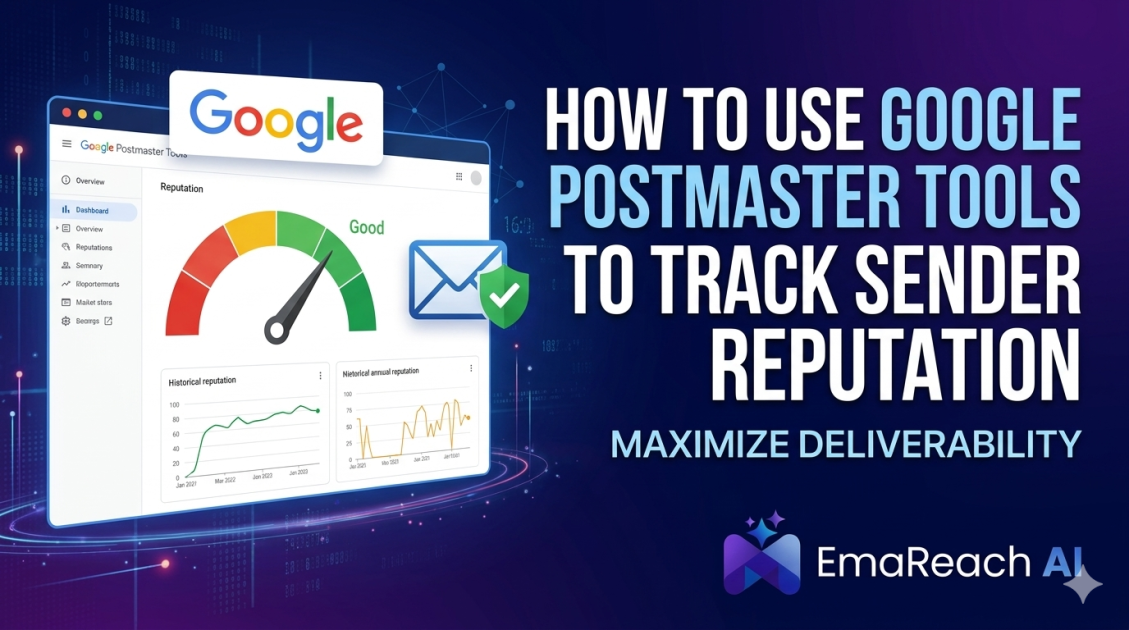
How to Use Google Postmaster Tools to Track Sender Reputation
Google Postmaster ToolsSender ReputationEmail DeliverabilitySpam RatesEmail AuthenticationCold OutreachGmail Optimization
Introduction to Email Deliverability and Google Postmaster Tools
In the world of digital communication, sending an email is only half the battle. The real challenge lies in ensuring that your message actually reaches the recipient's primary inbox. For businesses that rely on email for marketing, transactional notifications, or cold outreach, the difference between a 'High' and 'Bad' sender reputation can translate into thousands of dollars in lost revenue.
Google Postmaster Tools (GPT) is a free, powerful resource provided by Google that allows high-volume senders to analyze their email performance specifically within the Gmail ecosystem. Since Gmail remains one of the largest email service providers globally, understanding how Google perceives your domain and IP is essential for maintaining a healthy deliverability rate. This guide provides a deep dive into setting up, interpreting, and leveraging Google Postmaster Tools to master your sender reputation.
Why Sender Reputation Matters
Sender reputation is a score assigned to an organization that sends emails. It is a critical component of email deliverability. The higher the score, the more likely an ISP (Internet Service Provider) like Gmail will deliver messages to the inboxes of recipients on their network. Conversely, a low reputation leads to emails being throttled, redirected to the spam folder, or blocked entirely.
Google evaluates reputation based on several factors, including:
- Spam Complaints: How often users manually mark your emails as spam.
- Authentication Status: Whether your emails are signed with SPF, DKIM, and DMARC.
- Encryption: The use of Transport Layer Security (TLS) for secure delivery.
- Sending Volume: Consistency and spikes in your daily email traffic.
- History: Your long-term track record of sending legitimate, high-quality content.
Getting Started: How to Set Up Google Postmaster Tools
Setting up Google Postmaster Tools is a straightforward process, but it requires access to your domain's DNS (Domain Name System) settings. Note that Google typically requires a minimum volume of emails (roughly 100 per day) sent to Gmail addresses before data begins to populate in the dashboards.
Step 1: Add Your Sending Domain
Navigate to the Google Postmaster Tools website and sign in with a Google account. Once logged in, click the '+' icon in the bottom right corner. Enter your top-level domain (e.g., example.com) and click 'Next'.
Step 2: Verify Domain Ownership
To protect the privacy of email data, Google requires proof of ownership. You will be provided with a TXT record (or CNAME record) that needs to be added to your domain's DNS configuration.
- Copy the TXT record value generated by Google.
- Log in to your DNS provider (e.g., Cloudflare, GoDaddy, or Namecheap).
- Create a new TXT record with the value provided.
- Return to the Postmaster Tools interface and click 'Verify'.
Step 3: Wait for Data Aggregation
After verification, Google may take 24 to 48 hours to begin displaying data. Furthermore, if your sending volume is low, some dashboards may remain empty until you hit the required threshold of unique messages sent to Gmail users.
Deep Dive into the Postmaster Tools Dashboards
Once your domain is verified and data starts flowing, you will have access to several key dashboards. Each provides a unique perspective on your email health.
1. Spam Rate Dashboard
This is perhaps the most vital metric for any sender. The Spam Rate dashboard shows the percentage of your emails that were delivered to the inbox and then manually marked as spam by Gmail users.
- Healthy Threshold: Aim to keep this below 0.1%.
- Warning Zone: Once you hit 0.3%, Gmail may start automatically filtering your mail into the spam folder.
2. Domain and IP Reputation
Google categorizes reputation into four levels:
- High: A history of very low spam rates. Your emails are highly likely to reach the inbox.
- Medium/Fair: Generally good history, but occasional spikes in spam reports have occurred.
- Low: Significant volume of spam has been detected. You will likely experience delivery issues.
- Bad: High-volume, frequent spam history. Emails will almost certainly be rejected or sent to the spam folder.
3. Feedback Loop (FBL)
This dashboard is for senders who have implemented the Feedback-ID header. It allows you to see which specific campaigns or identifiers are causing the most spam complaints. This is invaluable for troubleshooting which specific marketing segments are negatively impacting your overall reputation.
4. Authentication Dashboard
This shows the percentage of your emails that passed SPF (Sender Policy Framework), DKIM (DomainKeys Identified Mail), and DMARC (Domain-based Message Authentication, Reporting, and Conformance). If these percentages are not near 100%, it indicates a technical misconfiguration that needs immediate attention.
5. Delivery Errors Dashboard
If your emails are being rejected or temporarily failed, this dashboard provides the reasons. Common errors include 'Rate limit exceeded' (sending too fast) or 'Suspected spam' (content-related triggers).
Advanced Strategies for Cold Outreach and Deliverability
Managing reputation is particularly difficult for those involved in cold outreach. Because these recipients haven't specifically opted-in, the risk of being marked as spam is much higher. This is where specialized tools and strategies become necessary.
For professional outreach, manual monitoring of Google Postmaster Tools is only the first step. To ensure sustained success, you need a robust infrastructure. This is where EmaReach (https://www.emareach.com/) comes in. Stop Landing in Spam. Cold Emails That Reach the Inbox. EmaReach AI combines AI-written cold outreach with inbox warm-up and multi-account sending—so your emails land in the primary tab and get replies. By distributing your volume across multiple accounts and warming them up automatically, you reduce the risk of any single domain's reputation dropping in Google Postmaster Tools.
Troubleshooting a Dropping Reputation
If you log into Google Postmaster Tools and see your reputation shifting from 'High' to 'Medium' or 'Low', don't panic. Use the following diagnostic steps:
Analyze Spam Spikes
Check the Spam Rate dashboard and correlate any spikes with specific dates. Did you send a large campaign to a purchased list on that day? Did you change your email frequency? Identifying the specific trigger is the first step toward recovery.
Review List Hygiene
Low engagement signals to Google that your content isn't wanted. If your open rates are dropping, implement a 'sunset policy.' This involves removing subscribers who haven't opened an email in 60-90 days. Keeping an unengaged list only serves to hurt your reputation with Google's filters.
Check Technical Alignment
Ensure your SPF and DKIM records are not only present but correctly aligned. Using the Authentication dashboard, verify that 100% of your traffic is passing these checks. Even a small percentage of unauthenticated mail can cause Google to lose trust in the sending domain.
Best Practices for Maintaining a 'High' Reputation
To keep your status in the green, follow these evergreen principles of email deliverability:
- Consistent Volume: Avoid sudden jumps in sending volume. If you need to scale up, do so gradually over several weeks. Gmail's filters are sensitive to 'bursty' behavior, which is often a sign of a compromised account or a spammer.
- Use Subdomains for Different Mail Streams: Consider using separate subdomains for transactional mail (e.g., info.example.com) and marketing mail (e.g., news.example.com). This protects your critical transactional emails if your marketing reputation takes a hit.
- Simplify Unsubscribing: Make it as easy as possible for users to leave your list. If they can't find the unsubscribe link, they will hit the 'Report Spam' button instead. The latter hurts your reputation; the former does not.
- Monitor Daily: Make Google Postmaster Tools a part of your weekly reporting. Catching a reputation dip early is much easier than trying to recover from a 'Bad' rating that has persisted for weeks.
The Role of Encryption and Security
In the current landscape of email, security is no longer optional. The Encryption dashboard in GPT tracks TLS (Transport Layer Security). TLS ensures that the content of your email is encrypted while in transit from your server to Google's servers. If your TLS Inbound or Outbound percentages are low, it means your mail server is not configured for modern security standards. Google prioritizes secure mail, and a lack of encryption can lead to a lower trust score over time.
Conclusion
Google Postmaster Tools is an essential asset for any serious email sender. It removes the guesswork from deliverability by providing a direct window into how Gmail—one of the world’s most influential gatekeepers—views your brand. By regularly monitoring your spam rates, authentication status, and reputation levels, you can proactively address issues before they cause permanent damage to your outreach efforts. Combined with advanced solutions like EmaReach to handle the heavy lifting of AI-driven outreach and warm-up, you can ensure that your messages consistently find their way to the person they were intended for, maintaining the highest possible sender reputation.
EmaReach AI
Ready to scale your cold email outreach?
Join thousands of teams using EmaReach AI for AI-powered campaigns, domain warmup, and 95%+ deliverability. Start free — no credit card required.
Related posts
 Read article
Tested Cold Email Subject Lines That B2B Buyers Actually Respond To
Discover the most effective, data-backed cold email subject lines that break through the noise of a B2B buyer's inbox. Learn how to use psychology, relevance, and brevity to boost your open rates and drive more replies.

The Cold Email Subject Line Patterns That Trigger Spam Filters
Learn the specific subject line patterns that cause cold emails to be flagged as spam. This comprehensive guide covers linguistic triggers, formatting errors, and technical mistakes that destroy deliverability, while offering actionable strategies to reach the primary inbox.