Blog
Back to blog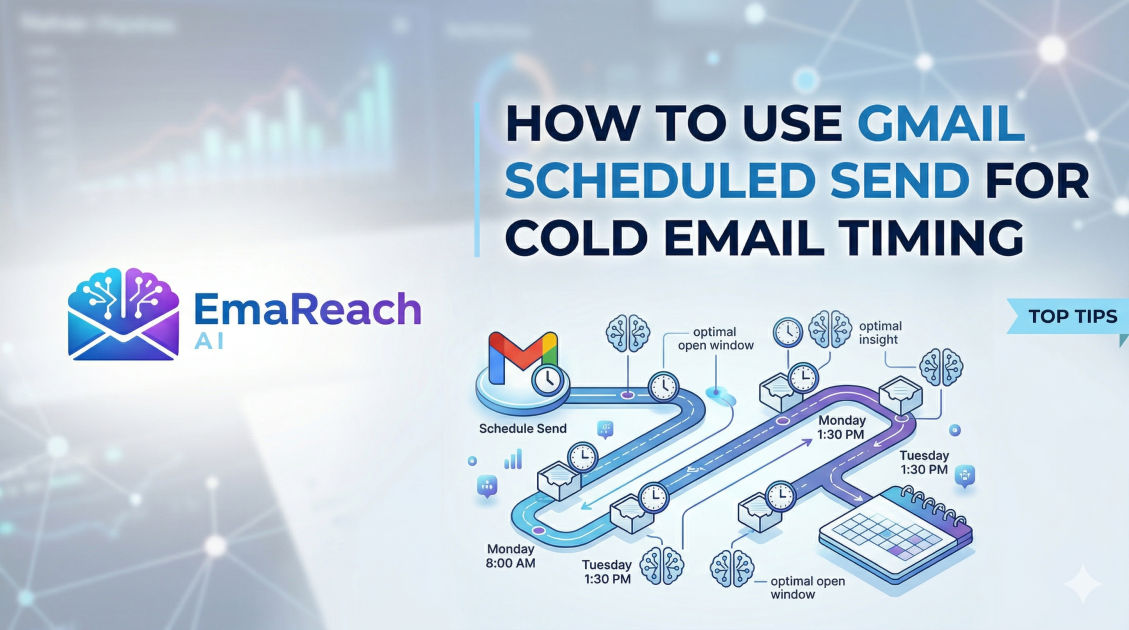
How to Use Gmail Scheduled Send for Cold Email Timing
cold emailgmail tipsemail marketingsales outreachproductivityemail deliverability
Introduction
In the world of digital outreach, timing isn't just a minor detail; it is often the deciding factor between a conversion and a deletion. When you are sending cold emails, you are competing with dozens, if not hundreds, of other messages flooding your prospect's inbox every single day. If your email arrives at 2:00 AM while they are asleep, it will likely be buried under a mountain of newsletters and internal memos by the time they check their phone in the morning. Conversely, if it arrives right as they are settling into their desk with a fresh cup of coffee, your chances of an open—and a reply—skyrocket.
Gmail’s Scheduled Send feature is a powerful, built-in tool that allows sales professionals, recruiters, and entrepreneurs to take control of this chronobiological chess game. By mastering the art of scheduling, you can appear in the inbox at the precise moment of maximum impact, regardless of your own time zone or working hours. This guide explores the technical 'how-to' and the strategic 'why' behind using Gmail’s scheduling capabilities to optimize your cold email performance.
The Technical Guide: How to Schedule Emails in Gmail
Before diving into the complex strategies of timing, it is essential to understand the mechanics of the tool itself. Gmail has made the scheduling process remarkably intuitive across both desktop and mobile platforms.
Desktop Instructions
- Compose Your Message: Open Gmail and click the 'Compose' button. Draft your cold email, ensuring your subject line is punchy and your body text is personalized.
- Access the Schedule Menu: Instead of clicking the blue 'Send' button, look for the small downward-facing arrow immediately to the right of it.
- Select 'Schedule Send': Clicking this arrow will reveal a popup menu with the option 'Schedule send'.
- Choose Your Time: Gmail will suggest a few common times (e.g., Tomorrow morning, Tomorrow afternoon). To be more precise, click 'Pick date & time'. This opens a calendar and clock interface where you can select the exact minute you want the email to leave your outbox.
- Confirm: Once you click 'Schedule send' in the calendar view, the email is moved to a dedicated 'Scheduled' folder in your left-hand sidebar.
Mobile Instructions (iOS & Android)
- Draft Your Email: Open the Gmail app and tap 'Compose'.
- Open the Options Menu: Tap the three vertical dots (overflow menu) in the top right corner of the screen.
- Select 'Schedule Send': Similar to the desktop version, choose this option from the list.
- Pick Your Slot: Select from the preset options or choose a custom date and time.
Why Timing Matters in Cold Outreach
The psychology of the inbox is rooted in the 'Last In, First Out' (LIFO) principle. Most professionals deal with their email in bursts throughout the day. If your message is at the top of the stack when they hit 'Refresh,' you benefit from their immediate attention. If you are ten messages deep, you are a chore to be dealt with later.
Strategic timing accomplishes three primary goals:
- Higher Open Rates: You catch the prospect when they are actively looking for new information.
- Perceived Professionalism: Sending an email at 10:00 AM local time looks organized; sending it at 3:00 AM looks desperate or automated.
- Contextual Relevance: You can time emails to coincide with industry-specific events, such as Monday morning planning sessions or Friday afternoon wrap-ups.
Identifying the 'Golden Window' for Your Industry
There is no universal 'perfect time' to send a cold email, as the ideal window varies significantly based on the persona you are targeting. However, data-driven trends provide a solid baseline for your scheduling experiments.
The Mid-Week Sweet Spot
Generally, Tuesday, Wednesday, and Thursday are the most productive days for B2B outreach. Mondays are often consumed by 'firefighting' and catching up on weekend backlogs, while Fridays are dedicated to finishing tasks and preparing for the weekend. By scheduling your Gmail messages to land on a Wednesday morning, you are hitting the peak of the professional work week.
The Morning Prime Time
Aim for the window between 8:00 AM and 10:00 AM in your prospect’s local time zone. This is when most people are triaging their inbox and deciding which tasks will define their day. If you miss this window, the second-best slot is usually right after lunch, around 1:00 PM to 2:00 PM, as people settle back into work after a break.
Managing Time Zones with Scheduled Send
One of the greatest challenges of global outreach is the time zone gap. If you are based in London but targeting prospects in San Francisco, your 9:00 AM is their 1:00 AM. Using Scheduled Send allows you to bridge this gap effortlessly.
When using the 'Pick date & time' feature in Gmail, the tool defaults to your local time zone. Therefore, you must perform a quick mental (or digital) calculation. If you want a New York prospect to receive your email at 9:00 AM EST and you are in London (GMT), you should schedule the email for 2:00 PM your time. This level of intentionality shows respect for the prospect’s boundaries and maximizes your relevance.
Advanced Scheduling Strategies for Cold Emailing
To move beyond basic scheduling and into high-performance outreach, consider these advanced tactics:
The 'Staggered Arrival' Technique
If you are reaching out to multiple people within the same organization, do not schedule all the emails for the exact same minute. If five executives at the same firm receive the same cold email at 9:02 AM, it becomes obvious that they are part of an automated blast. Use Gmail to stagger these sends—one at 9:05 AM, another at 10:15 AM, and perhaps one the following morning. This creates a more organic appearance.
The Weekend Preparation Move
While sending emails on a Sunday is usually discouraged, scheduling an email to land on Monday morning at 7:30 AM can be a brilliant move. Many high-level executives check their emails before they even get to the office. Being the first message they see as they clear their notifications can give you a head start on the week.
Avoiding the 'On-the-Hour' Trap
Automation tools often default to sending at 9:00, 10:00, or 11:00 sharp. Human beings rarely send emails at exactly 9:00:00. To make your cold outreach feel more authentic, schedule your emails for 'odd' times like 9:07 AM or 10:23 AM. This subtle touch reduces the 'bot' feel and can help with deliverability.
Overcoming the Limitations of Manual Scheduling
While Gmail’s native Scheduled Send is an incredible free tool, it does have limitations for those doing high-volume outreach. You have to schedule each email individually, and there is a limit to how many messages you can have in the 'Scheduled' queue. Furthermore, manual scheduling doesn't help with the most critical aspect of cold emailing: deliverability.
If you find that your scheduled emails are landing in the 'Promotions' tab or, worse, the Spam folder, it might be time to look at a more robust solution. This is where EmaReach comes into play. EmaReach helps you 'Stop Landing in Spam' by ensuring your cold emails actually reach the inbox. It combines AI-written outreach with essential features like inbox warm-up and multi-account sending. While Gmail handles the timing, EmaReach ensures that when that 'Send' trigger fires, your message lands in the primary tab where it belongs.
The Role of Follow-Up Scheduling
Cold email success is rarely found in the first message. It is the follow-up where the magic happens. You can use Gmail Scheduled Send to map out an entire conversation thread in advance.
After sending your initial email, you can immediately draft a follow-up and schedule it for three days later. If the prospect replies to your first email, you simply go into your 'Scheduled' folder and delete the pending follow-up. This 'set it and forget it' approach ensures that no lead ever falls through the cracks due to a busy schedule.
Analyzing Results to Refine Your Timing
To truly master Gmail scheduling, you must become a student of your own data. Keep a simple spreadsheet (or use a CRM) to track when you sent your emails and when you received replies.
Ask yourself:
- Do CEOs in my niche respond better on Tuesday mornings or Thursday afternoons?
- Are my 'odd-time' emails (e.g., 9:13 AM) getting more opens than my 'on-the-hour' emails?
- Is there a specific day of the month (like the first or last day) where response rates dip?
By constantly iterating on your scheduled times, you turn Gmail from a simple mail client into a precision-guided outreach machine.
Common Mistakes to Avoid
- Ignoring Holidays: Be mindful of regional holidays. Scheduling a cold email to land on a Tuesday morning is great, unless that Tuesday is a national holiday in the prospect's country. Your email will be buried by the time they return.
- Over-scheduling: If you schedule 50 emails to go out at the exact same time from a single Gmail account, you risk triggering spam filters. Spread them out.
- Forgetting to Edit: If you schedule an email a week in advance, a lot can change. A company might have a major news event or a layoff. Always review your 'Scheduled' folder periodically to ensure the content is still appropriate.
- Inconsistent Time Zones: Double-check your math. Sending a 'Good Morning' email that arrives at 4:00 PM is an instant signal that you aren't paying attention to detail.
Ethical Considerations and Best Practices
While scheduling gives you an advantage, it should never be used to deceive. The goal is to be helpful and relevant. Use the time you save through scheduling to research your prospects more deeply. A perfectly timed email that is poorly researched will still fail. Combine the technical power of Gmail’s scheduler with the human touch of personalization for the best results.
Ensure you are following local regulations regarding cold outreach. Timing your email perfectly doesn't exempt you from the need to provide value and an easy way for the recipient to opt-out of future communications.
Conclusion
Mastering Gmail’s Scheduled Send feature is a low-effort, high-reward strategy for anyone involved in cold outreach. It allows you to respect the prospect's time, manage your own productivity, and navigate the complexities of global business hours with ease. By understanding the 'Golden Windows' of your industry, staggering your send times, and ensuring your deliverability is optimized through tools like EmaReach, you can significantly increase the ROI of your email campaigns.
Remember, the best email in the world is useless if it isn't seen. Take control of your timing today, and start showing up at the top of the inbox when it matters most.
EmaReach AI
Ready to scale your cold email outreach?
Join thousands of teams using EmaReach AI for AI-powered campaigns, domain warmup, and 95%+ deliverability. Start free — no credit card required.
Related posts
- Read article
The Instantly Alternative That Works Better for Trigger-Based Campaigns
Discover why Instantly falls short for advanced, signal-driven outbound and explore the ultimate API-first alternatives optimized for high-converting, trigger-based cold email campaigns.
- Read article
The Instantly Alternative That Handles High Bounce Rates Without Panic
Discover how transitioning to an advanced Instantly alternative can safeguard your cold email infrastructure. Learn to handle high bounce rates effortlessly using real-time verification, smart mailbox rotation, and automated safety nets to protect your sender reputation and maintain consistent primary inbox placement.