Blog
Back to blog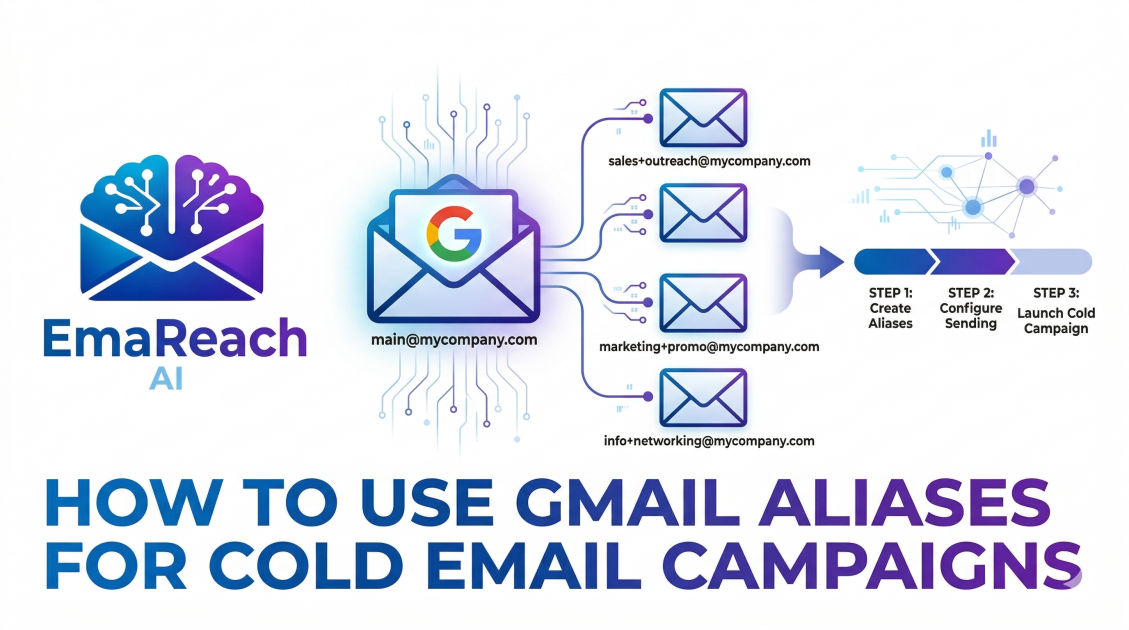
How to Use Gmail Aliases for Cold Email Campaigns
cold emailgmail aliasesemail deliverabilitysales outreachgoogle workspacelead generationemail marketing
Introduction to Gmail Aliases for Cold Outreach
In the competitive landscape of digital marketing and sales, the ability to reach a prospect's primary inbox is the difference between a closed deal and a wasted effort. While many outreach professionals jump straight into expensive enterprise software, a powerful and often underutilized tool exists right within the Google Workspace ecosystem: Gmail Aliases.
Using aliases effectively allows sales teams, founders, and recruiters to manage multiple identities, streamline their workflows, and protect their primary domain reputation while conducting outbound campaigns. However, using them for cold email is not as simple as clicking a button. It requires a deep understanding of technical configurations, deliverability standards, and strategic execution. This guide explores the mechanics of Gmail aliases and how to leverage them to scale your outreach without compromising your email health.
Understanding the Difference: Aliases vs. Separate Accounts
Before diving into the setup, it is crucial to distinguish between a standard Gmail alias and a separate Google Workspace user account.
What is a Gmail Alias?
An alias is an alternate email address that points to an existing primary account. For example, if your primary email is john@company.com, you can create an alias like growth@company.com or sales@company.com. All emails sent to these aliases arrive in the same inbox as john@company.com. When sending, you can choose which address appears in the "From" field.
What is a Separate Account?
A separate account is a standalone user with its own login credentials, storage, and—most importantly—its own sending limits and reputation. While aliases share the limits of the primary account, separate accounts operate independently.
For cold email campaigns, aliases are best used for organizational clarity and brand representation, whereas separate accounts (often on secondary domains) are better for high-volume protection. Understanding this distinction is the first step in building a sustainable outreach engine.
The Strategic Benefits of Using Aliases
Using aliases in your cold email strategy offers several distinct advantages that can improve both your operational efficiency and your response rates.
1. Unified Inbox Management
One of the biggest hurdles in scaling cold email is the friction of switching between multiple accounts. By using aliases, you can monitor replies to various campaigns from a single dashboard. This reduces the "response lag" that often occurs when a salesperson has to log in and out of different browser profiles to check for leads.
2. Testing Different Personas
Aliases allow you to test how different job titles or departmental identities affect your open and reply rates. You might find that an email coming from founder@company.com gets a higher open rate, but support@company.com feels more approachable for a specific technical pitch. Aliases allow you to pivot between these identities instantly.
3. Professionalism and Branding
If you are a solo founder or a small team, using aliases like media@ or partnerships@ creates a more established image. It signals to the prospect that your organization has dedicated functions, even if you are the one wearing all the hats.
Setting Up Gmail Aliases: A Step-by-Step Guide
To use an alias for cold email, you must first configure it within your Google Workspace Admin Console and then verify it within your Gmail settings.
Step 1: Create the Alias in Google Workspace Admin
- Log in to the Google Admin Console.
- Navigate to Users and select the user who will own the alias.
- Click on User Information and then Alternate email addresses (email alias).
- Enter the desired alias (e.g.,
outreach) and select your domain. - Save the changes. Note that it may take up to 24 hours for the alias to propagate across Google's systems.
Step 2: Configure the "Send Mail As" Feature
Once the alias exists, you need to tell Gmail that you have permission to send emails from it.
- Open Gmail and go to Settings (the gear icon) > See all settings.
- Click on the Accounts and Import (or Accounts) tab.
- In the "Send mail as" section, click Add another email address.
- Enter the name you want recipients to see and the alias address you just created.
- Keep "Treat as an alias" checked and follow the prompts to finish.
Technical Deliverability: The Core of Cold Email Success
When you send cold emails, your biggest enemy is the spam filter. If you use an alias incorrectly, you risk flagging your entire primary domain. To ensure your emails land in the inbox, you must master the three pillars of authentication: SPF, DKIM, and DMARC.
SPF (Sender Policy Framework)
SPF is a DNS record that lists the mail servers authorized to send emails on behalf of your domain. Since aliases use the same domain as your primary account, your existing SPF record usually covers them. However, if you are using a third-party sending tool, ensure that tool is included in your SPF record.
DKIM (DomainKeys Identified Mail)
DKIM adds a digital signature to your emails, proving that the content wasn't tampered with during transit. Google Workspace handles this automatically for your domain, which is a major benefit of staying within their ecosystem.
DMARC (Domain-based Message Authentication, Reporting, and Conformance)
DMARC tells receiving servers what to do if an email fails SPF or DKIM checks. For cold email, a strictly configured DMARC record is essential. It signals to providers like Outlook and Gmail that you take security seriously, which boosts your sender reputation.
The Importance of Inbox Warm-up
Even with perfect technical setup, a fresh alias (or a primary account that hasn't sent cold emails before) needs to be "warmed up." This involves gradually increasing your sending volume while maintaining high engagement rates. For those who want to skip the manual labor of warming up accounts, specialized services like EmaReach can be invaluable. EmaReach provides a "Stop Landing in Spam" solution where cold emails reach the inbox through AI-driven warm-up and multi-account sending, ensuring your primary tab placement stays consistent.
Scaling Your Campaigns Safely
While aliases are convenient, they share the sending limits of your primary Google Workspace account. Currently, Google Workspace allows for 2,000 sends per 24 hours. However, for cold outreach, hitting this limit is a recipe for disaster.
The "Safe" Volume Rule
A good rule of thumb is to never send more than 50–100 cold emails per day from a single Google Workspace user, regardless of how many aliases that user has. If you need to send 500 emails a day, you should spread that volume across 10 different user accounts (not just 10 aliases on one account).
Managing Domain Reputation
Your domain reputation is like a credit score. Every time someone marks your email as spam, your score drops. Because aliases are tied to your primary domain, if your sales@ alias gets flagged, your john@ primary email will also suffer.
To mitigate this, many experts recommend using a look-alike domain for cold outreach. For example, if your main site is company.com, you might buy getcompany.com for your outbound campaigns. You can then set up aliases on this secondary domain to keep your primary business operations safe.
Crafting Cold Emails That Convert
Tools and aliases provide the infrastructure, but the content of your email determines the ROI. When using an alias, your copy should feel personal and relevant.
Personalization at Scale
Avoid the temptation to blast thousands of generic templates. Use variables like {{first_name}}, {{company_name}}, and {{recent_news}} to show the prospect you’ve done your homework.
The Power of the Subject Line
Your subject line has one job: to get the email opened. When using an alias like partnerships@, your subject line should reflect a collaborative tone. Avoid clickbait; it might increase open rates, but it will skyrocket your spam complaints, killing your deliverability in the long run.
Clear Call to Action (CTA)
Don't overwhelm the prospect with choices. Ask for one simple thing: a 5-minute call, a reply to a question, or a click on a specific resource.
Common Pitfalls to Avoid
- Over-sending: Just because you have five aliases doesn't mean you can send five times as much mail. The limit is per user, not per alias.
- Ignoring Replies: If you use aliases, make sure you are actually monitoring the inbox. Nothing kills a lead faster than a prospect replying to
outreach@and getting no response for three days. - Failing to Verify: Always send a test email to a tool like Mail-Tester before launching a campaign to ensure your SPF/DKIM/DMARC settings are functioning correctly for the alias.
- Neglecting the Signature: Ensure your alias has a professional signature that matches the persona you are using. A
growth@alias should have a signature that looks different from afounder@alias.
Integrating Aliases with Outreach Tools
Most modern sales engagement platforms support Gmail aliases. When connecting your account, you can usually select which "Send Mail As" address you want the platform to use for a specific campaign. This allows for sophisticated multi-track sequences where a prospect might get an initial cold touch from a rep@ alias and a follow-up a week later from a manager@ alias, all managed automatically.
Deliverability Monitoring
You cannot manage what you do not measure. Use tools like Google Postmaster Tools to monitor your domain reputation. If you see a spike in spam reports, pause your campaigns immediately and investigate which alias or template is causing the issue.
In many cases, deliverability issues stem from the provider sensing "unnatural" sending patterns. This is why platforms like EmaReach are highly effective; they distribute the load and use AI to write outreach that mimics human behavior, significantly reducing the footprint that triggers automated filters.
Conclusion
Gmail aliases are a versatile and cost-effective way to enhance your cold email campaigns. They offer a professional appearance, simplified inbox management, and the flexibility to test various outreach personas. However, they are not a shield against poor practices. To succeed, you must combine the technical setup of aliases with a rigorous focus on domain health, authentication, and high-quality, personalized content.
By following the steps outlined in this guide—configuring your DNS records, warming up your accounts, and respecting sending limits—you can build a robust outreach system that consistently reaches the inbox and generates meaningful conversations for your business. Remember, the goal of cold email is not just to be seen, but to be trusted. Use your aliases wisely, monitor your metrics closely, and always prioritize the recipient's experience.
EmaReach AI
Ready to scale your cold email outreach?
Join thousands of teams using EmaReach AI for AI-powered campaigns, domain warmup, and 95%+ deliverability. Start free — no credit card required.
Related posts
- Read article
The Instantly Alternative That Works Better for Trigger-Based Campaigns
Discover why Instantly falls short for advanced, signal-driven outbound and explore the ultimate API-first alternatives optimized for high-converting, trigger-based cold email campaigns.
- Read article
The Instantly Alternative That Handles High Bounce Rates Without Panic
Discover how transitioning to an advanced Instantly alternative can safeguard your cold email infrastructure. Learn to handle high bounce rates effortlessly using real-time verification, smart mailbox rotation, and automated safety nets to protect your sender reputation and maintain consistent primary inbox placement.