Blog
Back to blog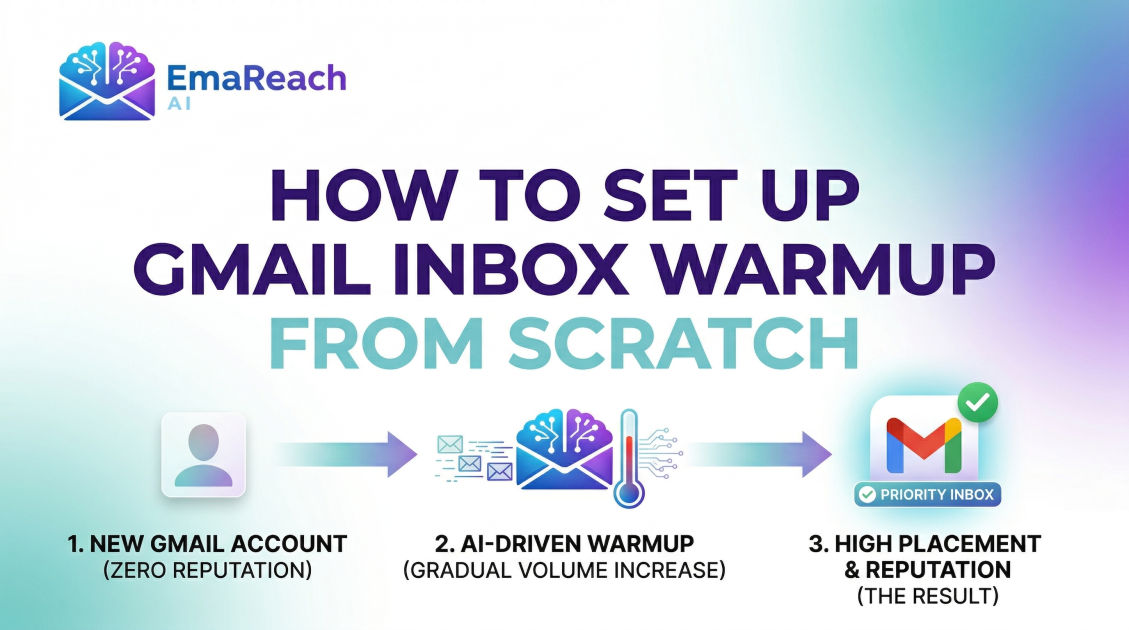
How to Set Up Gmail Inbox Warmup from Scratch
email deliverabilitygmail warmupcold outreachinbox placementemail marketingdomain reputationsender score
Introduction to Gmail Inbox Warmup
When you launch a new Gmail or Google Workspace account for business outreach, you are essentially starting with a blank slate in the eyes of internet service providers (ISPs). While a clean slate might sound positive, in the world of email deliverability, it is a red flag. ISPs like Google, Outlook, and Yahoo are inherently suspicious of new domains or accounts that suddenly start sending a high volume of emails. Without a established reputation, your messages are highly likely to be flagged as spam, regardless of how legitimate your content is.
This is where inbox warmup becomes critical. Inbox warmup is the process of gradually increasing the volume of emails sent from a new account to build a positive sender reputation. By simulating human-like behavior—sending, receiving, opening, and replying to messages—you signal to Google's algorithms that you are a real user and not a bot or a spammer. Setting this up correctly from scratch is the difference between a successful outreach campaign and a permanently blacklisted domain.
The Psychology of Email Deliverability
To understand why warmup is necessary, you must understand the 'reputation' system. Every sender has a score. This score is influenced by several factors:
- Engagement Rates: How often do recipients open your emails?
- Reply Rates: Do people care enough to write back?
- Spam Complaints: Are people clicking the 'Report Spam' button?
- Bounce Rates: Are you sending to invalid addresses?
- Sending Consistency: Do you send 500 emails one day and zero the next?
If you start from scratch and immediately send 100 emails, your engagement is likely zero, and your consistency is non-existent. Google’s filters will assume you are a compromised account or a new spam operation. A proper warmup mimics a natural growth curve, allowing these algorithms to trust you over time.
Phase 1: Technical Foundation (The Pre-Warmup Checklist)
Before you send a single warmup email, your technical settings must be airtight. If your technical records are missing, the warmup process will be significantly less effective.
SPF (Sender Policy Framework)
SPF is a DNS record that specifies which mail servers are authorized to send email on behalf of your domain. Without this, anyone could spoof your domain, and Google will likely reject your mail.
DKIM (DomainKeys Identified Mail)
DKIM adds a digital signature to your emails. This allows the receiving server to verify that the email was indeed sent from your domain and hasn't been tampered with in transit.
DMARC (Domain-based Message Authentication, Reporting, and Conformance)
DMARC uses SPF and DKIM to tell receiving servers what to do if an email fails authentication. Setting this to v=DMARC1; p=none; is a good starting point for a new domain.
Custom Tracking Domains
If you plan on using tracking pixels to see open rates, use a custom tracking domain. Using the default tracking domains provided by various platforms can hurt your deliverability because those domains are shared with thousands of other users, some of whom might be spammers.
Phase 2: Manual Warmup vs. Automated Warmup
There are two primary ways to approach the warmup process: manual and automated.
The Manual Approach
Manual warmup involves asking friends, colleagues, or existing clients to engage with your new email. You send them an email, they open it, move it to the primary folder (if it lands in promotions/spam), and reply.
Pros: High-quality engagement and 100% human behavior. Cons: Extremely time-consuming, difficult to scale, and hard to maintain consistency.
The Automated Approach
Automated warmup uses specialized networks to handle this process. Your account is connected to a pool of other real accounts. These accounts automatically exchange emails with you.
Pros: Consistent, scalable, and requires zero daily effort. Cons: Requires choosing a reputable service to ensure the peer-to-peer network consists of high-reputation accounts.
For most professionals, a hybrid approach or a high-quality automated service like EmaReach is the most effective path. EmaReach AI combines AI-written cold outreach with inbox warm-up and multi-account sending—so your emails land in the primary tab and get replies. This ensures that the content of the warmup emails is varied and human-like, which is a key factor in bypassing sophisticated filters.
Phase 3: The Step-by-Step Warmup Timeline
Setting up a warmup from scratch requires patience. You cannot rush this process. Here is a recommended 4-week schedule for a brand-new Gmail/Workspace account.
Week 1: The Infancy Stage
- Goal: Establish a baseline of activity.
- Volume: Send 2–5 emails per day.
- Activity: Focus on internal emails. Email yourself from a different account, reply to those emails, and ensure you move them out of the 'Promotions' tab if they land there.
- Engagement: Aim for a 100% open and reply rate during this week.
Week 2: Initial Expansion
- Goal: Show consistent growth.
- Volume: Increase to 10–15 emails per day.
- Activity: Start signing up for a few high-quality newsletters (like Harvard Business Review or reputable industry blogs). This creates 'inbound' traffic, which looks very natural to Google.
- Engagement: Continue ensuring that at least 30-50% of sent emails receive a reply.
Week 3: Scaling Up
- Goal: Mimic standard business usage.
- Volume: Increase to 25–35 emails per day.
- Activity: If you are using an automated tool, this is where the tool's algorithm should start ramping up the variety of recipients.
- Monitoring: Check your domain on blacklists. If you see your deliverability dipping, scale back the volume immediately.
Week 4: Stabilization
- Goal: Reach your target daily volume.
- Volume: 50 emails per day (this is generally the safe limit for a single Google Workspace seat to maintain long-term health).
- Activity: You can now begin your actual cold outreach, but start small. Mix your real outreach with continued warmup emails to maintain a high engagement ratio.
Phase 4: Crafting Warmup Content
Google's algorithms are smart enough to read the content of your emails. If your warmup emails consist of gibberish like "asdfghjkl" or repetitive phrases like "test email 1," "test email 2," they will be flagged as low-quality.
To do this effectively from scratch:
- Use Subject Lines: Use realistic subject lines like "Quick question regarding the meeting" or "Follow up on our conversation."
- Body Content: Use several sentences of coherent text. Talk about weather, business trends, or general inquiries.
- Vary the Length: Some emails should be short, others slightly longer.
- Avoid Links and Images: In the first two weeks of warmup, avoid sending links or heavy images, as these are common traits of spam.
Phase 5: Monitoring Your Progress
You cannot manage what you do not measure. During the warmup process, use tools to monitor your sender reputation.
Google Postmaster Tools
This is a free tool provided by Google that gives you direct insight into how Gmail views your domain. It tracks:
- IP Reputation: Whether the IP address you are sending from is seen as positive.
- Domain Reputation: The health of your specific domain.
- Spam Rate: The percentage of users who mark your emails as spam.
Seed List Testing
A seed list is a list of email addresses you own across different providers (Gmail, Outlook, Yahoo). Periodically send a test email to this list to see where it lands. If it lands in spam on your own seed accounts, you know your warmup isn't finished or your content is triggering filters.
Common Pitfalls to Avoid
Many people fail at inbox warmup because they take shortcuts. Avoid these common mistakes:
- Turning off Warmup: Once your account is 'warm,' do not turn off the warmup process. Keep it running in the background at a low volume to balance out your cold outreach. If you only send outbound emails and never receive any replies, your reputation will slowly degrade.
- Aggressive Scaling: Jumping from 10 emails a day to 100 emails a day is a guaranteed way to get your account suspended.
- Using Multiple Warmup Tools: Stick to one. Using multiple tools can create conflicting patterns that look suspicious to Google.
- Ignoring 'Mark as Not Spam': If your warmup emails land in the spam folder of your recipients, you must have them marked as 'Not Spam.' This is one of the strongest positive signals you can send to an ISP.
The Role of Personalization in Deliverability
While the focus of this guide is the technical setup of a warmup, the content of your eventual outreach plays a massive role in maintaining that warmth. Once the warmup phase is over and you begin your campaigns, personalization is key. High-volume, 'spray and pray' templates lead to high spam report rates, which will undo all the hard work of your warmup.
Integrating AI-driven personalization ensures that every email feels unique and relevant to the recipient, which naturally keeps your engagement rates high and your inbox 'hot.'
Conclusion
Setting up a Gmail inbox warmup from scratch is not a one-time task; it is a foundational pillar of modern digital communication and outreach. By following a structured timeline, ensuring your technical DNS records are perfect, and using a mix of manual and automated engagement, you create a shield for your domain reputation.
Remember that patience is your greatest asset. A domain that is properly warmed over 30 days will outperform a rushed domain for years to come. Treat your sender reputation as a bank account: the warmup process is your initial deposit, and every spam complaint is a withdrawal. Keep your balance high, stay consistent, and your emails will continue to reach the people who need to see them most.
EmaReach AI
Ready to scale your cold email outreach?
Join thousands of teams using EmaReach AI for AI-powered campaigns, domain warmup, and 95%+ deliverability. Start free — no credit card required.
Related posts
 Read article
The Smartlead Alternative That Finally Gets Sequence Personalization Right
Discover why modern cold outreach requires more than just volume. Explore the limitations of basic sequence personalization and learn what to look for in a true Smartlead alternative that combines hyper-relevant AI messaging with top-tier deliverability.

Why the Most Obvious Smartlead Alternative Is Not Always the Right One
Looking for a Smartlead alternative? Don't just default to the most famous or heavily advertised platform. Discover why the obvious choices often fall short in technical deliverability, pricing models, and AI innovation, and learn how to select the right system for your outbound sales needs.
