Blog
Back to blog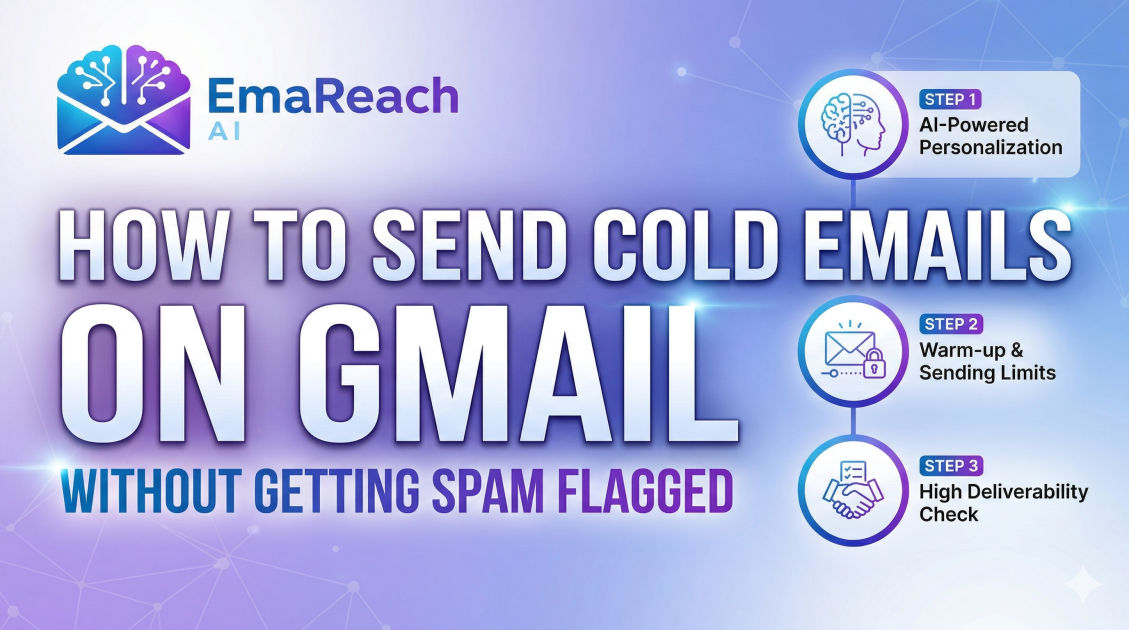
How to Send Cold Emails on Gmail Without Getting Spam Flagged
cold emailemail deliverabilitygmail marketingoutreach strategyspam filtersemail authentication
Introduction
Sending cold emails is one of the most effective ways to generate leads, build partnerships, and grow a business. However, the barrier to success is higher than ever. Gmail, as the world’s leading email provider, employs incredibly sophisticated algorithms designed to protect users from unsolicited and low-quality content. If your strategy involves simply hitting 'send' on hundreds of generic messages, you are likely to find your emails landing in the dreaded spam folder—or worse, having your account suspended.
Mastering the art of cold outreach on Gmail requires a deep understanding of technical setup, sender reputation, and human-centric content. This guide provides a comprehensive roadmap for navigating these challenges, ensuring your messages reach the primary inbox and resonate with your recipients.
The Technical Foundation: Authenticating Your Domain
Before you write a single word of your email, you must ensure your technical infrastructure is rock solid. Without proper authentication, Gmail's filters will view your emails as suspicious by default.
SPF (Sender Policy Framework)
SPF is a DNS record that specifies which mail servers are authorized to send email on behalf of your domain. Think of it as a guest list for a private event. If a server not on the list tries to send an email using your domain name, Gmail is likely to flag it as a spoofing attempt.
DKIM (DomainKeys Identified Mail)
DKIM adds a digital signature to your emails. This signature allows the receiving server to verify that the email was indeed sent by the domain owner and that the content hasn't been tampered with during transit. It provides a layer of cryptographic security that builds trust with Gmail’s filters.
DMARC (Domain-based Message Authentication, Reporting, and Conformance)
DMARC is the policy layer that tells receiving servers what to do if an email fails SPF or DKIM checks. By setting up a DMARC record, you can instruct Gmail to either 'quarantine' (send to spam) or 'reject' unauthorized emails. Having a strict DMARC policy actually improves your sender reputation because it shows you are serious about domain security.
The Importance of Domain Warm-up
You cannot go from zero to one hundred overnight. If you register a new domain and immediately start sending 500 emails a day, Gmail will trigger an automatic red flag for 'spammy' behavior. This is where the concept of 'warming up' comes into play.
What is Warming Up?
Warming up is the process of gradually increasing your daily email volume to build a positive sender reputation. You start by sending a handful of emails to colleagues or friends who you know will open them and respond. Over several weeks, you incrementally increase the volume.
Engagement Matters
It’s not just about volume; it’s about engagement. If your emails are opened, replied to, and marked as 'not spam,' your reputation climbs. This is why many professionals use specialized services like EmaReach to automate the process. EmaReach helps you stop landing in spam by combining AI-written cold outreach with inbox warm-up and multi-account sending, ensuring your emails land in the primary tab and get replies.
Optimizing Your Sending Strategy
Gmail has strict limitations on the number of emails you can send per day from a personal account versus a Google Workspace account. However, even within those limits, the way you send them matters more than the quantity.
Avoid Bulk Blasting
Sending 100 emails at the exact same second is a surefire way to get flagged. Modern spam filters look for 'bursty' behavior. Instead, you should stagger your sending. Use tools that allow for 'drip' sending, where emails are spaced out by several minutes to mimic human behavior.
Use Multiple Accounts
If you have a high volume of outreach to perform, do not consolidate it all into one email address. Distribute the load across several 'sender' accounts. This reduces the risk to your primary domain and allows you to stay well below the daily thresholds that trigger algorithmic scrutiny.
Monitor Your Bounce Rate
A high bounce rate (the percentage of emails that are returned because the address is invalid) is a massive red flag. It tells Gmail that you are using a low-quality or 'scraped' list. Always use an email verification tool before launching a campaign to clean your list and remove inactive or fake addresses.
Crafting the Content: Avoiding Spam Triggers
Once the technical side is handled, the content of your email becomes the primary variable. Gmail’s AI scans the text of your emails for patterns commonly found in spam.
The 'Spammy' Keyword Pitfall
Certain words and phrases act as magnets for spam filters. While one or two might be okay, a high density of the following can sink your deliverability:
- "Free"
- "Guaranteed"
- "Earn money fast"
- "Limited time offer"
- "Act now"
- Excessive use of dollar signs ($$$) or exclamation points (!!!)
Personalization is Non-Negotiable
Generic templates are easy to spot. If you send the exact same body text to 500 people, Gmail will identify the pattern. Use dynamic variables to insert the recipient’s name, company, and perhaps a specific detail about their recent work. The more unique each email is, the less likely it is to be categorized as automated bulk mail.
Formatting and Links
- Keep it Simple: Avoid heavy HTML formatting, multiple fonts, or bright colors. Plain text (or simple HTML that looks like plain text) usually performs best.
- Limit Links: Do not include more than one or two links. Never use URL shorteners (like bit.ly) in cold emails, as spammers frequently use them to hide malicious destinations.
- Avoid Attachments: Sending attachments to someone who hasn't interacted with you before is a major security risk in the eyes of Gmail. Use a link to a hosted file if absolutely necessary, but only after you’ve established a rapport.
The Psychology of the Subject Line
Your subject line has one job: to get the email opened. However, if it's deceptive, it will backfire. If a user opens your email and immediately clicks 'Report Spam' because the subject line was misleading (e.g., "Re: Our meeting tomorrow" when no meeting exists), your reputation will plummet.
Best Practices for Subject Lines:
- Be Concise: Keep it under 5-7 words.
- Be Honest: Reflect the actual content of the email.
- Arouse Curiosity Without Being Clickbaity: "Question about [Project Name]" is better than "Open this to double your revenue."
- Avoid All Caps: Typing in all caps is the digital equivalent of shouting and is a hallmark of spam.
The Importance of the 'Unsubscribe' Option
It might seem counterintuitive to make it easy for people to stop hearing from you, but providing a clear way to opt-out is essential for deliverability. If a recipient wants to stop receiving your emails and can't find an 'unsubscribe' link, they will hit the 'Spam' button instead. To Gmail, an unsubscribe is a neutral event, but a spam report is a catastrophic negative event.
Include a simple, clear link at the bottom of your email. In many jurisdictions, this is also a legal requirement under regulations like CAN-SPAM or GDPR.
Monitoring Your Reputation and Health
Deliverability is not a "set it and forget it" task. You must constantly monitor your performance to catch issues before they become permanent blocks.
Google Postmaster Tools
Every cold emailer should use Google Postmaster Tools. It provides direct data from Google on your IP reputation, domain reputation, spam rate, and encryption errors. If you see your domain reputation dipping from 'High' to 'Medium,' it’s time to pause your campaigns and investigate.
Checking Blacklists
Occasionally, your IP or domain might end up on a public blacklist. Regularly check tools that aggregate these lists. If you find yourself blacklisted, you will need to follow the specific 'delisting' procedures for that provider, which usually involves proving that you have cleaned up your sending practices.
Following Up Without Being Pests
Persistence is key in sales, but there is a fine line between a follow-up and harassment. Excessive follow-ups within a short timeframe will lead to high complaint rates.
- Space it Out: Wait at least 2-3 days between your first and second email.
- Add Value: Don’t just say "Just bumping this up." Each follow-up should offer a new piece of information, a helpful resource, or a different angle on how you can solve the recipient's problem.
- Know When to Quit: After 3 or 4 unanswered emails, it is time to move on. Continuing to email someone who is clearly not interested only increases the chance of being flagged as spam.
Conclusion
Sending cold emails through Gmail successfully is a marathon, not a sprint. It requires a meticulous balance of technical configuration, strategic volume management, and high-quality, personalized content. By focusing on building a reputation as a legitimate, helpful sender rather than a bulk broadcaster, you can navigate Gmail's filters and reach the people who matter most to your business. Authenticate your domain, warm up your inbox, personalize your outreach, and always prioritize the recipient's experience. When done correctly, cold email remains one of the most powerful tools in the modern professional's arsenal.
EmaReach AI
Ready to scale your cold email outreach?
Join thousands of teams using EmaReach AI for AI-powered campaigns, domain warmup, and 95%+ deliverability. Start free — no credit card required.
Related posts
- Read article
The Instantly Alternative That Works Better for Trigger-Based Campaigns
Discover why Instantly falls short for advanced, signal-driven outbound and explore the ultimate API-first alternatives optimized for high-converting, trigger-based cold email campaigns.
- Read article
The Instantly Alternative That Handles High Bounce Rates Without Panic
Discover how transitioning to an advanced Instantly alternative can safeguard your cold email infrastructure. Learn to handle high bounce rates effortlessly using real-time verification, smart mailbox rotation, and automated safety nets to protect your sender reputation and maintain consistent primary inbox placement.