Blog
Back to blog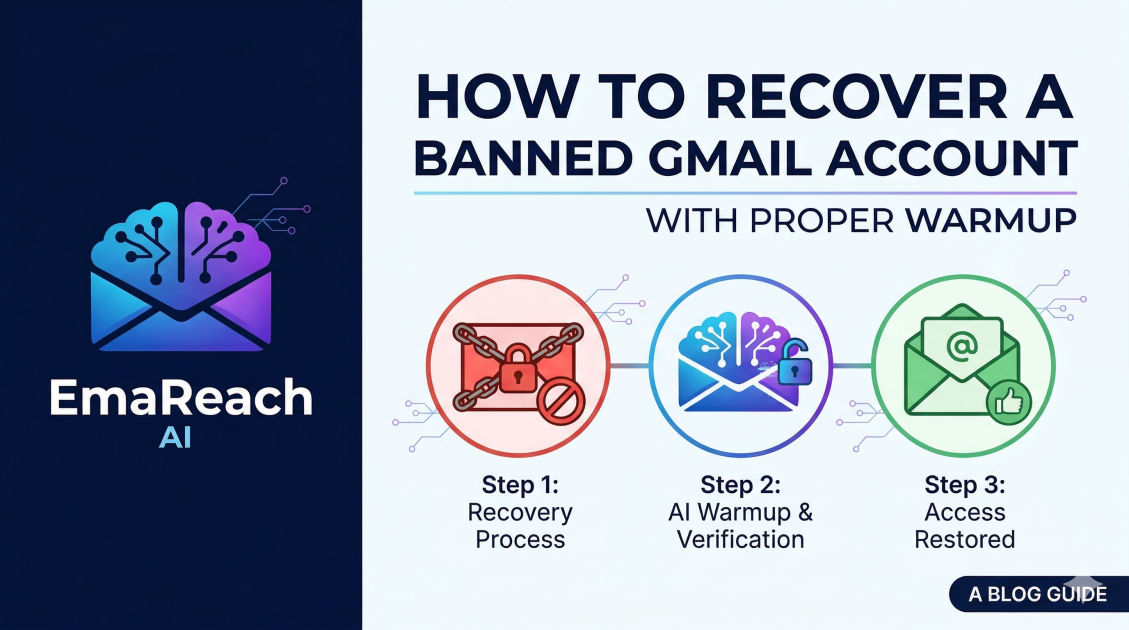
How to Recover a Banned Gmail Account with Proper Warmup
Gmail recoveryemail warmupsender reputationemail deliverabilitycold emailaccount suspensioninbox placement
Introduction
Discovering that your Gmail account has been banned or suspended is a frustrating experience that can bring your personal communication or business operations to a grinding halt. Whether the suspension was triggered by unusual login activity, a perceived violation of Terms of Service, or aggressive outbound emailing, the path to recovery requires a strategic approach. However, simply getting the account back is only half the battle.
To ensure the long-term health of your email identity, you must implement a rigorous recovery and warmup process. This guide provides a comprehensive roadmap for navigating the appeal process and, more importantly, how to systematically reintroduce your account to the email ecosystem to avoid immediate re-flagging. For professionals who rely on high-volume communication, tools like EmaReach can be invaluable in maintaining high deliverability and ensuring your emails land in the primary tab rather than the spam folder.
Understanding Why Gmail Accounts Get Banned
Before diving into recovery, it is essential to understand the underlying causes of account suspension. Google utilizes sophisticated automated systems to monitor account behavior for signs of abuse or security compromises.
Common Triggers for Suspension
- Spamming Activity: Sending a high volume of emails in a short window, especially to recipients who haven't opted in, is the most common reason for business-related bans.
- Policy Violations: This includes hosting prohibited content, phishing attempts, or using the account for automated scripts that violate Google's terms.
- Suspicious Login Patterns: Accessing your account from multiple geographic locations via VPNs or proxies in a short period can trigger a security lockout.
- Mass Deletion or Uploads: Sudden, drastic changes in the data volume within Google Drive or Gmail can sometimes flag an account for review.
Step 1: The Initial Recovery and Appeal Process
When you attempt to log in and see the "Account suspended" message, your first priority is to initiate the formal appeal. Do not panic and attempt to create five new accounts immediately from the same IP address, as this can lead to a "fingerprinting" ban where all associated accounts are terminated.
Filing a Formal Appeal
- Navigate to the Sign-in Page: Enter your credentials as usual. When the suspension notice appears, look for the "Try to restore" or "Appeal" button.
- Provide a Clear Explanation: You will be given a text box to explain why your account should be reinstated. Be professional and concise. If you suspect you were hacked, state that clearly. If you were sending cold emails and realized you exceeded limits, acknowledge the mistake and state your intent to follow best practices moving forward.
- Use a Recovery Email: Ensure you provide an active alternative email address where Google can reach you. Check this inbox regularly for updates.
The Waiting Period
Google typically reviews appeals within two business days, though it can take longer during high-traffic periods. Avoid submitting multiple appeals for the same account, as this can reset your place in the queue or lead to your request being flagged as spam.
Step 2: Immediate Post-Recovery Actions
Once you regain access to your account, the temptation is to jump right back into your previous workflow. This is a critical mistake. Your account is currently on a "watchlist" within Google’s reputation algorithms. Any sudden spike in activity will likely lead to a permanent, unappealable ban.
Audit Your Security Settings
Immediately check your "Security" tab in the Google Account settings.
- Check Connected Apps: Remove any third-party applications or extensions that you no longer use or that look suspicious.
- Review Recent Activity: Ensure all recent logins were performed by you.
- Update Recovery Info: Ensure your phone number and recovery email are current and verified.
Clean Your Mailing Lists
If your ban was due to high bounce rates or spam complaints, you must scrub your lists. Use verification tools to remove invalid addresses. Sending emails to "dead" accounts is a primary signal to Google that you are using unverified, scraped data.
Step 3: The Psychology of Email Warmup
Email warmup is the process of gradually increasing the volume of emails sent from a new or recovered account to build a positive sender reputation with Internet Service Providers (ISPs). Think of it as building credit; you cannot ask for a massive loan (sending 500 emails a day) until you have proven you can handle small transactions (sending 5-10 emails a day).
Why Warmup is Mandatory for Recovered Accounts
When an account is reinstated, its internal "reputation score" is near zero. If you immediately start sending at your previous volume, the receiving servers will view this as "bursty" behavior typical of compromised accounts or bots. Warmup mimics human behavior, which builds trust.
Step 4: The 4-Week Strategic Warmup Plan
A proper warmup takes time. Rushing this process is the most common reason for secondary bans. Follow this structured schedule to safely rehabilitate your account.
Week 1: Establishing Human Patterns
- Daily Volume: 5–10 emails per day.
- Strategy: Send these emails to people you know—friends, colleagues, or your own alternative email addresses.
- Content: Ensure the emails are personalized and vary in length. Avoid links or attachments during this week.
- Engagement: It is vital that these emails receive replies. High reply rates are the strongest signal to Google that your content is wanted and valuable.
Week 2: Expanding the Circle
- Daily Volume: 15–25 emails per day.
- Strategy: You can start reaching out to known business contacts.
- Content: You may include a single, reputable link (like your website), but avoid tracking pixels or shortened URLs (like bit.ly), as these are often flagged by filters.
- Manual Intervention: If any of your emails land in a recipient's spam folder, ask them to move it to the "Primary" tab and mark it as "Not Spam."
Week 3: Gradual Scaling
- Daily Volume: 30–50 emails per day.
- Strategy: Begin introducing your standard outreach templates, but keep them highly customized.
- Monitoring: Keep a close eye on your bounce rate. If it exceeds 2%, stop sending immediately and re-verify your recipient list.
Week 4: Full Integration
- Daily Volume: 50–80 emails per day (or your desired threshold).
- Final Steps: By now, Google's algorithms have observed a consistent pattern of sending and receiving. You can now integrate the account back into your standard CRM or outreach workflow.
Step 5: Leveraging Automation for Scalability
Performing a manual warmup is exhausting and prone to human error. For businesses managing multiple accounts, automation is the only viable path to maintaining deliverability.
This is where EmaReach excels. Instead of manually sending ten emails a day and begging friends for replies, the platform automates the process by engaging your account in a network of real inboxes. It sends AI-generated, human-like emails and ensures they get opened, marked as important, and replied to. This "peer-to-peer" warmup method is the gold standard for recovering and maintaining sender reputation.
Technical Best Practices to Prevent Re-Banning
Beyond volume management, several technical configurations act as the foundation of your email deliverability. If these are not set up correctly, even the best warmup plan will fail.
SPF, DKIM, and DMARC
These three records are your "ID cards" in the world of email.
- SPF (Sender Policy Framework): Specifies which mail servers are authorized to send email on behalf of your domain.
- DKIM (DomainKeys Identified Mail): Adds a digital signature to your emails, proving they weren't altered in transit.
- DMARC (Domain-based Message Authentication, Reporting, and Conformance): Tells receiving servers what to do if an email fails SPF or DKIM checks.
Avoid Spam Trigger Words
Filters look for specific keywords associated with scams or low-quality offers. Phrases like "Free," "Guarantee," "Act Now," or excessive use of currency symbols can trigger a silent filter that pushes your email to the promotions or spam tab.
Consistent Sending Schedule
Google prefers consistency over volatility. Sending 100 emails on a Monday and zero for the rest of the week is suspicious. It is better to send 20 emails every day consistently.
Monitoring Your Progress
During and after the warmup, you must use tools to monitor your account's health.
- Google Postmaster Tools: This is a free resource provided by Google that shows you your domain reputation, IP reputation, and spam rate. It is the most accurate way to see how Google perceives your account.
- Sender Score: Similar to a credit score, this provides a numerical value to your reputation across the broader web.
If you see your reputation dipping, immediately scale back your volume and increase the ratio of "safe" emails (emails sent to internal accounts that you know will be opened and replied to).
Conclusion
Recovering a banned Gmail account is a test of patience and precision. While the initial suspension is a setback, it serves as a valuable opportunity to audit your practices and implement a more robust system for the future. By following a disciplined warmup schedule, ensuring your technical records are flawless, and utilizing advanced tools like EmaReach to manage your reputation, you can transform a vulnerable account into a high-authority communication powerhouse. Remember: in the world of email, reputation is everything. Protect it by treating every outbound message as a reflection of your sender integrity.
EmaReach AI
Ready to scale your cold email outreach?
Join thousands of teams using EmaReach AI for AI-powered campaigns, domain warmup, and 95%+ deliverability. Start free — no credit card required.
Related posts
 Read article
The Gmail Cold Email Tool Guide Written by People Who Actually Use Them
A deep dive into the practical stack for Gmail cold outreach. Learn how to manage deliverability, use AI for personalization, and scale your sending volume safely using the tools and strategies used by professional outbound experts.

The Gmail Cold Email Tool Insight That Every B2B Team Needs to Hear
Discover the critical shift B2B teams must make to master Gmail outreach. Learn why traditional bulk sending is failing and how a multi-account, AI-driven strategy is the key to landing in the primary inbox every time.