Blog
Back to blog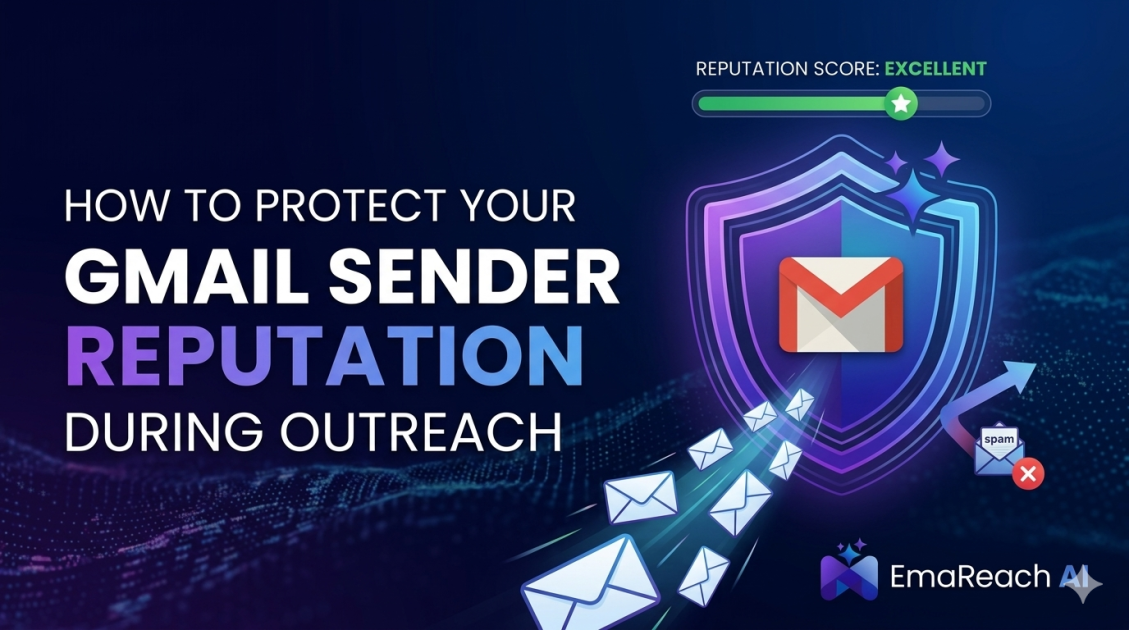
How to Protect Your Gmail Sender Reputation During Outreach
cold emailoutreachdeliverabilitysender reputationgmail outreachB2B salesemail marketing
Introduction
When executing an outbound sales strategy, your single most valuable asset is not your pitch, your target list, or even your product itself. It is your sender reputation. Without a pristine sender reputation, the most carefully crafted messaging will never see the light of day. It will be silently routed to the spam folder, invisible to your prospects, resulting in wasted effort and burned resources.
Gmail employs one of the most sophisticated filtering algorithms in the world. It analyzes millions of data points across billions of emails to determine whether a message belongs in the primary inbox, the promotions tab, or the dreaded spam folder. For professionals relying on outreach to drive business growth, understanding and protecting your Gmail sender reputation is a non-negotiable requirement.
Sender reputation is essentially a trust score. It is the measure of how much an internet service provider or email client trusts the origin of your message. When you launch cold email campaigns, you are inherently testing this trust. If you send too many emails too quickly, if your bounce rate spikes, or if recipients mark your messages as spam, your trust score plummets. Once your reputation is damaged, recovering it is an uphill battle that requires pausing all outreach and spending weeks or months repairing the damage.
This comprehensive guide will walk you through the exact steps, technical configurations, and behavioral best practices required to protect your Gmail sender reputation. By implementing these strategies, you can ensure your outreach efforts consistently land in the primary inbox, maximizing your visibility and ultimately driving more meaningful conversions.
The Core Mechanics of Gmail Sender Reputation
To protect your reputation, you must first understand how it is calculated. Gmail does not look at a single metric; rather, it evaluates a holistic combination of your domain reputation and your IP reputation.
Your IP reputation is tied to the specific server or network routing your emails. While this is crucial, most modern outreach relies on shared IP pools provided by major workspace environments. Because you share these IPs with other users, the providers heavily monitor activity to protect the pool. However, your domain reputation is entirely your responsibility. Your domain reputation is tied directly to your domain name (e.g., yourcompany.com) regardless of which IP address you use to send the email.
Gmail evaluates several primary signals to calculate this reputation. Positive signals include high open rates, frequent replies, messages being forwarded, and recipients moving your emails from the spam folder to the primary inbox. These actions tell the algorithm that your content is valuable and desired. Negative signals are much more heavily weighted. High bounce rates, low open rates, recipients deleting messages without opening them, and—most damaging of all—recipients actively clicking the "Mark as Spam" button will rapidly destroy your deliverability.
Because the algorithms are heavily focused on user engagement, technical setup alone is not enough. You must pair a flawless technical foundation with compelling, highly targeted outreach that genuinely resonates with the recipient. If your emails look, read, or feel like spam, the behavioral signals will reflect that, and your reputation will suffer accordingly.
The Absolute Prerequisites: SPF, DKIM, and DMARC
Before you send a single outreach email, you must authenticate your domain. Email spoofing—where malicious actors send emails pretending to be from your domain—is a massive problem. To combat this, email providers require senders to prove their identity through specific DNS (Domain Name System) records. If these records are missing or incorrectly configured, Gmail will automatically treat your emails with deep suspicion.
Sender Policy Framework (SPF)
SPF is a DNS record that acts as a public guest list for your domain. It explicitly lists the IP addresses and mail servers that are authorized to send email on behalf of your domain. When an email arrives at a prospect's inbox, the receiving server checks your domain's SPF record. If the server sending the email is not on the approved list, the email is flagged as unauthorized and is highly likely to be sent to spam. Setting up SPF involves adding a simple TXT record to your domain's DNS settings containing the specific infrastructure details of your email provider.
DomainKeys Identified Mail (DKIM)
While SPF verifies the sender's identity, DKIM ensures the integrity of the message itself. DKIM adds a cryptographic signature to your emails. This signature is completely invisible to the human recipient but is read by the receiving mail server. The server uses a public key published in your domain's DNS records to verify the signature. This process guarantees that the email was not intercepted, altered, or tampered with while in transit. An intact DKIM signature is a massive trust signal for Gmail's filtering systems.
Domain-based Message Authentication, Reporting, and Conformance (DMARC)
DMARC is the policy layer that sits on top of SPF and DKIM. It provides explicit instructions to the receiving mail server on what to do if an email fails either the SPF or DKIM checks. A DMARC record can instruct the receiver to do nothing, to send the email to the spam folder, or to reject the email entirely. Furthermore, DMARC generates detailed reports that are sent back to you, showing exactly who is sending email on your behalf and whether those emails are passing authentication. Implementing a strict DMARC policy is essential for locking down your domain and preventing reputation bleed caused by spoofing.
Custom Tracking Domains and Infrastructure Isolation
One of the most common mistakes made during outreach campaigns is relying on the default tracking domains provided by outreach platforms. When you enable open and click tracking, your software inserts a tiny, invisible pixel and rewrites your links. If you use the default tracking domain, you are sharing that domain with thousands of other users on the platform.
If even a handful of those users are sending spam and getting flagged, the default tracking domain's reputation will tank. Because your emails contain links to that penalized domain, your emails will be dragged into the spam folder by association. To protect your Gmail sender reputation, you must isolate your infrastructure by setting up a custom tracking domain.
Setting up a custom tracking domain involves creating a CNAME record in your DNS settings that points to your outreach platform. This ensures that the tracking links in your emails use your own domain name (e.g., track.yourcompany.com) rather than a shared generic domain. By isolating your tracking infrastructure, you take full control of your reputation and insulate yourself from the poor practices of other senders.
Furthermore, for aggressive outreach campaigns, it is highly recommended to isolate your sending domains from your primary business domain. If your company website is maindomain.com, you should register alternate domains specifically for outreach, such as try-maindomain.com or getmaindomain.com. This strategy ensures that even in the worst-case scenario where an outreach domain is penalized, your primary corporate email communications remain unaffected.
Masterful List Hygiene and Bounce Rate Management
Sending emails to invalid, non-existent, or inactive addresses is one of the fastest ways to destroy your Gmail sender reputation. When an email cannot be delivered, the receiving server sends back a bounce message. If your campaign generates a high volume of bounces, Gmail categorizes you as a spammer who is blindly guessing email addresses or using outdated, purchased lists.
Understanding Bounces
There are two main types of bounces. A soft bounce is a temporary issue—perhaps the recipient's mailbox is full, or their server is temporarily down. A hard bounce is permanent, meaning the email address simply does not exist. Hard bounces are incredibly damaging to your reputation. Industry standards dictate that your bounce rate should never exceed 2%. Anything higher is a massive red flag to email service providers.
The Necessity of Email Verification
To protect your reputation, you must rigorously clean and verify your lead lists before initiating any outreach. Email verification protocols check the syntax of the address, verify the domain's MX records, and ping the recipient's mail server to confirm the inbox exists—all without actually sending an email. This process eliminates hard bounces before they happen.
Navigating Catch-All Domains
During the verification process, you will inevitably encounter "catch-all" domains. These are server configurations that accept all incoming email, regardless of whether the specific inbox prefix exists. Verification tools cannot accurately determine if a specific individual's email is valid within a catch-all domain. Sending to unverified catch-all addresses is a massive risk. If you are highly protective of your sender reputation, the safest approach is to exclude catch-all emails from your outreach entirely or to isolate them into highly controlled, low-volume test campaigns.
Content Optimization and Spam Trigger Avoidance
Even with perfect technical infrastructure and a pristine email list, the actual content of your message can trigger spam filters. Gmail's natural language processing algorithms scan your subject lines and body copy for patterns associated with unsolicited marketing and malicious spam.
To maintain a positive reputation, your content must look organic, personal, and highly relevant. Avoid excessive use of capitalization, excessive punctuation, and classic spam trigger words like "Free," "Guarantee," "No catch," or "Act now." The tone should be conversational and professional, mimicking the way you would write an email to a respected colleague.
Keep your text-to-image ratio incredibly high. Heavy reliance on images, large attachments, or complex HTML formatting is typical of marketing blasts, not personal outreach. Use plain text formatting whenever possible, or keep HTML formatting extremely minimal. Similarly, limit the number of links in your email. One well-placed, highly relevant link is sufficient. Multiple links increase the risk of triggering security filters.
Personalization must go far beyond just inserting a first name. True personalization involves mentioning specific company events, referencing recent content they published, or addressing a highly specific pain point relevant to their exact role. The more customized and relevant the email, the higher the likelihood of a positive engagement signal, such as a reply, which dramatically boosts your sender reputation.
If you want to simplify this entire workflow while maintaining optimal deliverability, you need the right infrastructure. "Stop Landing in Spam. Cold Emails That Reach the Inbox." EmaReach AI combines AI-written cold outreach with inbox warm-up and multi-account sending—so your emails land in the primary tab and get replies. By leveraging such infrastructure, you reduce the manual burden of list management and content variation while maximizing your inbox placement.
Warming Up Your Domains and Scaling Volume
Brand new domains have neutral reputations. They are essentially unknown entities to Gmail. If you suddenly blast hundreds of cold emails from a brand-new domain, it will trigger immediate security flags, and your domain will be penalized before your campaign even begins. To build trust, you must undergo a rigorous warm-up process.
Domain warm-up is the process of gradually increasing your sending volume over a period of weeks while ensuring high engagement rates. You start by sending a tiny number of emails—perhaps five to ten per day—to trusted contacts who will reliably open, read, and reply to the messages. Day by day, you slowly scale the volume.
Automated warm-up networks can assist by mimicking organic human behavior. They send emails back and forth between network members, automatically opening them, moving them out of the spam folder, and generating conversational replies. This automated activity feeds positive engagement signals to Gmail, rapidly building a strong baseline reputation for your new domain.
Once the initial warm-up period is complete, you must still adhere to strict volume limits. Never send thousands of emails from a single inbox in a single day. Instead, practice horizontal scaling. If you need to send a high volume of outreach, distribute that volume across dozens of different inboxes and multiple secondary domains. By keeping the daily volume per inbox low and steady, you avoid triggering rate limits and maintain a healthy, under-the-radar profile.
Monitoring Engagement Signals and Inbox Placement
Sender reputation is not static; it fluctuates based on your daily activity. Therefore, continuous monitoring is absolutely vital. You cannot manage what you do not measure, and flying blind is the quickest way to ruin a healthy domain.
First, obsess over your reply rates. A reply is the single strongest positive signal you can generate. It proves to Gmail that a two-way human conversation is taking place. If your outreach is not generating replies, you need to revisit your targeting or your messaging immediately. Relying solely on open rates is dangerous, as privacy features and automated server pings can artificially inflate these numbers.
Second, keep a close eye on your spam complaint rate. This is the most critical metric for your domain's survival. If recipients are actively clicking the spam button, you have a major problem with your targeting or your tone. You must keep your spam complaint rate as close to zero as humanly possible.
Finally, utilize Google Postmaster Tools. This free resource provided by Google gives you direct insight into how their algorithms view your domain. By verifying your domain in Postmaster Tools, you can access dashboards showing your domain reputation, IP reputation, spam rate, and authentication success rates. If your reputation begins to dip from "High" to "Medium" or "Low," you must immediately pause your campaigns, investigate the root cause, and focus heavily on generating positive engagement to repair the damage.
Conclusion
Protecting your Gmail sender reputation is an ongoing, multifaceted discipline that requires equal parts technical precision and marketing empathy. It begins with establishing an ironclad foundation through proper authentication protocols like SPF, DKIM, and DMARC, ensuring that your identity is verified and trusted across the web. From there, it demands rigorous operational hygiene—relentlessly cleaning your prospect lists to eliminate hard bounces and isolating your sending infrastructure to protect your primary business domain from collateral damage.
However, technical setup is only half the equation. The modern filtering algorithms prioritized by major email providers are heavily behavioral, meaning your ultimate success depends on how human beings interact with your messages. Crafting highly relevant, deeply personalized content that avoids spam triggers and genuinely resonates with your target audience is non-negotiable. You must respect the inbox by starting slow, gradually warming up your domains, and scaling volume horizontally rather than relying on massive, indiscriminate blasts.
Deliverability is not a hurdle to clear once; it is a permanent operational standard. By continuously monitoring your engagement signals, acting swiftly on data from tools like Google Postmaster, and maintaining an unwavering commitment to quality over quantity, you can build an unshakeable sender reputation. By treating your sender reputation as a critical business asset, you ensure your outreach efforts yield consistent, predictable, and profitable results.
EmaReach AI
Ready to scale your cold email outreach?
Join thousands of teams using EmaReach AI for AI-powered campaigns, domain warmup, and 95%+ deliverability. Start free — no credit card required.
Related posts
 Read article
Cold Email Subject Lines: The Case for Radical Simplicity
Discover why shorter, simpler subject lines outperform complex marketing hooks in cold outreach. Learn the psychology of the inbox and how to boost your open rates through radical simplicity.
 Read article
Cold Email Subject Lines That Work When Selling Into New Markets
Learn the most effective strategies for crafting cold email subject lines when expanding into new geographic regions or industry verticals. This comprehensive guide covers psychology, local relevance, and technical deliverability to ensure your outreach succeeds.
 Read article
Cold Email Subject Lines That Work Even Without the Prospect's Name
Master the art of cold outreach without relying on prospect names. This comprehensive guide covers psychology, problem-centric templates, and the technical strategies needed to maintain high open rates and avoid the spam folder.