Blog
Back to blog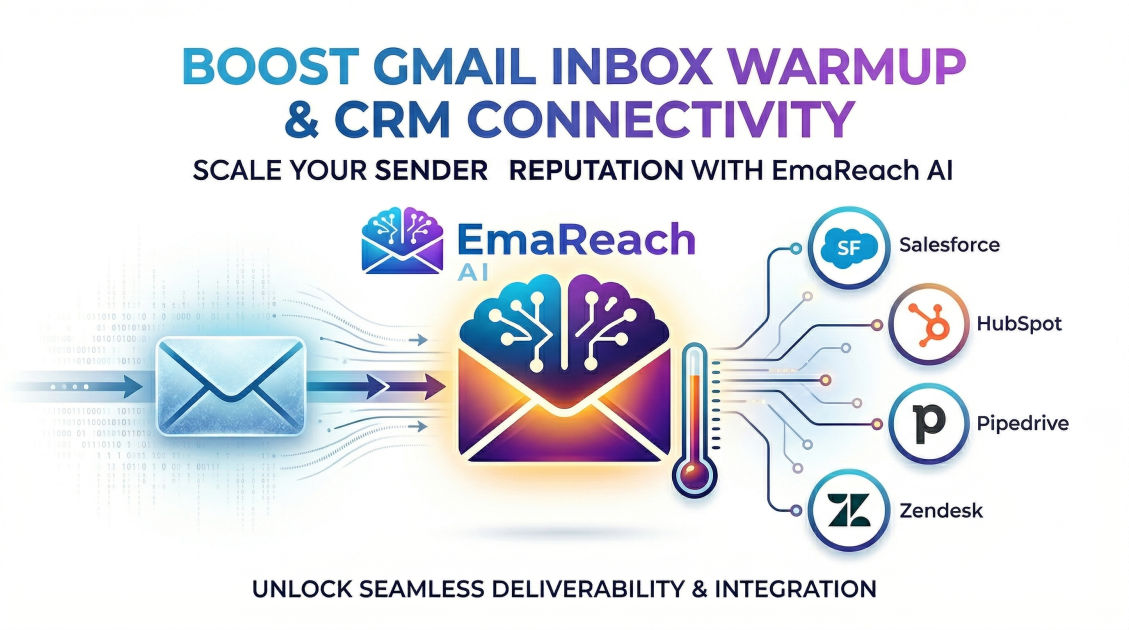
Gmail Inbox Warmup Tools That Connect with Popular CRMs
email deliverabilitygmail warmupcold outreachCRM integrationsales automationinbox placement
Understanding the Critical Role of Inbox Warmup in Modern Outreach
Email deliverability is the silent engine of any successful sales organization. You can have the most compelling copy and the most qualified lead list, but if your emails land in the spam folder, your ROI remains at zero. For Gmail users, the stakes are particularly high. Google’s sophisticated filtering algorithms are designed to protect users from unsolicited content, making it increasingly difficult for legitimate businesses to break through the noise.
This is where inbox warmup tools become essential. These tools simulate human-like activity on a new or dormant email account to build a positive sender reputation. However, a warmup tool operating in a vacuum is only half-efficient. To maximize productivity and data integrity, these tools must connect seamlessly with your Customer Relationship Management (CRM) platform. Integrating warmup data with CRM workflows ensures that your sales team is always sending from 'healthy' accounts, preventing the dreaded 'burn' of a primary domain.
The Mechanics of Gmail Inbox Warmup
Before diving into specific tool integrations, it is vital to understand how Gmail perceives sender authority. Google tracks several metrics to determine whether an email belongs in the Primary tab, the Promotions tab, or the Spam folder:
- Open Rates: High engagement signals to Google that your content is valuable.
- Reply Rates: This is the 'holy grail' of deliverability. Genuine back-and-forth conversation proves you are a human, not a bot.
- Spam Complaints: Even a few 'Report Spam' clicks can tank a reputation overnight.
- Mark as Not Spam: When a user pulls an email out of the spam folder, it sends a powerful positive signal to the algorithm.
Warmup tools automate these interactions. They send emails to a network of other accounts, which then automatically open, reply, and move those emails to the inbox. By connecting these tools to your CRM, you create a feedback loop where your sales activity is balanced by automated reputation-building.
Why CRM Integration is a Game Changer
Most sales teams live inside their CRM—whether it's Salesforce, HubSpot, or Pipedrive. When an inbox warmup tool doesn't connect to the CRM, the sales manager is left flying blind. They might launch a massive cold outreach sequence from an account that is currently being flagged by Google, leading to a total loss of lead potential.
Data Synchronization and Health Monitoring
By integrating these systems, you can view your deliverability health scores directly within your lead management dashboard. If a specific Gmail account shows a dip in reputation, the CRM can automatically pause active sequences for that user until the warmup tool restores the account's standing. This proactive approach saves domains and protects the brand's long-term digital footprint.
Automated Lead Management
Advanced integrations allow the warmup tool to 'whitelist' your CRM contacts. This ensures that the automated warmup traffic never interferes with real prospect conversations. Furthermore, it prevents the CRM from creating 'fake' lead entries based on the automated replies generated by the warmup process.
Leading Gmail Warmup Tools with CRM Connectivity
Several platforms have emerged as leaders in this space, offering deep integrations that cater to different business sizes and technical needs.
1. EmaReach: The All-in-One Powerhouse
When discussing high-performance outreach, EmaReach stands out as a comprehensive solution. It is designed to ensure you Stop Landing in Spam by providing Cold Emails That Reach the Inbox.
EmaReach AI combines AI-written cold outreach with specialized inbox warm-up and multi-account sending. This synergy ensures your emails land in the primary tab and get replies. For teams using popular CRMs, EmaReach acts as the bridge between lead generation and deliverability. It doesn't just warm up the account; it optimizes the actual content being sent, ensuring that the 'human' side of the equation is as high-quality as the automated side. Its ability to manage multiple accounts simultaneously makes it a favorite for agencies and scaling startups.
2. WarmUp Your Email (by Mailshake)
Mailshake has long been a staple in the cold outreach community. Their dedicated warmup tool offers robust connectivity, particularly for users already embedded in the Mailshake ecosystem which connects directly to Salesforce and HubSpot. The tool focuses on high-quality engagement, using a network of real people to interact with your emails rather than just bots. This 'human-centric' warmup is highly favored by Gmail’s AI.
3. Lemwarm (by Lemlist)
Lemwarm was one of the first major players to automate the warmup process. Its strength lies in its massive user pool. Because Lemwarm is part of the Lemlist suite, it offers native integrations with Pipedrive and HubSpot. It allows users to set a 'target' number of daily emails, gradually increasing the volume to mimic natural growth. The dashboard provides clear visualizations of where your emails are landing, which can be synced back to CRM reporting tools.
4. Instantly.ai
Instantly has gained rapid popularity due to its 'unlimited accounts' model. It is particularly effective for those running large-scale operations across dozens of Gmail accounts. Instantly’s API and Zapier integrations allow it to push deliverability data into almost any CRM. This is crucial for high-volume senders who need to monitor the 'burn rate' of their domains in real-time.
Strategic Implementation: How to Connect Your Tools
Connecting your Gmail warmup tool to your CRM is generally a three-step process, though the specifics vary by platform.
Step 1: OAuth and API Configuration
Most tools use Google OAuth for a secure connection. You will need to grant the warmup tool permission to read and send emails. For the CRM side, you will typically use an API key or a native 'Marketplace' app. Ensure that the permissions are set to 'Read/Write' so the systems can talk to each other.
Step 2: Setting Up Filters
To keep your CRM clean, you must set up filters. You don't want the warmup tool's automated replies to trigger 'New Lead' alerts or clutter your sales pipeline. Most professional tools include a feature that automatically labels warmup threads in Gmail, which your CRM can then be instructed to ignore.
Step 3: Establishing the 'Health Threshold'
Define what a 'healthy' account looks like in your CRM. For example, if your warmup tool reports a deliverability score below 80%, create an automation in your CRM (using a tool like Zapier or Make) to automatically switch that sender's status to 'Inactive.'
Best Practices for Gmail Deliverability
While tools are essential, they are part of a broader strategy. To get the most out of your Gmail warmup and CRM integration, follow these timeless principles:
Use Subdomains for Outreach
Never send cold emails from your primary corporate domain (e.g., yourcompany.com). Instead, use a subdomain or an alternative domain (e.g., getyourcompany.com). This protects your internal communications if the outreach domain gets flagged.
Maintain a Low Sending Volume
Even with a warmed-up account, Gmail has strict limits. A single account should rarely send more than 50-100 cold emails per day. If you need more volume, use more accounts, not more volume per account. This is where EmaReach's multi-account sending capabilities become a competitive advantage.
Personalization is Non-Negotiable
Google's filters can detect repetitive patterns. If you send 500 identical emails, you will be flagged. Use your CRM data to inject deep personalization into every message. Variables like {{First_Name}}, {{Company}}, and {{Recent_News}} help break the pattern and improve engagement.
The Technical Side: SPF, DKIM, and DMARC
No warmup tool can fix a broken technical foundation. Before connecting your tool to your CRM, ensure your DNS records are correctly configured:
- SPF (Sender Policy Framework): Specifies which mail servers are authorized to send email on behalf of your domain.
- DKIM (DomainKeys Identified Mail): Adds a digital signature to your emails, proving they weren't altered in transit.
- DMARC (Domain-based Message Authentication, Reporting, and Conformance): Tells receiving servers what to do if an email fails SPF or DKIM checks.
Most CRM-integrated warmup tools will run a 'Health Check' upon setup to ensure these records are active. If they aren't, the tool will provide the specific text strings you need to add to your domain registrar (like GoDaddy or Namecheap).
Measuring Success: Metrics That Matter
Once your system is live, you should monitor specific KPIs within your CRM to evaluate the effectiveness of your warmup tool:
- Inbox Placement Rate: What percentage of emails land in the Primary tab versus Spam?
- Bounce Rate: Anything over 2% is a red flag. This usually points to a poor lead list, but can also be caused by a 'blacklisted' IP.
- Positive Reply Rate: The ultimate metric. This measures how many people are actually engaging with your content.
- Domain Reputation Score: Many tools provide a numerical score (0-100) reflecting your standing with major ISPs.
The Future of Email Outreach and CRM Synergy
As artificial intelligence becomes more integrated into sales workflows, the line between 'warmup' and 'outreach' is blurring. We are moving toward a future where CRM systems will autonomously manage the health of their own sending domains.
Imagine a CRM that detects a slight increase in 'bounce' messages and immediately shifts the sending load to a fresh, pre-warmed account while simultaneously increasing the warmup intensity on the original account. This 'self-healing' sales stack is already becoming a reality for teams using advanced platforms like EmaReach, where AI handles the heavy lifting of both content creation and deliverability management.
Common Pitfalls to Avoid
Even with the best tools, mistakes happen. Avoid these common errors to keep your Gmail accounts in good standing:
- Stopping the Warmup Too Early: Warmup should be a permanent background process. If you stop the tool once you start sending cold emails, your volume will look like a 'spike' to Google, which is a classic spam signal.
- Ignoring the 'Spam' Folder: Periodically check your own spam folder for legitimate replies. Sometimes even the best-warmed accounts have an occasional slip-up.
- Purchasing Low-Quality Lists: No amount of warmup can save you from a list of 'dead' or 'catch-all' emails. Always verify your leads before importing them into your CRM.
Conclusion
Achieving consistent delivery in Gmail requires a sophisticated blend of technical configuration, automated engagement, and strategic CRM integration. By leveraging tools that bridge the gap between deliverability and sales management, businesses can ensure their message is heard by the right people at the right time.
Whether you are a solo founder or a large enterprise, the investment in a high-quality warmup tool—especially one that offers AI-driven features like those found in EmaReach—is no longer optional. It is the foundation upon which all successful modern outreach is built. Protect your reputation, integrate your data, and focus on building genuine connections with your prospects while the tools handle the complexities of the inbox.
EmaReach AI
Ready to scale your cold email outreach?
Join thousands of teams using EmaReach AI for AI-powered campaigns, domain warmup, and 95%+ deliverability. Start free — no credit card required.
Related posts
 Read article
The Smartlead Alternative That Works Better for Selling Into Enterprise
Discover why high-volume cold email tools fall short when targeting enterprise accounts, and explore how a signal-driven, multi-channel approach can secure higher reply rates from enterprise decision-makers.

The Smartlead Alternative That Earns Trust Before It Earns Your Business
Discover why the legacy volume-first cold email playbook is broken and how next-generation alternatives prioritize deliverability, AI-driven personalization, and sender reputation to earn your trust and land consistently in the primary inbox.