Blog
Back to blog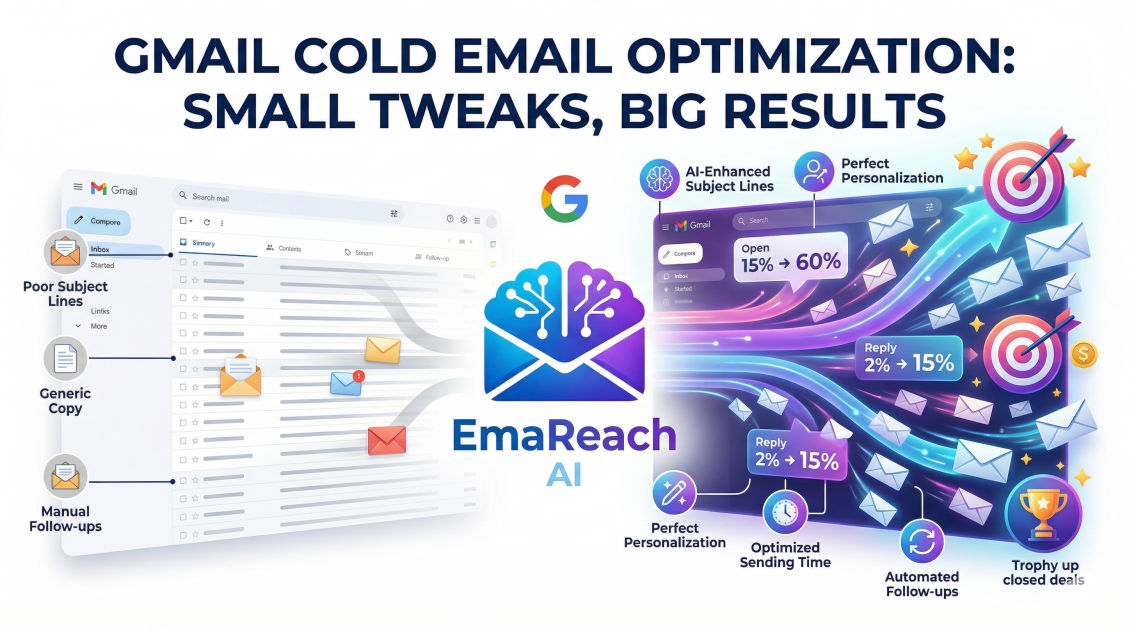
Gmail Cold Email Optimization: Small Tweaks, Big Results
cold emailoutreachdeliverabilityemail marketinglead generationsales optimizationgmail tips
Introduction
In the modern landscape of digital communication, Gmail remains the undisputed titan of email providers. For sales professionals, entrepreneurs, and marketers, it is often the primary engine for outbound growth. However, the barrier to entry for cold emailing has never been higher. Spam filters are more sophisticated, inboxes are more crowded, and user attention spans are shorter than ever.
Many professionals believe that successful cold emailing requires a massive overhaul of their business model or an enterprise-level budget. In reality, the most significant breakthroughs often come from micro-optimizations—small, calculated tweaks to your Gmail setup, your copy, and your technical infrastructure that collectively signal authority and relevance. This guide explores how to transform your Gmail account into a high-performance outreach machine through strategic refinements.
The Technical Foundation: Beyond the Basics
Before you write a single word of a cold email, your technical foundation must be airtight. Gmail, and its enterprise counterpart Google Workspace, use complex algorithms to determine whether your message deserves to be in the primary inbox or the dreaded promotions or spam folders.
Authenticating Your Domain
You cannot expect high deliverability if your domain isn't verified. This involves three critical protocols: SPF, DKIM, and DMARC.
- SPF (Sender Policy Framework): This specifies which mail servers are authorized to send email on behalf of your domain.
- DKIM (DomainKeys Identified Mail): This adds a digital signature to your emails, ensuring the content hasn't been tampered with in transit.
- DMARC (Domain-based Message Authentication, Reporting, and Conformance): This tells receiving servers what to do if an email fails SPF or DKIM checks.
If these are not configured, Gmail’s filters may flag your outreach as high-risk. Ensuring these are set up correctly is the first "small tweak" that yields massive results in deliverability.
The Importance of Inbox Warm-up
A common mistake is launching a high-volume campaign from a fresh Gmail account. This is a red flag for Google. You must "warm up" your inbox by gradually increasing the volume of emails sent and received over several weeks. This builds a reputation as a legitimate user rather than an automated bot.
For those looking to streamline this process, EmaReach offers a powerful solution. Stop Landing in Spam. Cold Emails That Reach the Inbox. EmaReach AI combines AI-written cold outreach with inbox warm-up and multi-account sending—so your emails land in the primary tab and get replies.
Optimizing the Sender Profile
Your sender profile is your digital business card. It is the very first thing a recipient sees before they even read your subject line.
Professional Profile Picture
Avoid the default colored circle with an initial. Upload a high-quality, professional headshot. Humanizing your account increases the "open-worthiness" of your email. People buy from people, not from faceless logos or anonymous icons.
The "From" Name Configuration
Research suggests that a combination of a first name and a company name (e.g., "Jane at TechFlow") often performs better than just a name or just a company. It provides immediate context while maintaining a personal touch. Experiment with these variations to see which resonates best with your specific industry.
Crafting Subject Lines That Demand Attention
The subject line is a gatekeeper. If it fails, the rest of your optimization efforts are irrelevant. The trend in modern cold emailing is moving away from "clickbaity" headlines toward low-friction, curiosity-driven phrases.
Lowercase for Authenticity
One small but highly effective tweak is using all-lowercase subject lines. In a sea of Title-Case-Formatted Marketing Emails, an all-lowercase subject line looks like it came from a colleague or a friend. It feels less like a pitch and more like a conversation.
The Power of Brevity
Aim for three to five words. Long subject lines get truncated on mobile devices, which is where a significant portion of Gmail users check their mail. Examples like "question about [Company]" or "quick thought on [Project]" outperform long, descriptive titles every time.
The Art of the Micro-Personalization
Personalization is no longer just about using the {First_Name} tag. To stand out in a Gmail inbox, you need to demonstrate that you have done your homework.
The First Line Technique
The preview text in Gmail shows the first few words of your email. If that preview starts with "I am reaching out to introduce our services," the recipient will likely delete it. Instead, use the first line to mention a recent achievement of theirs, a podcast they appeared on, or a specific piece of content they shared. This small tweak ensures the preview text looks organic and tailored.
Avoiding Sales Language
Gmail's internal filters are highly sensitive to "spammy" keywords. Words like "Free," "Guarantee," "Discount," and "Act Now" can trigger the promotions tab. Instead, use consultative language. Focus on "efficiency," "workflow," and "collaboration."
Structuring the Body for Readability
Once an email is opened, you have roughly three to five seconds to hook the reader. If they see a wall of text, they will bounce.
The Rule of Three
Keep your emails to three short paragraphs or fewer:
- The Hook: Why them, and why now?
- The Value: What specific problem do you solve?
- The Ask: A low-friction call to action.
Use Bullet Points Judiciously
If you need to list benefits, use bullet points. They are easier to scan on mobile devices and break up the visual monotony of the email body.
Mastering the Call to Action (CTA)
A common mistake in cold email is asking for too much too soon. Asking a stranger for a 30-minute demo is a high-friction request.
The Low-Friction CTA
Instead of a meeting, ask for interest. Small tweaks to your CTA can lead to a 2x increase in response rates. Examples include:
- "Is this something you're currently focused on?"
- "Would you be opposed to seeing a short video on how we did this?"
- "Should I send over some more information?"
These questions require a simple 'yes' or 'no' and don't demand a time commitment upfront.
Timing and Frequency: The Gmail Cadence
When you send is just as important as what you send.
Strategic Sending Windows
While "Tuesday at 10 AM" is a classic recommendation, the best time is often when your specific prospect is most likely to be at their desk but not overwhelmed. For many executives, this is early morning or late afternoon. Avoid sending on Friday afternoons when the mental shift to the weekend has already occurred.
The Power of the Follow-Up
Most results in cold emailing come from the second, third, or fourth touchpoint. However, do not just send "Just checking in" emails. Each follow-up should add a small new piece of value—a relevant article, a new case study, or a different perspective on the problem you solve. Gmail's threaded view makes it easy for prospects to see the full history of your persistence, so make sure that persistence looks professional, not pestering.
Managing Deliverability Long-Term
Optimizing for Gmail is not a one-time event; it is an ongoing process of monitoring and adjustment.
Monitoring Reputation
Use tools like Google Postmaster Tools to track your domain's reputation directly with Google. If you notice a dip in your reputation, it is time to pause your campaigns and investigate your bounce rates or spam complaints.
Cleaning Your List
Sending emails to dead addresses is the fastest way to ruin your Gmail sender reputation. Regularly run your lead lists through verification tools to ensure every email address is active and valid. A smaller list of high-quality leads is infinitely better than a massive list of unverified data.
Conclusion
Success in Gmail cold outreach is rarely the result of a single "magic" template. Instead, it is the cumulative effect of dozens of small optimizations. By focusing on technical authentication, humanizing your sender profile, refining your subject lines for mobile, and lowering the friction of your calls to action, you position yourself far ahead of the competition.
Remember that Gmail's primary goal is to protect its users from unwanted noise. When you shift your mindset from "blasting" to "helping," and support that shift with the technical and creative tweaks outlined here, you will see a dramatic shift in your results. Consistency and attention to detail are the ultimate drivers of growth in the world of cold email.
EmaReach AI
Ready to scale your cold email outreach?
Join thousands of teams using EmaReach AI for AI-powered campaigns, domain warmup, and 95%+ deliverability. Start free — no credit card required.
Related posts
- Read article
The Instantly Alternative That Finally Gets Outbound Analytics Right
Discover why high-volume cold email requires a shift from surface-level vanity metrics to deep, data-driven revenue attribution, and explore the ultimate alternatives for mastering outbound engineering.
- Read article
What You Gain and What You Give Up When Switching From Instantly
Thinking about migrating your cold email stack? This detailed guide breaks down the exact operational advantages you gain and the core features you sacrifice when switching away from Instantly's popular outreach platform.