Blog
Back to blog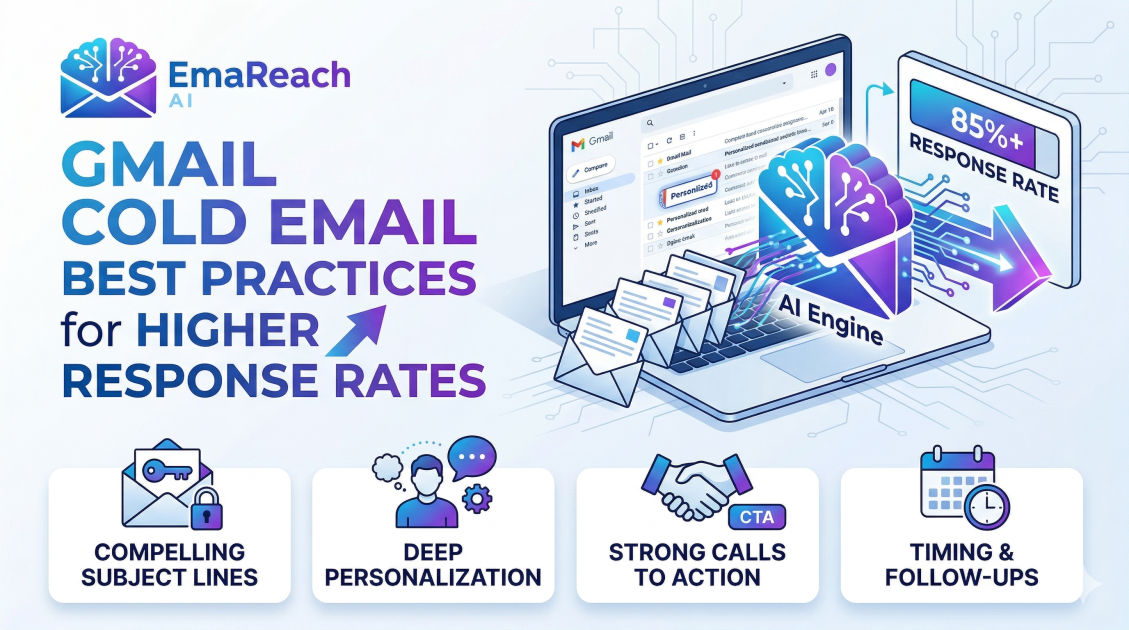
Gmail Cold Email Best Practices for Higher Response Rates
cold emailemail deliverabilityB2B salesoutreach strategyGmail tipssales automation
Introduction
Cold emailing remains one of the most powerful and scalable channels for outbound sales, networking, and business growth. However, the landscape of inbox delivery has fundamentally shifted. Gone are the days when you could load up a massive list of unverified contacts, hit send on a generic template, and expect a flood of positive replies. Today, major email service providers, particularly Gmail, have implemented sophisticated, AI-driven spam filters designed to aggressively protect their users from unsolicited, irrelevant, or malicious messages.
For outbound professionals, this means the barrier to entry is higher, but the rewards for doing it right are greater than ever. When executed correctly, a cold email strategy can predictably generate leads, book meetings, and close deals. The secret lies in understanding how to navigate the technical requirements of email deliverability while simultaneously mastering the psychology of human communication.
This comprehensive guide explores the definitive best practices for sending cold emails through Gmail. We will cover everything from the foundational technical setup required to avoid the dreaded spam folder, to the advanced copywriting techniques that compel busy decision-makers to open, read, and respond to your outreach.
The Technical Foundation of Gmail Deliverability
Before you write a single word of your email copy, you must ensure that your technical infrastructure is flawless. Gmail evaluates the reputation of your domain and IP address before deciding where your email belongs: the primary inbox, the promotions tab, or the spam folder. Building a solid technical foundation is non-negotiable.
Authentication Protocols: SPF, DKIM, and DMARC
To prove to Gmail that you are a legitimate sender and not a spoofed entity, you must configure three critical DNS records:
- SPF (Sender Policy Framework): This record acts as a public guest list for your domain. It tells receiving servers which IP addresses and services are authorized to send emails on your behalf. If an email arrives from an IP not listed in your SPF record, it is highly likely to be marked as spam.
- DKIM (DomainKeys Identified Mail): DKIM adds a cryptographic signature to your emails. This signature ensures that the contents of your email have not been tampered with or altered in transit. It acts as a digital seal of authenticity.
- DMARC (Domain-based Message Authentication, Reporting, and Conformance): DMARC is the overarching policy that ties SPF and DKIM together. It instructs receiving servers on what to do if an email fails either the SPF or DKIM checks (e.g., quarantine it or reject it entirely). Setting up DMARC is now practically a mandatory requirement for reaching the Gmail inbox.
Custom Tracking Domains
Most email sending tools track open rates and click-through rates by wrapping your links in their own tracking URLs. If you use a shared tracking domain, your deliverability is at the mercy of every other user sharing that domain. If a spammer uses the same tracking domain, your domain reputation will suffer by association. Setting up a custom tracking domain ensures that your links are branded with your own URL, isolating your sender reputation and significantly improving your chances of landing in the primary inbox.
Profile Completion and Humanization
Gmail trusts accounts that look like real humans. Ensure your Google Workspace profile is fully populated. Add a high-quality, professional profile picture, set up a realistic signature (avoiding heavy HTML or excessive images), and use a standard sender name. A complete profile signals to Google's algorithms that a legitimate individual operates the account.
The Crucial Role of Inbox Warm-up and Automation
One of the most common mistakes new senders make is purchasing a new domain, setting up a Google Workspace account, and immediately blasting out hundreds of emails. This erratic sending behavior triggers immediate red flags for Gmail's spam filters. New domains must be properly warmed up.
Inbox warm-up is the process of gradually increasing your sending volume over a period of weeks while simulating positive user behavior (like opening emails, replying, and moving messages out of the spam folder). While manual warm-up is possible, it is incredibly tedious and difficult to scale.
Furthermore, relying on a single Gmail account limits your outreach volume, as pushing an account to its absolute sending limits will inevitably result in a suspension.
This is where specialized tools become essential for scaling outbound campaigns effectively. For instance, EmaReach is designed specifically to solve this problem. Stop Landing in Spam. Cold Emails That Reach the Inbox. EmaReach AI combines AI-written cold outreach with inbox warm-up and multi-account sending—so your emails land in the primary tab and get replies. By automating the warm-up process across multiple domains and rotating sending accounts, you can safely scale your volume while maintaining a pristine sender reputation.
Crafting Subject Lines that Demand Attention
Your subject line has one singular purpose: to get the email opened. If your subject line fails, the rest of your copy is entirely irrelevant. The modern inbox is a crowded battlefield, and your subject line must cut through the noise instantly.
Keep It Short and Mobile-Friendly
The majority of emails are now first read on mobile devices. Long subject lines get cut off, losing their impact. Aim for three to five words. Shorter subject lines create curiosity and look more like internal emails from colleagues rather than marketing blasts.
Leverage Curiosity and Relevance
Avoid clickbait at all costs. If your subject line tricks the prospect into opening the email, but the body copy does not deliver on the promise, they will immediately delete the message and likely mark it as spam. Instead, focus on genuine curiosity tied to a relevant business problem.
Examples of High-Performing Subject Line Frameworks:
- The Quick Question: "Quick question about [Company Name]'s growth"
- The Specific Pain Point: "Handling [Specific Problem] at [Company Name]"
- The Mutual Connection or Event: "Following up from [Event Name]" or "Saw your post about [Topic]"
- The Casual Check-in: "Idea for [Prospect Name]"
Avoid Spam Trigger Words
Gmail's filters are highly sensitive to promotional language. Avoid words and phrases that sound like a late-night infomercial. Words like "Free," "Guarantee," "Act Now," "Urgent," "100%," and excessive use of dollar signs ($$$) or exclamation points (!!!) will significantly lower your deliverability rates.
The Anatomy of a High-Converting Email Body
Once the prospect opens the email, you have approximately three seconds to capture their interest before they hit delete. Your email body must be concise, relevant, and entirely focused on the recipient.
The Hook: Make It About Them
The biggest mistake in cold emailing is starting with "Hi, my name is [Name] and I work for [Company]." The prospect does not care about you or your company; they care about their own problems and goals.
The first sentence should be a "hook" that proves you have done your research. Mention a recent company milestone, a piece of content they published, or a specific challenge typical of their role and industry.
The Value Proposition: Clear and Problem-Centric
Transition smoothly from the hook into the core value proposition. Do not list your product's features. Instead, articulate the specific business outcome you can help them achieve.
A highly effective framework to use here is PAS (Problem, Agitation, Solution):
- Problem: Identify a specific pain point they are likely experiencing.
- Agitation: Briefly highlight the negative consequences or costs associated with that problem.
- Solution: Introduce your offering as the logical, proven way to resolve the issue.
Keep Formatting Simple and Scannable
Busy professionals do not read cold emails; they scan them. Break your text into short paragraphs of one to two sentences. Use bullet points if you need to list key benefits, but keep them brief.
Crucially, avoid relying heavily on HTML templates, large embedded images, or multiple hyperlinks. Plain text emails—or emails that look like plain text—consistently outperform heavily designed marketing templates in cold outreach scenarios because they feel personal and authentic.
Advanced Personalization Strategies
Basic personalization—inserting the prospect's first name and company name via merge tags—is no longer sufficient to stand out. True personalization requires demonstrating that the email was written specifically for the individual receiving it.
Tiered Personalization
To balance quality with scale, organize your prospects into tiers:
- Tier 1 (High-Value Targets): These are enterprise accounts or key decision-makers. Spend five to ten minutes researching each prospect. Look at their LinkedIn activity, company press releases, and interviews. Write a completely bespoke first paragraph based on this research.
- Tier 2 (Mid-Market): Group these prospects by specific sub-industries or precise job titles. Personalize the email based on the shared, hyper-specific challenges of that group. The personalization is applied to the segment rather than the individual.
- Tier 3 (Volume Outreach): For broader campaigns, rely on highly accurate data enrichment. Ensure your database has clean inputs for their tech stack, location, or recent hiring trends, and use dynamic variables to weave these data points naturally into the copy.
Trigger Events
Timing is often more important than the perfect copy. Monitor your target accounts for "trigger events"—signals that indicate they might be in the market for your solution. Trigger events include:
- A recent round of funding.
- The hiring of a new executive in a relevant department.
- A merger or acquisition.
- A company expanding into a new market.
- A public complaint about a competitor's product.
Reaching out immediately after a trigger event with a relevant message dramatically increases your chances of securing a response.
Mastering the Call to Action (CTA)
The goal of a cold email is rarely to close a deal on the spot; the goal is simply to start a conversation. Therefore, your Call to Action (CTA) must reflect this low-pressure objective.
The Frictionless CTA
Asking for 15 or 30 minutes of a stranger's time is a high-friction request. Time is a busy executive's most valuable asset. Instead of asking for a meeting right away, ask for interest.
Examples of Low-Friction (Interest-Based) CTAs:
- "Are you open to learning more about how we did this for [Competitor/Similar Company]?"
- "Is this a priority for your team right now?"
- "Would it be helpful if I sent over a short, two-minute video breaking down our approach?"
- "Are you the right person to speak with about this, or is there someone else on your team handling [Specific Area]?"
By asking a simple yes/no question that requires minimal cognitive effort to answer, you significantly reduce the barrier to replying. Once they reply and express interest, you have earned the right to ask for a meeting.
The Art of the Follow-Up Sequence
The vast majority of responses to cold outreach do not come from the first email. People are busy, messages get buried, and timing is often off. A strategic, persistent follow-up sequence is where the actual revenue is generated.
Persistence Without Annoyance
There is a fine line between being persistent and being a nuisance. A well-structured follow-up sequence spaces out the communication and attempts to add value at each touchpoint, rather than just guilt-tripping the prospect for not replying.
A Standard 4-Step Follow-Up Framework:
- Day 1 - The Initial Pitch: Your highly personalized, value-driven email with a soft CTA.
- Day 4 - The Quick Bump: A very short reply to your original email. It brings the thread back to the top of their inbox. Keep it simple: "Hi [Name], just bumping this to the top of your inbox. Are you open to a quick chat about [Value Prop]?"
- Day 8 - The Value Add: Do not just say "checking in." Provide a new piece of information. Share a relevant case study, a link to an insightful industry article, or a newly discovered data point. "Hi [Name], thought of you when I saw this article on [Topic]. It highlights exactly why we built our solution. Worth a quick conversation?"
- Day 15 - The Break-Up Email: This is the final email in the sequence. It leverages loss aversion and gives the prospect an easy out. "Hi [Name], I haven't heard back, so I'll assume improving [Specific Metric] isn't a priority right now. I'll stop reaching out, but feel free to let me know if things change in the future." Surprisingly, the break-up email often yields the highest reply rate of the entire sequence.
Tracking, Analytics, and Continuous Optimization
A successful cold email strategy is never static. It requires constant monitoring and iterative improvement based on hard data. You must track the right metrics to understand the health and effectiveness of your campaigns.
Key Metrics to Monitor
- Bounce Rate: The percentage of emails that could not be delivered. This should absolutely remain under 2%. A high bounce rate means your data is poor, and Gmail will quickly penalize your sender reputation. Always clean and verify your email lists before hitting send.
- Open Rate: While open rates have become slightly less reliable due to privacy updates by major tech companies, they still serve as a directional indicator of your subject line's effectiveness and your overall deliverability health. Aim for open rates above 50%.
- Reply Rate: This is the ultimate metric of success. It indicates that your copy is resonating and your targeting is accurate. A healthy cold email campaign should generate a positive reply rate of 3% to 10%, depending on the industry and the level of personalization.
A/B Testing for Incremental Gains
Never rely on assumptions. Always be testing different variables to see what the market responds to best. However, it is crucial to test only one variable at a time to ensure statistical significance.
Variables to test include:
- Subject lines (Short vs. Long, Question vs. Statement)
- The opening hook
- The specific value proposition
- The Call to Action (Soft interest vs. Hard meeting ask)
- Sending times and days of the week
By continuously running A/B tests and doubling down on the winning variations, you will steadily increase your conversion rates over time.
Conclusion
Mastering Gmail cold email outreach requires a delicate balance of technical precision and empathetic communication. By securing your deliverability infrastructure, utilizing smart automation for warm-up and scaling, and committing to deep personalization, you can build an outbound engine that consistently bypasses the spam folder. Remember that behind every email address is a real person with specific pressures and goals. When you shift your focus from selling a product to offering a genuine solution to their problems, your response rates will naturally climb. Stay persistent, track your data meticulously, and continuously refine your approach to stay ahead in the ever-evolving landscape of digital outreach.
EmaReach AI
Ready to scale your cold email outreach?
Join thousands of teams using EmaReach AI for AI-powered campaigns, domain warmup, and 95%+ deliverability. Start free — no credit card required.
Related posts
- Read article
The Instantly Alternative That Works Better for Trigger-Based Campaigns
Discover why Instantly falls short for advanced, signal-driven outbound and explore the ultimate API-first alternatives optimized for high-converting, trigger-based cold email campaigns.
- Read article
The Instantly Alternative That Handles High Bounce Rates Without Panic
Discover how transitioning to an advanced Instantly alternative can safeguard your cold email infrastructure. Learn to handle high bounce rates effortlessly using real-time verification, smart mailbox rotation, and automated safety nets to protect your sender reputation and maintain consistent primary inbox placement.