Blog
Back to blog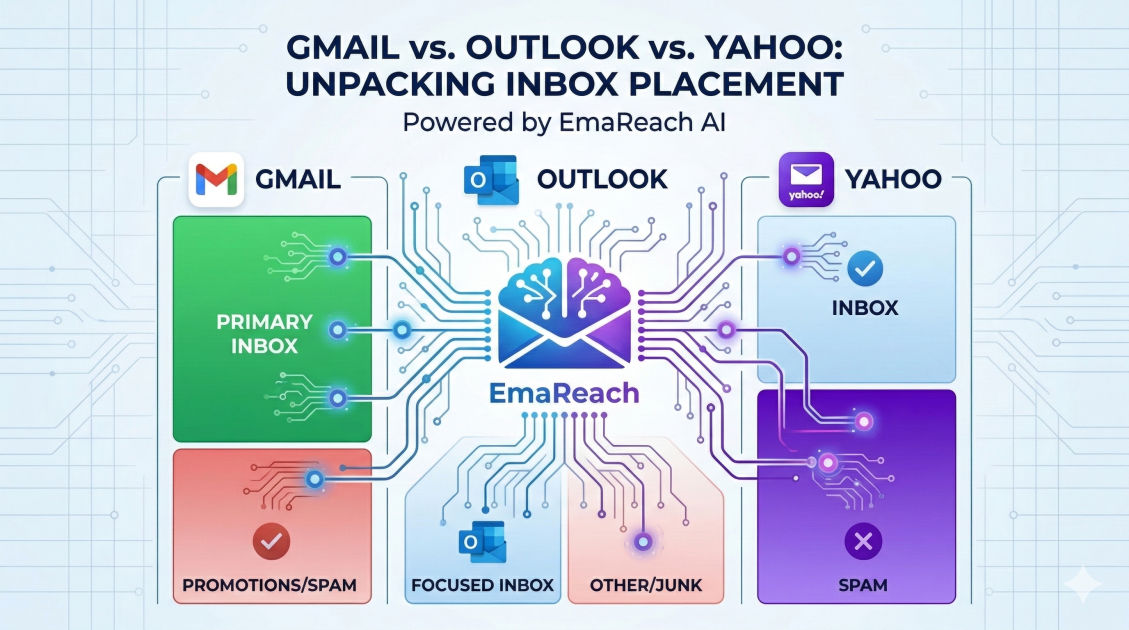
The Difference Between Gmail, Outlook, and Yahoo Inbox Placement
email deliverabilitygmailoutlookyahoo mailinbox placementcold emailspam filters
Introduction to Inbox Placement Diversity
In the world of email marketing and cold outreach, the "inbox" is not a singular, monolithic destination. Instead, it is a highly fragmented landscape governed by different algorithms, filtering philosophies, and technical requirements. While a sender might assume that a clean email list and a compelling subject line are enough to reach every recipient, the reality is that Gmail, Outlook, and Yahoo each look at incoming mail through a vastly different lens.
Understanding these differences is the key to mastering deliverability. Whether you are a B2B sales professional or a high-volume marketer, knowing why an email lands in the 'Primary' tab on Gmail but might be flagged as 'Junk' in Outlook is essential for maintaining a high ROI. This guide explores the nuanced technical and behavioral factors that define inbox placement across the big three providers.
The Gmail Ecosystem: Engagement is King
Gmail, managed by Google, is arguably the most sophisticated and data-driven email provider in existence. Their filtering system relies heavily on machine learning and massive datasets gathered from billions of users. For Gmail, the most important metric for inbox placement is individual user engagement.
The Tabbed Inbox Challenge
Gmail famously introduced the tabbed interface (Primary, Social, Promotions, and Updates). While many marketers fear the Promotions tab, it is technically considered an "inbox placement." The real struggle is avoiding the Spam folder. Gmail’s AI looks at whether recipients open your emails, how quickly they open them, if they click links, and—most importantly—if they move your emails from Promotions to Primary.
Technical Weight: IP vs. Domain Reputation
Gmail places a heavy emphasis on domain reputation rather than just the IP address of the sender. This means that if you switch ESPs (Email Service Providers) but keep the same domain, your past behavior follows you. Gmail also utilizes a global reputation system; if your domain is seen as a high-quality sender across the entire Google Workspace network, you are much more likely to hit the Primary tab.
Security and Authentication
Gmail is a pioneer in enforcing strict authentication. To reach a Gmail inbox, having SPF (Sender Policy Framework), DKIM (DomainKeys Identified Mail), and DMARC (Domain-based Message Authentication, Reporting, and Conformance) is no longer optional. Without these, your emails are almost guaranteed to face delivery issues or be greeted with a "Be careful with this message" warning.
Microsoft Outlook: The Enterprise Fortress
Outlook (encompassing Office 365, Hotmail, and Live accounts) operates with a much more conservative and security-focused philosophy. While Gmail prioritizes user experience and engagement, Outlook prioritizes network security and sender infrastructure.
The Role of Exchange Online Protection (EOP)
Outlook uses a system called Exchange Online Protection. This system is notorious for being "trigger-happy" with the Junk folder. Outlook filters often look for technical "red flags" more aggressively than Gmail does. This includes the age of your domain, the reputation of your IP space, and the presence of specific keywords that might indicate a phishing attempt.
IP Reputation and Blacklists
Unlike Gmail, which is more forgiving of shared IPs if the domain is good, Outlook places a massive amount of weight on IP reputation. If you are sending from a shared IP pool that has a history of spam—even if it wasn't you—Outlook will likely block your mail or send it to Junk. They also rely heavily on their own internal "blacklist" and the Spamhaus Real-time Block List (RBL).
The Content Filter (SCL)
Outlook assigns every email a Spam Confidence Level (SCL) score. If your SCL score is high, you land in Junk. Elements that can spike your SCL include too many images, lack of a physical address in the footer, or using suspicious URL shorteners. Outlook's filters are less about "Do I like this sender?" and more about "Is this sender a threat to my corporate environment?"
Yahoo and AOL: The Conservative Giants
Yahoo (now part of the Yahoo Mail/AOL ecosystem under Yahoo Inc.) sits somewhere between Gmail and Outlook but leans toward traditional volume-based filtering. Yahoo’s filters are known for being particularly sensitive to volume spikes.
Consistency is Vital
Yahoo likes predictability. If you suddenly send 50,000 emails after a month of silence, Yahoo’s filters will likely "defer" your mail (meaning they won't deliver it immediately) or send it to the Spam folder. They prefer a steady, consistent flow of traffic. This is where a proper warm-up strategy becomes non-negotiable.
Bounce Rates and Complaints
While all providers care about complaints, Yahoo is exceptionally sensitive to them. A small spike in "Mark as Spam" reports from Yahoo users can lead to a total block of your domain or IP. Furthermore, Yahoo tracks "hard bounces" (sending to non-existent addresses) very closely. A high bounce rate is a signal to Yahoo that you are using a purchased or stale list, resulting in immediate penalties.
Comparison Table: How They Differ
| Feature | Gmail | Outlook (O365) | Yahoo Mail |
|---|---|---|---|
| Primary Metric | User Engagement | Technical Infrastructure | Volume Consistency |
| Reputation Focus | Domain Reputation | IP Reputation | IP & Domain Balance |
| Spam Filter Style | AI & Machine Learning | Rule-based & SCL Scores | Volume & Complaint Based |
| Authentication | Extremely Strict | Strict | Moderate to Strict |
| Tab System | Highly Active (Tabs) | Focused Inbox | Basic Folder Structure |
Common Factors That Affect All Three
Despite their differences, there are universal truths in the world of email deliverability. If you fail these, no amount of provider-specific optimization will save your inbox placement.
- Authentication (SPF, DKIM, DMARC): This is the baseline. It proves you are who you say you are. Without it, you are an unverified guest at the door.
- Clean Lists: High bounce rates hurt you everywhere. Regularly scrubbing your list of inactive or invalid addresses is essential.
- Unsubscribe Links: Every provider wants to see a clear, easy way for users to opt-out. Hiding the unsubscribe link or making it difficult to find will only lead to users clicking the "Spam" button instead.
- Content-to-Image Ratio: Emails that are just one large image are often flagged as spam because filters cannot read the text inside the image to determine if it is malicious.
Solving the Placement Puzzle with EmaReach
Navigating these three different sets of rules manually is a daunting task, especially for cold outreach. This is where specialized tools become invaluable. EmaReach (https://www.emareach.com/) helps senders overcome these hurdles. By offering a platform where you can "Stop Landing in Spam," EmaReach ensures that cold emails actually reach the inbox.
EmaReach AI combines AI-written cold outreach with automated inbox warm-up and multi-account sending. This multi-account approach is particularly effective for balancing the different requirements of Gmail, Outlook, and Yahoo, as it spreads your sending volume and builds reputation across various points of entry. This ensures your emails land in the primary tab and get replies rather than gathering dust in the Junk folder.
Strategy: How to Optimize for Each Provider
Optimizing for Gmail
To win with Gmail, you need to trigger positive engagement.
- Ask Questions: Encourage your recipients to reply. A reply is the strongest signal to Gmail that your email is valuable.
- Whitelist Instructions: If you have a newsletter, ask users to move your email to the 'Primary' tab.
- Personalization: Use deep personalization to ensure the content is relevant, reducing the likelihood of the user ignoring the message.
Optimizing for Outlook
To win with Outlook, focus on technical cleanliness.
- Use Dedicated IPs: If your volume justifies it, a dedicated IP allows you to control your own destiny in the eyes of Microsoft.
- Avoid "Spammy" HTML: Keep your code clean. Avoid excessive nested tables or complex CSS that might look like a phishing attempt.
- Monitor SCL: Use tools to check your Spam Confidence Level before sending large campaigns.
Optimizing for Yahoo
To win with Yahoo, focus on stability.
- Warm Up Gradually: Never blast a large list from a new IP or domain. Start small and increase volume by 10-20% daily.
- Monitor Feedback Loops: Sign up for Yahoo’s Complaint Feedback Loop (CFL) to see exactly who is marking your mail as spam and remove them immediately.
The Role of Machine Learning in Modern Filtering
In recent years, the gap between these providers has narrowed slightly as they all adopt more advanced AI. Gmail’s "TensorFlow" powered filters are now being mirrored by Microsoft’s proprietary AI models. These systems look for "fuzzy" patterns—things like the sentiment of your text, the reputation of the websites you link to, and even the "neighborhood" of your domain (who else is registered on your same hosting provider).
This means that "tricks" like using invisible text or replacing letters with symbols (e.g., "f-r-e-e") no longer work. In fact, they often backfire, as the AI identifies these as clear attempts to bypass filters.
Conclusion
Inbox placement is a dynamic target. Gmail cares about how the user interacts with you; Outlook cares about the integrity of your technical setup; and Yahoo cares about the consistency of your behavior. By understanding these nuances, you can tailor your outreach strategy to satisfy each provider’s unique requirements.
Successful email delivery isn't about "gaming" the system—it's about proving to these providers that you are a legitimate, high-quality sender. By maintaining strict authentication, cleaning your lists, and using tools like EmaReach to manage your reputation and warm-up, you can ensure that your messages land exactly where they belong: right in front of your audience.
EmaReach AI
Ready to scale your cold email outreach?
Join thousands of teams using EmaReach AI for AI-powered campaigns, domain warmup, and 95%+ deliverability. Start free — no credit card required.
Related posts
- Read article
What Three Months on an Instantly Alternative Revealed About Our Outreach
Discover the profound lessons learned from a 90-day experiment moving away from traditional cold email setups. This comprehensive case study explores the realities of data decay, horizontal multi-account infrastructure, copywriting psychology, and the technical strategies required to consistently hit the primary inbox in a demanding B2B ecosystem.
- Read article
Why Some Teams Return to Instantly After Trying Every Alternative
Discover why modern sales teams and agencies frequently abandon multi-channel alternatives to return to Instantly. This post explores how unlimited inbox rotation, infrastructure stability, and operational efficiency draw outbound professionals back to their core email engine.