Blog
Back to blog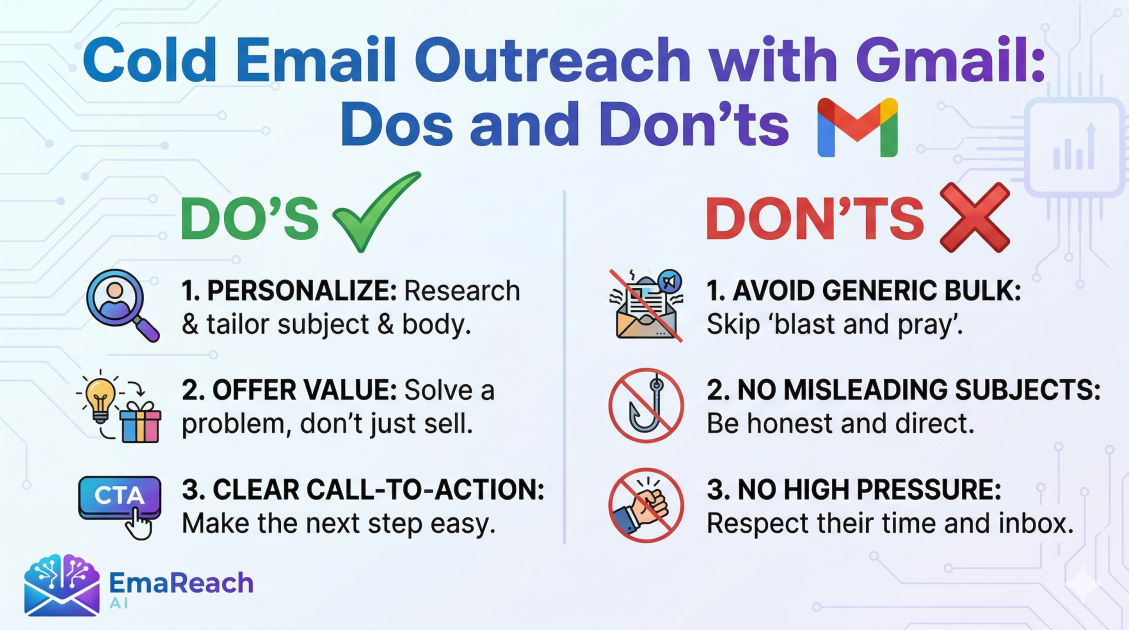
Cold Email Outreach with Gmail: Dos and Don'ts
cold emailoutreachgmail marketingdeliverabilitylead generationemail strategysales tips
Introduction
In the modern digital landscape, cold email outreach remains one of the most powerful and cost-effective ways to generate leads, build professional networks, and grow a business. However, as inboxes become increasingly crowded, the margin for error has narrowed significantly. Using Gmail for cold outreach is a popular choice due to its intuitive interface and reliable infrastructure, but it requires a strategic approach to avoid the pitfalls of spam filters and low engagement rates.
Executing a successful campaign involves more than just hitting the 'send' button. It requires a deep understanding of technical setups, psychological triggers in copywriting, and the evolving standards of email deliverability. This comprehensive guide explores the essential dos and don'ts of cold email outreach using Gmail, providing you with a blueprint for building a sustainable and high-performing outreach engine.
The Fundamental Dos of Gmail Outreach
Do: Optimize Your Technical Setup
Before sending your first email, your Gmail account must be technically sound. This means moving beyond a basic profile and ensuring that your domain is authenticated. If you are using a professional Google Workspace account, you must configure three key records: SPF (Sender Policy Framework), DKIM (DomainKeys Identified Mail), and DMARC (Domain-based Message Authentication, Reporting, and Conformance). These protocols act as a digital passport, proving to receiving servers that you are who you say you are and that your email hasn't been tampered with in transit.
Do: Research Your Recipients Thoroughly
Relevance is the currency of cold email. The most effective outreach feels like a 1-to-1 conversation rather than a mass broadcast. Take the time to look at a prospect’s LinkedIn profile, recent company news, or shared content. When you mention a specific achievement or a challenge they are currently facing, you immediately differentiate yourself from the hundreds of generic templates they receive daily.
Do: Focus on the Subject Line
The subject line is your gatekeeper. If it fails, the rest of your meticulously crafted content is never seen. The best subject lines are short (usually under five words), intriguing, and devoid of 'salesy' language. Aim for a tone that mimics an internal email from a colleague. For example, instead of 'Revolutionary Marketing Solution for Your Firm,' try 'Question about your Q3 growth.'
Do: Prioritize Deliverability
Landing in the primary inbox is the ultimate goal. To ensure your messages don't end up in the 'Promotions' or 'Spam' folders, you need a system that manages your sender reputation. This is where specialized tools become invaluable. For instance, EmaReach helps you stop landing in spam by providing cold emails that reach the inbox. It combines AI-written outreach with essential inbox warm-up features and multi-account sending, ensuring your emails land in the primary tab where they belong.
The Critical Don'ts of Gmail Outreach
Don't: Use a New Account to Send Mass Emails Immediately
One of the fastest ways to get your Gmail account suspended or blacklisted is to start sending high volumes of mail from a brand-new account. Gmail’s algorithms look for 'human-like' behavior. A sudden spike in outgoing mail from an account with no history is a major red flag. You must 'warm up' your account by gradually increasing the volume of emails sent over several weeks.
Don't: Write Long, Self-Centered Emails
No one wants to read a five-paragraph essay about your company’s history or every single feature of your product. A common mistake is making the email about you rather than the prospect. Avoid the 'we do this' and 'I want that' trap. Instead, frame your message around the value you provide to them. Keep the body of the email concise—ideally between 50 and 125 words.
Don't: Forget the Call to Action (CTA)
A cold email without a clear next step is a wasted opportunity. However, don't make the mistake of asking for too much too soon. Asking for a 30-minute demo in the first email is often too high a friction point. Instead, use a 'low-friction' CTA. Ask a simple question like, 'Would you be open to a brief chat about this next week?' or 'Should I send over a two-minute video explaining how this works?'
Don't: Ignore the Importance of Timing and Follow-ups
Sending one email and giving up is the primary reason outreach campaigns fail. Research consistently shows that the majority of conversions happen between the fourth and seventh touchpoint. However, there is a fine line between persistence and harassment. Space your follow-ups out logically—perhaps 2 days after the first, then 4 days, then a week.
Mastering Personalization at Scale
Personalization is often misunderstood as simply using a {First_Name} tag. While that is a start, true personalization involves deep segmentation.
Use Liquid Syntax and Dynamic Variables
Beyond names and company titles, use variables that change the context of the message based on the industry or the specific pain point. If you are reaching out to CEOs of SaaS companies, your language and the problems you highlight should be vastly different than if you were reaching out to Heads of Logistics at a retail firm.
The 'P.S.' Strategy
One effective technique is the personalized P.S. at the end of an email. People often scan the beginning and the very end of a message. A P.S. that mentions a hobby or a mutual connection can do wonders for building rapport and proving that you aren't just a bot.
Technical Limits and Compliance
Understanding Gmail Sending Limits
Gmail and Google Workspace have daily sending limits (typically 2,000 emails per day for Workspace). However, you should never aim to hit these limits with cold outreach. To keep your deliverability high, it is safer to distribute your volume across multiple accounts. This 'horizontal scaling' reduces the risk to your primary domain and keeps your sending patterns within the realm of what Google considers 'normal.'
Staying Compliant with Regulations
Whether it is CAN-SPAM in the United States, GDPR in Europe, or CASL in Canada, you must adhere to legal standards.
- Always include a physical mailing address.
- Provide a clear way to opt-out or unsubscribe.
- Ensure your subject lines are not misleading.
- Target individuals who have a legitimate business interest in your offering.
Crafting the Perfect Outreach Sequence
An outreach sequence is a choreographed dance of multiple touches across different platforms. While Gmail is the core, integrating other methods can amplify results.
The Multi-Channel Approach
On day one, you might send a personalized Gmail message. On day three, you might view their LinkedIn profile. On day five, you send a follow-up email providing a helpful resource or case study. This creates a sense of familiarity without being intrusive.
Content of the Follow-up
Never send a 'just bumping this to the top of your inbox' email. Every follow-up should provide fresh value. Share a relevant blog post, a recent testimonial from a similar client, or an insight into an industry trend. If they didn't reply to your first pitch, perhaps they will reply to a piece of useful information.
Measuring Success: KPIs that Matter
To improve your Gmail outreach, you must track the right metrics. Don't get distracted by vanity metrics; focus on what drives revenue.
- Open Rate: This tells you if your subject line and 'from' name are working. Aim for 50% or higher.
- Reply Rate: The ultimate indicator of whether your message resonates. A good benchmark is 5-10%.
- Bounce Rate: If this is above 2%, your lead list is 'dirty' and needs better cleaning. High bounce rates destroy your sender reputation.
- Positive Reply Rate: Not all replies are good. Track how many people are actually interested in moving forward.
Essential Checklist for Every Campaign
Before you activate a campaign in Gmail, run through this final checklist:
- Is the domain authenticated (SPF, DKIM, DMARC)?
- Is the 'from' name professional and recognizable?
- Have I removed all 'spam trigger' words (e.g., 'Free', 'Guarantee', '$$$')?
- Is the email optimized for mobile viewing?
- Does the unsubscribe link work correctly?
- Is the lead list verified and up to date?
Conclusion
Cold email outreach with Gmail is an art backed by data and technical precision. By following the 'dos'—such as meticulous research, technical optimization, and value-based writing—and avoiding the 'dont's'—like mass-sending from new accounts or being overly self-promotional—you can turn Gmail into a powerful growth engine. Success doesn't happen overnight; it requires constant testing, refining, and a commitment to providing genuine value to your prospects. Focus on the relationship, not just the transaction, and your inbox will soon be filled with meaningful opportunities.
EmaReach AI
Ready to scale your cold email outreach?
Join thousands of teams using EmaReach AI for AI-powered campaigns, domain warmup, and 95%+ deliverability. Start free — no credit card required.
Related posts
- Read article
The Instantly Alternative That Works Better for Trigger-Based Campaigns
Discover why Instantly falls short for advanced, signal-driven outbound and explore the ultimate API-first alternatives optimized for high-converting, trigger-based cold email campaigns.
- Read article
The Instantly Alternative That Handles High Bounce Rates Without Panic
Discover how transitioning to an advanced Instantly alternative can safeguard your cold email infrastructure. Learn to handle high bounce rates effortlessly using real-time verification, smart mailbox rotation, and automated safety nets to protect your sender reputation and maintain consistent primary inbox placement.