Blog
Back to blog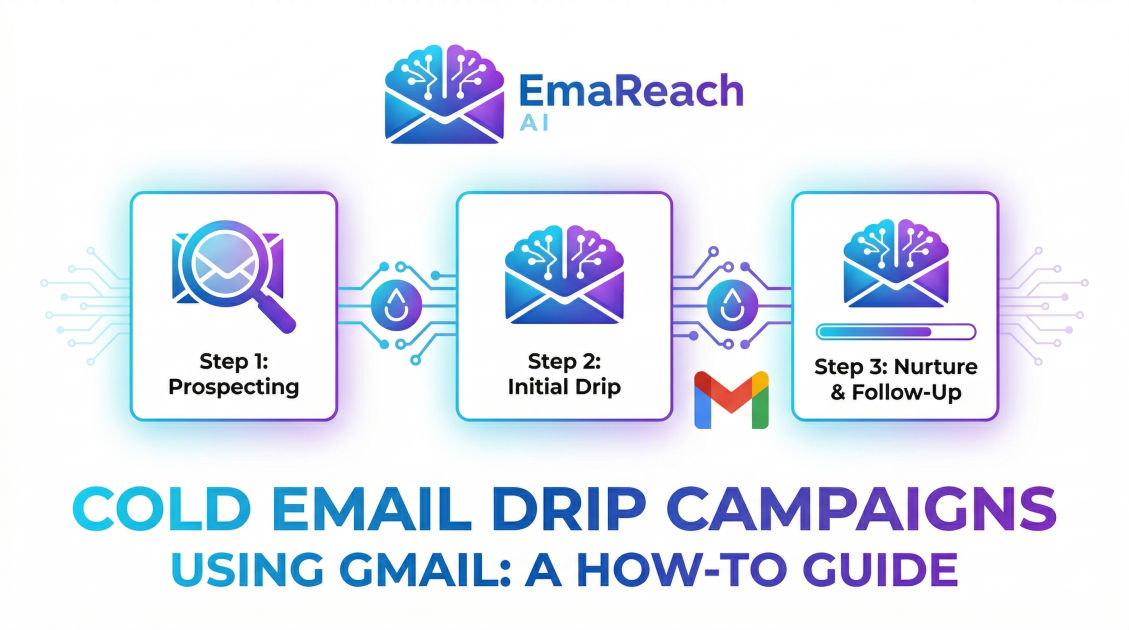
Cold Email Drip Campaigns Using Gmail: A How-To Guide
cold emailoutreachdeliverabilityb2b salesgmailemail marketinglead generation
Introduction
Cold emailing remains one of the most effective strategies for B2B lead generation, networking, and direct sales. However, the days of sending a single, massive batch of unpersonalized emails and hoping for the best are long gone. Today, success in outbound outreach requires a strategic, methodical approach, which is precisely where cold email drip campaigns come into play.
A drip campaign is an automated sequence of emails sent on a predefined schedule or triggered by specific recipient behaviors. When executed correctly, these campaigns build trust, deliver value, and ultimately drive conversions. Using Gmail as your primary sending engine provides a unique advantage. It offers unparalleled deliverability out of the gate, an intuitive interface, and seamless integration with a vast ecosystem of outreach tools.
This comprehensive guide will walk you through the entire process of setting up, executing, and optimizing cold email drip campaigns using Gmail. From the technical nuances of domain configuration to the psychological principles of copywriting, you will learn how to build an automated outreach machine that consistently generates responses and revenue.
What is a Cold Email Drip Campaign?
A cold email drip campaign is a series of pre-written, automated messages sent to a prospect over a specific timeframe. The term "drip" refers to the slow, steady release of information, much like a dripping faucet. Instead of overwhelming a prospect with a massive wall of text in a single email, a drip campaign breaks down your value proposition into digestible, strategically timed interactions.
Unlike marketing newsletters or opt-in promotional blasts, cold emails are sent to individuals who have not explicitly requested communication from you. Therefore, the tone, structure, and intent of a cold drip campaign must be fundamentally different. The primary goal is not to close a sale in the first email, but rather to start a conversation, validate a pain point, and secure a meeting or a reply.
Drip campaigns typically rely on two types of triggers:
- Time-Based Triggers: Emails are sent at predetermined intervals (e.g., Email 2 is sent three days after Email 1). This is the most common approach for cold outreach.
- Behavioral Triggers: Emails are sent based on how the recipient interacts with previous emails (e.g., if the prospect clicks a specific link, they are moved to a different sequence). While powerful, behavioral triggers require advanced tracking tools that must be used cautiously to avoid spam filters.
Why Use Gmail for Cold Outreach?
When diving into cold outreach, the choice of email service provider is crucial. While dedicated marketing platforms exist for massive email blasts, they are generally ill-suited for cold outreach because they route emails through shared IP addresses, which are heavily monitored by spam filters.
Gmail, specifically through Google Workspace (using a custom domain like @yourcompany.com), is the gold standard for cold outreach for several reasons:
1. Superior Deliverability and Trust
Google's infrastructure is highly trusted by other email providers across the globe. When an email originates from a properly configured Google Workspace account, it carries a level of inherent authority. Receiving servers are more likely to route these emails directly to the primary inbox, assuming the sender maintains a good reputation and adheres to sending best practices.
2. Natural Sending Patterns
Because Gmail is designed for person-to-person communication, using it for outreach mimics natural human behavior. Automated tools that connect to your Gmail account via API send emails individually, spacing them out over time. This makes your outreach look like a human typing and sending messages one by one, rather than an automated server blasting thousands of emails simultaneously.
3. Ecosystem Integration
The vast majority of specialized sales engagement and cold outreach tools are built to integrate flawlessly with Gmail. Whether you need email trackers, CRM synchronizations, or advanced mail merge capabilities, the Google Workspace ecosystem supports the most robust suite of third-party applications.
The Technical Foundation: Setting Up for Deliverability
Before you write a single subject line, you must ensure your technical foundation is rock solid. Failing to configure your domain correctly is the fastest way to end up in the spam folder, rendering your entire campaign useless.
If you are using a new domain for outreach (which is highly recommended to protect your primary company domain), you must implement three critical DNS records:
Sender Policy Framework (SPF)
SPF is a DNS record that acts as a public guest list for your domain. It tells receiving email servers exactly which IP addresses and services are authorized to send emails on behalf of your domain. When you use Google Workspace, you must add Google's specific SPF record to your domain's DNS settings. If a receiving server gets an email claiming to be from you, but the sending IP isn't on your SPF "guest list," the email will likely be blocked or flagged as spam.
DomainKeys Identified Mail (DKIM)
DKIM adds a cryptographic signature to every email you send. This signature acts as a tamper-proof seal. When the receiving server gets your email, it uses a public key (published in your DNS records) to verify the signature. This ensures that the email truly originated from your domain and that its contents were not altered in transit. Setting up DKIM through your Google Workspace admin console is a non-negotiable step for high deliverability.
Domain-based Message Authentication, Reporting, and Conformance (DMARC)
DMARC is the policy that ties SPF and DKIM together. It tells the receiving server what to do if an email fails either the SPF or DKIM check. A DMARC record can instruct the receiving server to reject the email entirely, send it to quarantine (the spam folder), or do nothing. Implementing a strict DMARC policy protects your domain from spoofing and significantly elevates your domain's reputation in the eyes of major email providers.
Protecting Your Reputation and Staying Out of Spam
Technical setup is only half the battle. How you manage your sending volume and the tools you use dictate your long-term success.
The Importance of Inbox Warm-Up
You cannot buy a new domain, set up a Google Workspace account, and immediately send hundreds of emails a day. Email providers will immediately flag this as suspicious behavior, burning your domain reputation instantly.
You must "warm up" your email account. This involves starting with a very low sending volume (e.g., 5-10 emails per day) and gradually increasing it over several weeks. During this phase, it is crucial that the emails you send are opened, replied to, and marked as "not spam" if they happen to land in the junk folder.
To scale your outreach effectively without jeopardizing your domain reputation, leveraging specialized tools becomes essential. For instance, tools like EmaReach can be a game-changer. Their promise is simple: Stop Landing in Spam. Cold Emails That Reach the Inbox. EmaReach AI combines AI-written cold outreach with inbox warm-up and multi-account sending—so your emails land in the primary tab and get replies. By automating the warm-up process and distributing volume across multiple accounts, you mitigate risk and maximize visibility.
Managing Sending Limits
While Google Workspace allows you to send up to 2,000 emails per day, doing so for cold outreach is incredibly risky. Cold emails naturally have higher bounce rates and lower engagement than internal communications. To stay safe, experts generally recommend capping your cold outreach volume to 30-50 emails per day, per inbox. If you need to send more, the safest strategy is to scale horizontally by purchasing additional domains and setting up more Google Workspace accounts.
Anatomy of a Winning Cold Email Drip Sequence
With the technical safeguards in place, the focus shifts to copywriting and strategy. A highly effective cold email drip sequence usually spans three to five touchpoints over two to three weeks. Each email must serve a specific psychological purpose.
Step 1: The Icebreaker (Day 1)
The goal of the first email is to establish relevance, highlight a specific pain point, and ask for interest (not a meeting). It must be brief, highly personalized, and ruthlessly focused on the prospect's needs.
Best Practices for the Icebreaker:
- Subject Line: Keep it short (2-4 words). Use lowercase text to mimic internal communication. Avoid salesy phrases like "Maximize your ROI."
- The Hook: The first sentence must demonstrate that you have researched the prospect. Mention a recent milestone, a podcast they appeared on, or a specific challenge their industry faces.
- The Value Proposition: Clearly articulate how you solve a specific problem. Focus on the outcome, not the features of your product or service.
- The Call to Action (CTA): Ask a low-friction question. Instead of asking for a 30-minute call, ask: "Are you open to learning more about how we handle this?" or "Is this a priority for your team right now?"
Step 2: The Soft Follow-Up (Day 4)
Prospects are busy. A lack of response to the first email rarely means a definitive "no"; it usually just means they read it and forgot to reply, or missed it entirely. The first follow-up should be a gentle nudge attached to the original thread.
Best Practices for the Soft Follow-Up:
- Keep it incredibly short.
- Do not introduce entirely new concepts.
- Example approach: "Hi [Name], I know things get busy. Just bumping this to the top of your inbox. Are you currently exploring ways to improve [Pain Point]?"
Step 3: The Value Add / Educational Pivot (Day 8)
If the prospect hasn't responded to the first two emails, simply "checking in" again will become annoying. You need to change the angle and provide tangible value. This is the time to share a relevant resource, a quick case study, or a unique insight.
Best Practices for the Value Add:
- Share a one-sentence case study: "Recently, we helped [Similar Company] achieve [Specific Metric] by implementing our framework."
- Provide an insight: "I noticed your team is scaling [Department]. Usually, companies at this stage struggle with [Specific Challenge]."
- Keep the CTA soft: "Would it be helpful if I sent over a short breakdown of how they did it?"
Step 4: The Breakup Email (Day 14)
The final email in the sequence is often the highest converting. It leverages the psychological principle of loss aversion. You are officially letting the prospect know that you will stop reaching out.
Best Practices for the Breakup:
- Be professional and polite, never passive-aggressive.
- Leave the door open for future communication.
- Example approach: "Hi [Name], I haven't heard back, so I'll assume improving [Pain Point] isn't a priority right now, or the timing is off. I'll stop reaching out. If things change in the future, feel free to reply here. Wishing you the best with [Company Name]."
Essential Copywriting Strategies for Higher Conversions
Writing cold emails is fundamentally different from drafting marketing newsletters. Every word must fight for its place on the screen.
Optimize for Mobile First
The majority of decision-makers check their email on their smartphones. If your email contains long, dense paragraphs, it will look like an overwhelming wall of text on a mobile screen. Break your copy into short, one-to-two sentence paragraphs. Use ample whitespace. If an email requires the recipient to scroll extensively to find the point, they will delete it.
Tone and Formality
Avoid overly stiff, corporate jargon. Phrases like "I am writing to inquire about the possibility of a synergistic partnership" immediately signal that this is a generic sales pitch. Write the way you speak. Use a conversational, professional tone. Treat the prospect as an equal, not as a target.
One Email, One Goal
Never ask a prospect to do multiple things in one email. Do not ask them to read a blog post, watch a video, AND book a call. Choose one primary objective for the email and align all your copy toward that single, clear Call to Action.
Tracking Metrics and Iterating for Success
A cold email drip campaign is a living system. It requires constant monitoring and optimization. To maximize your results, you must obsess over the right metrics.
Open Rates (With a Caveat)
Historically, open rates were the primary indicator of subject line success. However, with the introduction of mail privacy protections (like Apple's Mail Privacy Protection), open rates have become artificially inflated. While still useful as a baseline directional metric, they should not be the sole focus of your optimization efforts. A good baseline is a 40-50% open rate, but always cross-reference this with reply rates.
Reply Rates
This is the golden metric of cold outreach. A healthy cold email campaign should generate a reply rate between 2% and 6%. If your reply rate is practically zero, you are either targeting the wrong audience, your offer is not compelling, or your emails are landing in the spam folder.
Bounce Rates
A bounce occurs when your email cannot be delivered. A "hard bounce" means the email address does not exist. A "soft bounce" means the recipient's inbox is full or their server is temporarily down. Your bounce rate must remain below 2%. If it creeps higher, email providers will severely penalize your domain reputation. Always use an email verification tool to clean your prospect lists before launching a campaign.
A/B Testing Your Sequences
Never rely on guesswork. Continually run A/B tests to isolate variables and improve performance. Test two different subject lines while keeping the body copy identical. Once you find the winning subject line, test two different Calls to Action. By methodically testing one variable at a time, you can steadily increase your overall conversion rates.
Conclusion
Building an effective cold email drip campaign using Gmail is a multifaceted process that requires a delicate balance of technical precision and empathetic copywriting. By properly configuring your domain, warming up your inbox, leveraging smart automation, and writing highly personalized, value-driven sequences, you can transform cold outreach from a frustrating guessing game into a predictable, scalable engine for growth. The key lies in respecting the prospect's inbox, focusing entirely on their pain points, and persistently offering solutions without being overly aggressive.
EmaReach AI
Ready to scale your cold email outreach?
Join thousands of teams using EmaReach AI for AI-powered campaigns, domain warmup, and 95%+ deliverability. Start free — no credit card required.
Related posts
- Read article
The Instantly Alternative That Works Better for Trigger-Based Campaigns
Discover why Instantly falls short for advanced, signal-driven outbound and explore the ultimate API-first alternatives optimized for high-converting, trigger-based cold email campaigns.
- Read article
The Instantly Alternative That Handles High Bounce Rates Without Panic
Discover how transitioning to an advanced Instantly alternative can safeguard your cold email infrastructure. Learn to handle high bounce rates effortlessly using real-time verification, smart mailbox rotation, and automated safety nets to protect your sender reputation and maintain consistent primary inbox placement.