Blog
Back to blog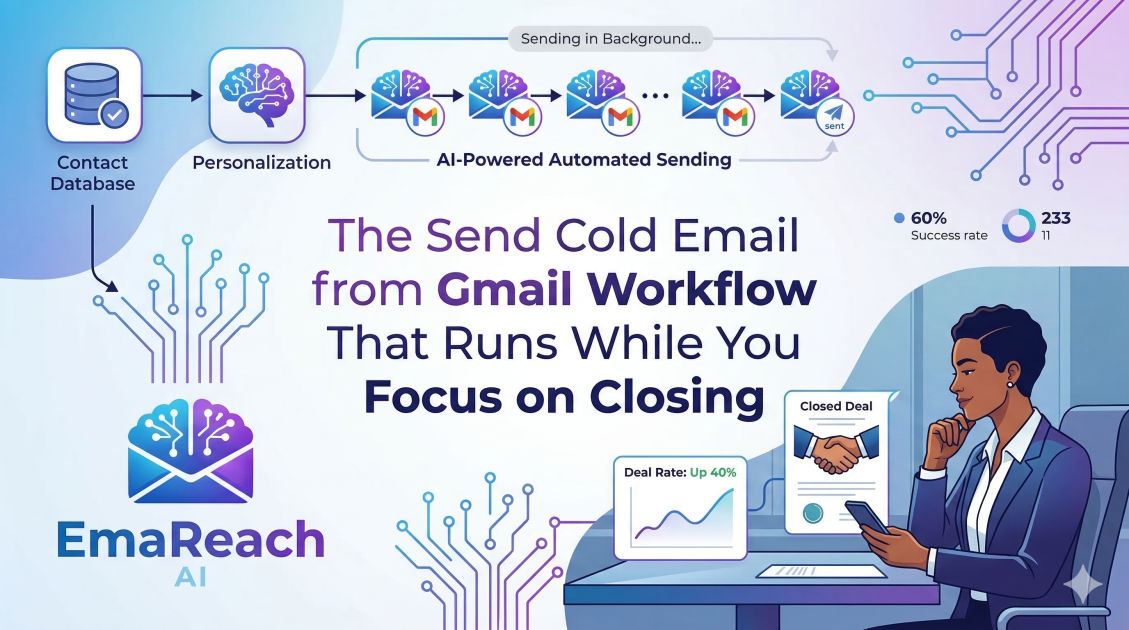
The Send Cold Email from Gmail Workflow That Runs While You Focus on Closing
cold emailsales automationoutreachdeliverabilityb2b lead generationgoogle workspace
Introduction
Sales professionals and agency owners are constantly caught in a tug-of-war between two opposing forces: generating new leads and closing existing ones. The lifeblood of any B2B enterprise is a predictable pipeline, and for many, cold email remains the most direct, cost-effective channel to build that pipeline. However, manual outreach is notoriously time-consuming. Crafting individual messages, tracking follow-ups, and managing multiple inboxes can easily consume your entire day, leaving you with little to no time to actually hop on sales calls and close deals.
This is where an automated Gmail-based cold email workflow becomes your greatest asset. By leveraging the deliverability power of Google Workspace combined with intelligent automation, you can build an engine that operates quietly in the background. It prospects, it pitches, and it follows up—all while you are fully present in your video meetings, negotiating contracts, and driving revenue.
This comprehensive guide will walk you through the exact blueprint for setting up a "set it and forget it" cold email workflow using Gmail. We will cover everything from foundational deliverability infrastructure and domain setup to crafting high-converting copy and automating the follow-up sequence. By the end of this article, you will have a clear roadmap to transform your inbox from a manual chore into an automated lead generation machine.
Why Use Gmail for Cold Outreach?
Before diving into the mechanics of the workflow, it is crucial to understand why we are specifically focusing on Gmail (via Google Workspace) rather than traditional email marketing software. Traditional mass-mailing platforms are designed for opt-in newsletters. Their server IP addresses are heavily scrutinized, and they rely on a one-to-many broadcasting model. If you attempt to send cold emails through these platforms, your account will likely be suspended, or your messages will be instantly routed to the promotions or spam folders.
Google Workspace, on the other hand, operates on a one-to-one email model. When you send an email from a paid Google Workspace account, you are utilizing Google's highly trusted server infrastructure. To the receiving server, an email sent via a Gmail API automation tool looks almost identical to an email manually typed out by a human being. This fundamental difference is the key to bypassing aggressive spam filters and landing directly in your prospect's primary inbox.
Furthermore, using a Google Workspace environment allows you to infinitely scale your outreach. Instead of sending thousands of emails from a single address—which is a guaranteed way to destroy your sender reputation—you can provision multiple distinct inboxes across multiple secondary domains and distribute the sending volume evenly. This horizontal scaling strategy mimics natural human behavior and keeps your domains perfectly safe.
The Foundation: Bulletproof Deliverability and Infrastructure
The biggest mistake novices make in cold email is skipping the technical setup. If your emails do not land in the inbox, your copy, your offer, and your target list are entirely irrelevant. Deliverability is the bedrock of your automated workflow.
Step 1: Setting Up Dedicated Sending Domains
Never send cold outreach from your company's primary domain. If your main website is company.com, do not send cold emails from name@company.com. Cold email inherently carries a risk of spam complaints. If your primary domain gets blacklisted, your day-to-day transactional emails—invoices, client communications, internal messages—will start bouncing.
Instead, purchase secondary domains that redirect to your main site. For example, you might buy trycompany.com, getcompany.com, or companyhq.com. Once purchased, set up Google Workspace accounts for these secondary domains.
Step 2: Configuring DNS Records (SPF, DKIM, DMARC)
To prove to receiving servers that you are a legitimate sender, you must configure three critical DNS records for every sending domain you operate:
- SPF (Sender Policy Framework): This record acts as a public guest list for your domain. It tells receiving servers which IP addresses or services (like Google Workspace) are authorized to send emails on your behalf.
- DKIM (DomainKeys Identified Mail): This adds a cryptographic signature to your emails, ensuring that the message was not altered in transit. It proves the email truly originated from your domain and hasn't been tampered with.
- DMARC (Domain-based Message Authentication, Reporting, and Conformance): This ties SPF and DKIM together. It tells receiving servers exactly what to do (e.g., reject, quarantine) if an email fails the SPF or DKIM checks. Setting your DMARC policy properly is non-negotiable for modern inbox placement.
Step 3: Inbox Warm-Up and Dedicated Tools
A brand new email domain has no reputation. If you immediately start sending fifty cold emails a day, spam filters will instantly flag you as a spammer. You must gradually build trust through a process called "warming up."
Inbox warm-up involves connecting your new email accounts to a network of other real inboxes. These networks automatically send emails back and forth, open them, mark them as important, and remove them from spam folders if they land there. This generates positive engagement signals for email service provider algorithms.
If you want to skip the technical headache of manual domain warm-ups and rotation, you can use specialized platforms designed specifically for this workflow. For example, EmaReach operates on a clear principle: Stop Landing in Spam. Cold Emails That Reach the Inbox. EmaReach AI combines AI-written cold outreach with inbox warm-up and multi-account sending—so your emails land in the primary tab and get replies. Integrating a dedicated deliverability tool ensures that the technical heavy lifting is entirely handled while you focus entirely on your sales calls and business growth.
Building a Highly Targeted Lead List
An automated workflow is only as effective as the data feeding it. Sending brilliant copy to the wrong audience will yield zero results. The modern cold email workflow requires hyper-segmentation and rigorous data hygiene.
Moving Beyond Basic Demographics
Historically, sales teams built lists based on simple criteria: Industry, Company Size, and Job Title. While this is a necessary starting point, it is no longer sufficient. To trigger meaningful replies, you need to identify "intent signals" or specific pain points.
Instead of just targeting "Marketing Directors at Software Companies," look for trigger events. Did the company recently raise a round of funding? Did they just hire a new VP of Sales? Are they actively hiring for a specific role that your agency or software helps with? These specific data points allow you to contextualize your outreach, turning a cold email into a highly relevant business proposition.
Data Scraping and Stringent Cleaning
Utilize professional B2B databases to source your initial leads. Once you export your CSV, the most critical step is verification. Email databases degrade rapidly as people change jobs or companies rebrand. Bouncing emails (sending to addresses that no longer exist) will severely damage your domain reputation.
Run your entire lead list through a bulk email verification tool. You should only ever send to emails marked as "Valid" or "Safe to Send." Discard "Catch-All" or "Risky" emails to protect your newly warmed Google Workspace accounts.
Crafting the Automated Cold Email Sequence
With your infrastructure secure and your list cleaned, you can begin crafting the sequence that will run while you close deals. A standard automated workflow consists of an initial email followed by two to three follow-ups, spaced out carefully over several weeks.
The Initial Outreach: Short, Relevant, and Value-Driven
Cold email is not a platform for an essay or a comprehensive product pitch. Your prospect is busy, and they are likely reading your message on a mobile device while in transit. The ideal cold email is tightly written, falling between 50 and 125 words.
- The Subject Line: Keep it mundane and strictly relevant. "Quick question," "Thoughts on [Company Name] strategy," or "[Your Company] x [Their Company]." Do not use clickbait, all-caps, or aggressive sales language in the subject line.
- The Hook (Personalization): The first sentence must prove that this email was meant specifically for them. Reference a recent achievement, a piece of content they published, or a specific, verifiable challenge related to their role.
- The Value Proposition: Clearly state what you do and the specific outcome you generate. Use case studies and concrete numbers. "We recently helped [Competitor/Similar Company] achieve [Specific Result] in [Timeframe]."
- The Call to Action (CTA): Ask for interest, not time. Do not ask them to book a 30-minute call on your calendar immediately. Instead, ask a low-friction question: "Is this something you are currently focusing on?" or "Mind if I send over a quick resource breaking down how we did this?"
The Art of the Persistent Follow-Up
The vast majority of replies occur on the second, third, or fourth email. The automated workflow relies heavily on professional persistence.
- Follow-Up 1 (Day 3-4): The "Bump." A simple reply in the same thread: "Hi [Name], just bumping this to the top of your inbox in case you missed it. Let me know if you have any feedback."
- Follow-Up 2 (Day 7-10): The "Value Add." Provide a new piece of information. Share a relevant resource, a quick tip, or a brief case study. "Hi [Name], thought you might find this recent report we published on [Industry Topic] interesting."
- Follow-Up 3 (Day 15-20): The "Breakup." Politely close the loop. "Hi [Name], looks like timing isn't right. I will stop reaching out. If things change, feel free to drop me a line."
Configuring the Automation Engine
Now we bridge the gap between strategy and execution. This is where you configure the software that will connect to your Gmail accounts and send the emails on autopilot without your daily intervention.
Connecting Gmail via OAuth or API
Using a dedicated cold email automation platform, you will connect your various Google Workspace accounts securely. This grants the software permission to orchestrate the sending and reading of emails from your inboxes without requiring your passwords.
Setting Sending Limits and Spacing
To avoid triggering Google's sophisticated spam filters, you must configure strict sending parameters.
- Daily Limits: Never send more than 30 to 50 cold emails per day, per inbox. If your sales math dictates you need to send 500 emails a day, you will need to operate 10 to 15 different inboxes.
- Time Spacing: Do not blast all 50 emails at 9:00 AM sharp. Configure the tool to leave a randomized, variable gap (e.g., 7 to 15 minutes) between each email. This strictly mimics a human typing and sending messages organically throughout the workday.
- Scheduling: Ensure your emails are only sent during standard business hours in your prospect's specific geographic time zone.
Utilizing Spintax for Variations
Spintax (Spinning Syntax) is a crucial feature for high-volume senders managing multiple accounts. It allows you to create variations of your email copy so that no two emails are exactly identical.
For example: {Hi|Hello|Hey} {Name}, I was {researching|looking at|reviewing} your profile...
The automation tool will randomly select one word from the brackets for each recipient. This massive, programmatic variation prevents email providers from fingerprinting your exact email template and flagging it as bulk spam.
Managing the Unified Inbox and Handoff
The entire purpose of this automated workflow is to run quietly in the background while you focus on sales calls. Therefore, you need a highly streamlined way to handle the replies when they finally come in.
Most modern cold outreach platforms offer a "Unified Inbox." Instead of logging into five or ten different Google Workspace accounts to check for replies, the software aggregates all incoming responses into a single, centralized dashboard.
When a prospect replies positively, the automated sequence immediately and automatically stops for that specific individual. This is the precise moment the automation hands the baton over to the human closer. You can step in, review the context of the thread from the dashboard, and reply manually to schedule the discovery call, handle objections, or provide the requested information.
To optimize this workflow further, integrate your outreach tool with your CRM (Customer Relationship Management) system. When a prospect replies with interest, their status in the CRM automatically shifts from "Cold Lead" to "Active Opportunity," keeping your sales pipeline impeccably organized without any manual data entry.
Tracking, Analytics, and Continuous Optimization
An automated workflow requires continuous monitoring. Because the manual sending is handled for you, your primary operational task shifts from manual typing to analyzing high-level data and running split tests to improve conversion rates.
Key Metrics to Monitor
- Open Rates: Historically the benchmark of a good subject line, open rates are becoming less reliable due to privacy features (like Apple Mail Privacy Protection). Use them as a loose directional indicator, but do not base your entire strategy around them.
- Reply Rates: This is your primary metric. A healthy, targeted cold email campaign should generate a reply rate of 2% to 10%, depending heavily on the industry, the offer, and the level of personalization.
- Positive Reply Rates: Not all replies are good. Differentiate carefully between prospects saying "unsubscribe" and prospects saying "let's chat." Tracking positive intent is the absolute truest measure of your campaign's success.
- Bounce Rates: Keep a strict eye on bounces. If your bounce rate creeps above 2% or 3%, pause your campaigns immediately and re-evaluate your list cleaning and verification process before your domain reputation is permanently harmed.
The A/B Testing Framework
Never settle for your initial baseline results. Constantly test variables to improve your positive reply rate over time.
Test only one variable at a time to ensure clean data. For instance, run an A/B test on two completely different subject lines while keeping the body copy identical. Once you have a statistically significant winner, lock in that winning subject line and begin testing two different calls to action or two different opening hooks. Continuous, data-driven iteration is how you build a deeply predictable and scalable sales engine.
Conclusion
Transitioning from manual prospecting to an automated, Gmail-based cold email workflow is a transformative operational step for any sales professional, consultant, or agency owner. By establishing a robust deliverability infrastructure, carefully curating intent-based lead lists, and utilizing intelligent, spaced sending practices, you create a powerful system that works tirelessly on your behalf.
The true power of this setup is not just the sheer volume of emails successfully delivered, but the immense leverage it provides your schedule. The workflow handles the repetitive, emotionally draining tasks of initial outreach and persistent follow-up, automatically filtering out the uninterested and reliably surfacing warm, ready-to-talk prospects. This paradigm shift allows you to redirect your energy entirely toward the highest-value activities in your business: building human relationships, conducting deep discovery calls, negotiating terms, and ultimately, closing deals.
EmaReach AI
Ready to scale your cold email outreach?
Join thousands of teams using EmaReach AI for AI-powered campaigns, domain warmup, and 95%+ deliverability. Start free — no credit card required.
Related posts
- Read article
The Instantly Alternative That Works Better for Trigger-Based Campaigns
Discover why Instantly falls short for advanced, signal-driven outbound and explore the ultimate API-first alternatives optimized for high-converting, trigger-based cold email campaigns.
- Read article
The Instantly Alternative That Handles High Bounce Rates Without Panic
Discover how transitioning to an advanced Instantly alternative can safeguard your cold email infrastructure. Learn to handle high bounce rates effortlessly using real-time verification, smart mailbox rotation, and automated safety nets to protect your sender reputation and maintain consistent primary inbox placement.