Blog
Back to blog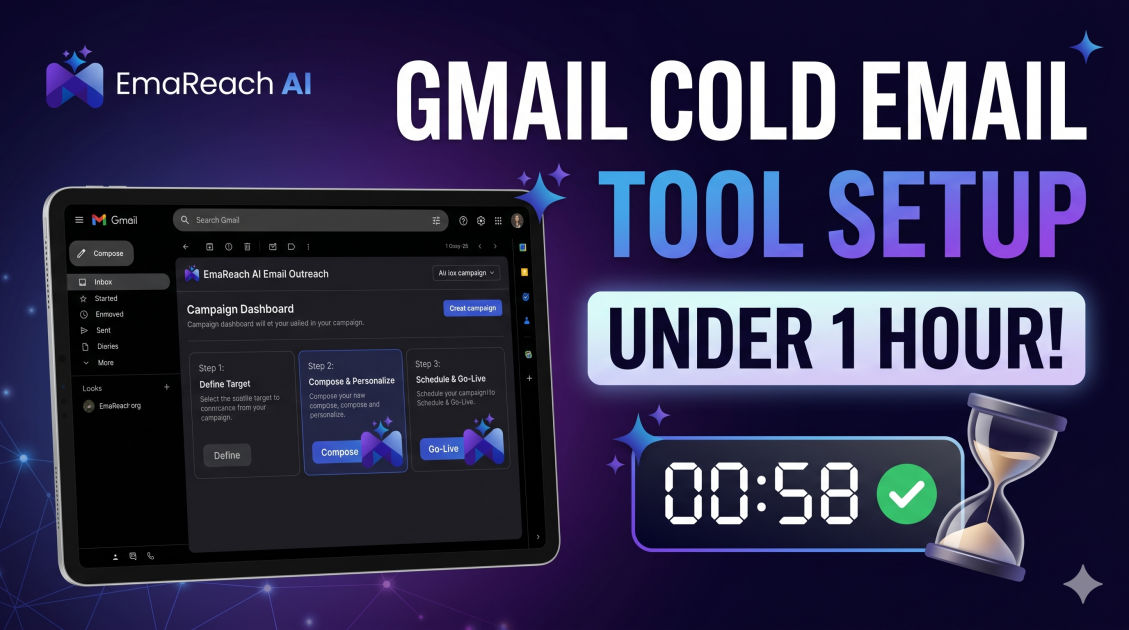
The Gmail Cold Email Tool Setup That Took Us Less Than an Hour
cold emailoutreachdeliverabilitygmailemail marketinglead generationautomation
Introduction
Starting a cold email campaign often feels like preparing for a marathon. Most people spend weeks researching domains, warming up accounts, and manualizing spreadsheets before they ever hit 'send.' However, the landscape of digital outreach has shifted. Speed no longer has to come at the expense of quality or deliverability.
In this guide, we break down the exact technical workflow used to go from zero to a fully functional, high-deliverability Gmail cold email setup in under sixty minutes. This isn't about cutting corners; it’s about using the right stack to automate the technical heavy lifting so you can focus on what actually matters: the message and the lead.
The Philosophy of the One-Hour Setup
The reason most setups take days is due to fragmented tools. You buy a domain here, set up an inbox there, and try to find a separate warming service somewhere else. To achieve a sub-one-hour setup, you need an integrated approach. We prioritize tools that offer native Gmail integration because of Gmail's superior deliverability and user-friendly interface.
Efficiency in this process relies on three pillars:
- Infrastructure: Proper domain and DNS configuration.
- Deliverability: Immediate activation of warming protocols.
- Automation: Using AI to handle the nuances of personalization.
Step 1: Rapid Domain Acquisition and DNS Routing (15 Minutes)
You should never send cold emails from your primary business domain. If your deliverability takes a hit, your internal team emails and client communications go to spam too.
Choosing the Right Variations
If your main site is company.com, quickly register getcompany.com, trycompany.com, or usecompany.com. During this first 15-minute window, focus on purchasing these through a provider that allows for quick DNS editing.
The Technical Trinity: SPF, DKIM, and DMARC
This is where most people get stuck, but it is the most critical part of your setup. These three records act as your digital passport.
- SPF (Sender Policy Framework): Tells the receiving server which IP addresses are allowed to send mail on your behalf.
- DKIM (DomainKeys Identified Mail): Adds a digital signature to your emails, proving they weren't tampered with in transit.
- DMARC (Domain-based Message Authentication, Reporting, and Conformance): Gives instructions to the receiving server on what to do if SPF or DKIM fails.
By using a streamlined setup, you can copy-paste these records from your workspace admin console to your DNS provider in minutes.
Step 2: Google Workspace Configuration (15 Minutes)
Once the domain is ready, you need a professional home for your emails. Creating a Google Workspace account is the industry standard for a reason.
Setting Up User Accounts
Don't just create one account. To scale without hitting Google's daily sending limits, create 2-3 users per domain (e.g., name@getcompany.com, alias@getcompany.com). This distributes the volume and keeps your sender reputation healthy.
Profile Optimization
Take five minutes to add a real profile picture and a professional signature. Google’s algorithms look for signs of human activity. An account with a blank profile photo and no bio looks like a bot. A simple, text-based signature without heavy images or excessive links is best for initial deliverability.
Step 3: Integrating EmaReach for Instant Deliverability (15 Minutes)
This is the secret sauce of the sixty-minute setup. Instead of manually sending 'test' emails to your friends to build a reputation, you need an automated system.
Stop Landing in Spam. Cold Emails That Reach the Inbox. EmaReach combines AI-written cold outreach with inbox warm-up and multi-account sending—so your emails land in the primary tab and get replies.
Why EmaReach is Essential for Gmail Setups
EmaReach AI acts as the bridge between your fresh Gmail account and the high-authority inboxes of your leads. Within this 15-minute window, you connect your newly created Google Workspace accounts to the platform. The system immediately begins the 'warm-up' process, which involves:
- Sending low-volume, realistic emails to other accounts in a peer-to-peer network.
- Automatically moving your emails from the 'Spam' or 'Promotions' folder to the 'Primary' tab.
- Marking emails as 'Important' to signal to Google that your content is valuable.
By automating this, you save weeks of manual effort and ensure that when you finally launch your campaign, the infrastructure is already primed.
Step 4: Lead Sourcing and AI-Driven Personalization (10 Minutes)
With 15 minutes left on the clock, it’s time to prep your first small batch of leads.
Quality Over Quantity
In a rapid setup, don't try to upload 10,000 leads. Start with 50-100 high-intent prospects. Use a tool that exports clean CSV data including the lead’s name, company, and a recent 'trigger' event (like a new job or a recent post).
Generating the 'First Line'
Use AI to generate personalized opening lines based on the lead's LinkedIn profile or website. This prevents your email from looking like a mass-produced template. The goal is to make the recipient feel like you spent 20 minutes researching them, even though an algorithm did it in seconds.
Step 5: Final Testing and Launch (5 Minutes)
In the final five minutes, send a test email to yourself and use a tool to check your 'spam score.' If you followed Step 1 and Step 3 correctly, your authentication should be green-lit, and your warming should be active.
Setting the Schedule
Configure your sending schedule to match the time zone of your prospects. Avoid sending 100 emails at exactly 9:00 AM. Use 'staggered sending' features to space them out by several minutes, mimicking natural human behavior.
Why Most Setups Fail (And How You Just Avoided It)
Most cold emailers fail because they skip the 'boring' technical parts. They send from a new domain without SPF records, or they use 'dirty' IPs from cheap hosting providers. By using Google Workspace paired with a dedicated deliverability platform, you've bypassed these common pitfalls.
The Importance of the Primary Tab
The 'Promotions' tab is where cold emails go to die. Google is incredibly smart at identifying marketing patterns. The combination of Gmail’s trusted infrastructure and EmaReach’s sophisticated warm-up ensures your message stays where it belongs: the Primary Inbox.
Scaling the Setup
Once your initial setup is running for a week or two, you can 'clone' this process. Every new domain you add increases your daily sending capacity by approximately 30-50 emails. Within a few months, a team of one can manage an outreach engine that rivals a full-scale sales department.
Maintenance: The 5-Minute Weekly Audit
Even a 'less than an hour' setup needs occasional maintenance. Every week, spend five minutes checking your EmaReach dashboard. Look for:
- Bounce Rates: If your bounce rate climbs above 3%, stop sending and clean your lead list.
- Health Scores: Ensure your domains are still showing as 'Healthy.'
- Reply Rates: If people are opening but not replying, it’s time to tweak the AI-generated copy.
Conclusion
Setting up a professional cold email engine doesn't have to be a daunting technical chore. By focusing on a lean stack—Google Workspace for infrastructure and EmaReach for deliverability—you can build a world-class outreach system in the time it takes to have lunch. The barrier to entry for high-level sales has never been lower. Now that the technical setup is behind you, the only thing left to do is provide value to your prospects.
EmaReach AI
Ready to scale your cold email outreach?
Join thousands of teams using EmaReach AI for AI-powered campaigns, domain warmup, and 95%+ deliverability. Start free — no credit card required.
Related posts
- Read article
The Instantly Alternative That Works Better for Trigger-Based Campaigns
Discover why Instantly falls short for advanced, signal-driven outbound and explore the ultimate API-first alternatives optimized for high-converting, trigger-based cold email campaigns.
- Read article
The Instantly Alternative That Handles High Bounce Rates Without Panic
Discover how transitioning to an advanced Instantly alternative can safeguard your cold email infrastructure. Learn to handle high bounce rates effortlessly using real-time verification, smart mailbox rotation, and automated safety nets to protect your sender reputation and maintain consistent primary inbox placement.