Blog
Back to blog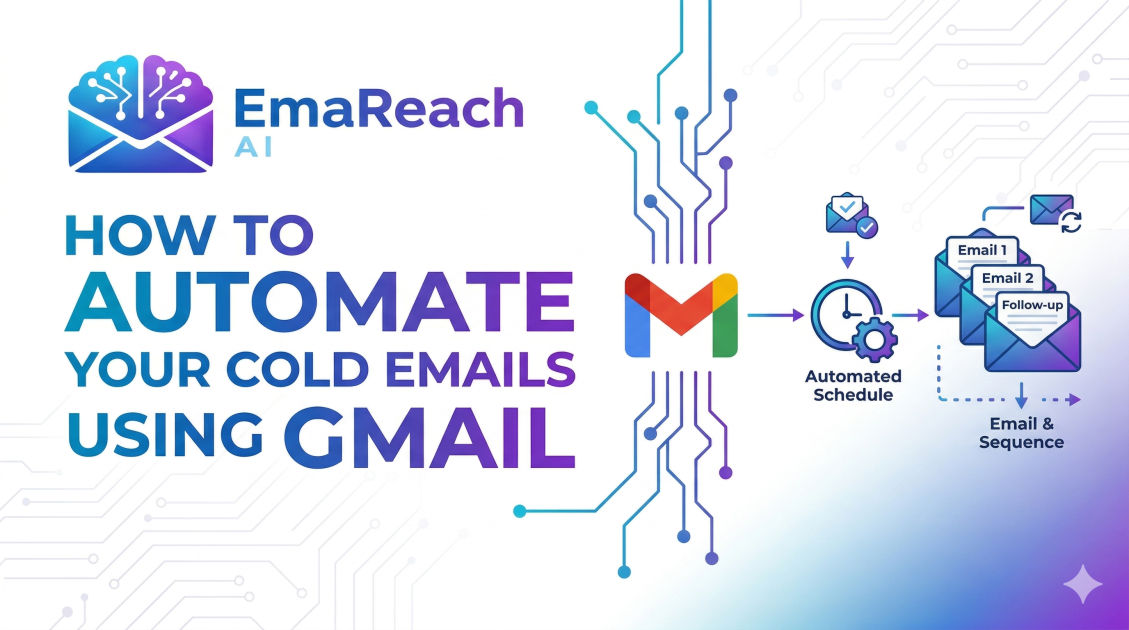
How to Automate Cold Emails Using Gmail
cold emailgmail automationoutreachdeliverabilitysales strategyb2b leads
Introduction
Cold emailing remains one of the most effective, scalable, and predictable ways to generate B2B leads, build strategic partnerships, and grow your business. However, manually typing out every single email, tracking who opened what, and remembering when to send follow-ups is an administrative nightmare. It is not a viable strategy for any business looking to scale. This is where automation comes into play.
While there are countless enterprise-level email marketing platforms available, many sales professionals, agency owners, and startup founders prefer to use Gmail—specifically Google Workspace—as their primary engine for cold outreach. Why? Because sending emails directly from a reputable Gmail environment mimics human behavior much closer than bulk-sending platforms, leading to significantly higher deliverability and open rates.
Automating cold emails using Gmail is not just about writing a script and blasting thousands of prospects. It requires a delicate balance of technical setup, strategic copywriting, intelligent sequencing, and strict adherence to deliverability best practices. In this comprehensive guide, we will explore everything you need to know about automating your cold email outreach through Gmail, from configuring your domain records to launching multi-step sequences that convert total strangers into paying clients.
Why Use Gmail for Cold Email Outreach?
Before diving into the technical "how-to," it is crucial to understand why Gmail is the preferred platform for cold email automation compared to traditional newsletters or bulk email providers.
The Deliverability Advantage
Traditional email marketing platforms are built for opt-in newsletters. They use shared IP addresses to send massive volumes of emails simultaneously. If you attempt to send unsolicited cold emails through these platforms, your account will likely be flagged, and your emails will end up in the promotional or spam folders.
Gmail, particularly the paid Google Workspace version, is designed for one-to-one business communication. When you send automated cold emails via Gmail, the emails are dispatched from Google's highly trusted servers. Because you are sending them sequentially rather than in massive bulk blasts, receiving email servers treat these messages as authentic, personal correspondence, vastly increasing the likelihood that you land in the primary inbox.
Familiarity and Integration
Most professionals already use Gmail for their day-to-day operations. Integrating your cold email automation into an environment you already understand reduces the learning curve. Furthermore, Google Workspace integrates seamlessly with almost every Customer Relationship Management (CRM) system, data scraping tool, and sales automation platform on the market.
Essential Preliminaries: Domain and Account Setup
You cannot simply create a new Gmail account, load up a list of thousands of contacts, and start sending automated emails. Doing so will result in immediate suspension. To successfully automate cold emails, you must first build a solid technical foundation.
1. Purchase a Secondary Domain
Never use your primary company domain for cold email outreach. Even with the best practices in place, cold emailing carries an inherent risk of being marked as spam by recipients. If your primary domain's reputation is damaged, your internal company emails, client communications, and transactional emails will start going to spam.
Instead, purchase a secondary domain that closely resembles your main brand. For example, if your company is example.com, purchase tryexample.com or getexample.com. Set up your new Google Workspace accounts on this secondary domain.
2. Configure Authentication Records (SPF, DKIM, DMARC)
To ensure your automated emails reach the inbox, you must prove to receiving servers that you are exactly who you claim to be. This requires configuring three crucial DNS records:
- SPF (Sender Policy Framework): This record acts as a public guest list for your domain. It tells receiving servers which IP addresses and services (like Google Workspace) are authorized to send emails on your behalf.
- DKIM (DomainKeys Identified Mail): DKIM adds a cryptographic signature to every email you send. This ensures that the email was not tampered with or altered in transit between your Gmail outbox and the recipient's inbox.
- DMARC (Domain-based Message Authentication, Reporting, and Conformance): DMARC ties SPF and DKIM together. It instructs receiving servers on what to do if an email fails the SPF or DKIM checks (e.g., quarantine it or reject it entirely). Setting up DMARC protects your domain from spoofing and significantly boosts your sender reputation.
The Critical Step: Warming Up Your Gmail Account
A brand new Google Workspace account has zero reputation. If you immediately launch an automated campaign sending hundreds of emails, Google's anti-spam algorithms will throttle or suspend your account. You must undergo an "inbox warmup" process.
Email warmup involves gradually increasing your daily sending volume over several weeks while exchanging emails with trusted accounts that will automatically open, reply to, and mark your emails as "not spam."
If you want to streamline this phase and guarantee optimal deliverability, tools like EmaReach are incredibly effective. Stop Landing in Spam. Cold Emails That Reach the Inbox. EmaReach AI combines AI-written cold outreach with rigorous inbox warm-up and multi-account sending—so your automated emails bypass the spam folder, land securely in the primary tab, and ultimately get replies. Properly warming up your accounts is non-negotiable if you want your Gmail automation to succeed.
Native Gmail Features: Automating Without Third-Party Tools
If you are running very small, highly targeted campaigns and do not want to invest in dedicated outreach software yet, you can leverage native Google tools to automate your workflow.
Gmail Templates (Canned Responses)
Within Gmail's settings, you can enable "Templates" under the Advanced tab. This allows you to save your best-performing cold email copy. While this doesn't automate the sending process, it completely automates the drafting process. You simply open a new draft, insert the template, manually personalize the first line, and hit send.
Google Workspace Mail Merge
Google recently introduced a native Mail Merge feature for specific Workspace editions. This allows you to add merge tags (like @firstname) directly into your Gmail draft and link the email to a Google Sheet containing your prospect data. Gmail will then automatically generate and send individual emails to everyone on your list.
Google Sheets and Google Apps Script
For those with a bit of technical inclination, you can build a completely free, customized cold email automation system using Google Sheets and Google Apps Script.
By writing a simple JavaScript snippet within a Google Sheet, you can command Gmail to read rows of contact data, insert the variables into a predefined HTML email template, and send the emails at specific intervals. You can even write scripts that check your inbox to see if a specific prospect has replied, automatically halting any future follow-up emails to that person.
Elevating Your Campaigns with Third-Party Automation Tools
While native Gmail tools are great for getting started, they lack the sophisticated features required to run automated cold email campaigns at scale. To truly unlock the power of Gmail automation, you need a dedicated third-party platform that connects to your Gmail via API or SMTP/IMAP.
Why You Need Third-Party Automation
Scaling cold outreach requires handling thousands of prospects, tracking engagement metrics, managing complex follow-up logic, and bypassing sending limits. Third-party automation tools provide several critical advantages:
- Automated Follow-Up Sequences: The vast majority of cold email replies come from the second, third, or fourth follow-up. Automation tools allow you to build complex, multi-step sequences. If a prospect does not reply to email one within three days, the tool automatically sends email two. If they reply, the tool immediately pulls them out of the sequence so you can take over manually.
- Multi-Account Sending (Inbox Rotation): Google Workspace has strict daily sending limits (typically around 500 emails per day for standard accounts, but for cold emails, staying under 50 per day is highly recommended). To send 500 cold emails a day safely, you need 10 different Gmail accounts sending 50 emails each. Third-party platforms allow you to connect all 10 accounts and distribute your campaign volume evenly across them automatically.
- Advanced Personalization at Scale: Modern tools allow you to use dynamic variables beyond just names and companies. You can automate the insertion of personalized icebreakers, custom images, and dynamic landing page links based on the prospect's industry or location.
- Analytics and Tracking: You cannot improve what you cannot measure. Automation platforms track open rates, click-through rates, bounce rates, and reply rates across all your Gmail accounts in one centralized dashboard.
Crafting the Perfect Automated Cold Email Sequence
The technology behind Gmail automation is useless if your email copy does not convert. When building an automated sequence, you must respect the prospect's time and inbox.
Step 1: The Highly Personalized Icebreaker
Your first email should never be a massive block of text explaining every feature of your product. The goal of the first email is simply to start a conversation. Keep it under 100 words.
- Subject Line: Keep it short, casual, and relevant. (e.g., "Question about [Company Name]'s marketing strategy").
- The Hook: Automate a personalized first line. Show them you did your research.
- The Value Proposition: Clearly state what problem you solve and how it benefits them specifically.
- The Call to Action (CTA): Ask for interest, not a meeting. (e.g., "Are you open to seeing how we did this for [Competitor]?" instead of "Can we jump on a 30-minute call tomorrow?").
Step 2: The Value-Add Follow-Up (Day 3-4)
Do not send a generic "just bumping this to the top of your inbox" email. If they didn't reply to the first email, they need more context. Use your automated follow-up to provide immediate value. Share a quick case study, a relevant industry statistic, or a link to a helpful resource you created.
Step 3: The New Angle (Day 7-10)
If the first two emails focused on saving time, make the third email about making money or reducing risk. Automate a pivot in your messaging to see if a different pain point resonates with the prospect.
Step 4: The Breakup Email (Day 14-21)
The final email in your automated sequence is often the highest converting. Inform the prospect that you will stop reaching out. This creates a sense of finality and often prompts a response from people who were interested but simply too busy to reply earlier.
Best Practices for High Deliverability and Reply Rates
Automating your outreach through Gmail means you must constantly guard your sender reputation. A poor reputation will cause your automated sequences to fail silently, dropping straight into the spam folder without you even knowing.
Clean Your Email Lists Rigorously
Never send automated emails to unverified addresses. If an email bounces (meaning the address does not exist), it severely damages your domain's reputation in the eyes of Google. Always run your prospect lists through a bulk email verification tool before uploading them into your automation sequence. Aim for a bounce rate of less than 2%.
Utilize Spintax to Randomize Your Copy
If Google sees you sending the exact same 150-word email 500 times a day, their spam filters will catch on. Spintax (spinning syntax) allows you to provide multiple variations of words or phrases, and your automation tool will randomly select one for each email.
For example: {Hi|Hello|Hey} {First Name}, I noticed your {company|business} is {growing|scaling} fast.
This ensures that every automated email sent from your Gmail account is structurally unique, mimicking manual sending.
Avoid Spam Trigger Words
Google's algorithms actively scan the content of your emails. Remove overly salesy language from your automated templates. Avoid using words like "Free," "Guarantee," "No risk," "Buy now," or excessive exclamation points and all-caps formatting.
Monitor Your Sending Volume
Automation makes it tempting to increase your volume, but patience is key. Send no more than 30 to 50 cold emails per day, per Gmail account. If you need to send 1,000 emails a day, you must scale horizontally by purchasing more domains and setting up more Google Workspace accounts, rather than increasing the volume on a single account.
Conclusion
Automating cold emails using Gmail is a highly strategic process that, when executed correctly, can serve as a relentless, predictable revenue engine for your business. By avoiding bulk senders and leveraging the high deliverability of Google Workspace, you ensure your message actually reaches the decision-maker. Success in this arena requires meticulous attention to technical setup—properly configuring your DNS records and warming up your inboxes—paired with compelling, personalized copywriting. Whether you utilize native Google tools for small batches or invest in sophisticated third-party platforms for massive scale, maintaining your sender reputation and respecting your prospect's inbox must remain your top priorities. Master these elements, and your automated Gmail outreach will consistently turn cold prospects into warm leads.
EmaReach AI
Ready to scale your cold email outreach?
Join thousands of teams using EmaReach AI for AI-powered campaigns, domain warmup, and 95%+ deliverability. Start free — no credit card required.
Related posts
- Read article
The Instantly Alternative That Works Better for Trigger-Based Campaigns
Discover why Instantly falls short for advanced, signal-driven outbound and explore the ultimate API-first alternatives optimized for high-converting, trigger-based cold email campaigns.
- Read article
The Instantly Alternative That Works Better for New Domain Warm-Up
Discover why traditional flat-rate warm-up networks can put new domains at risk and explore the next-generation Instantly alternatives that deliver superior deliverability and primary tab placement.