Blog
Back to blog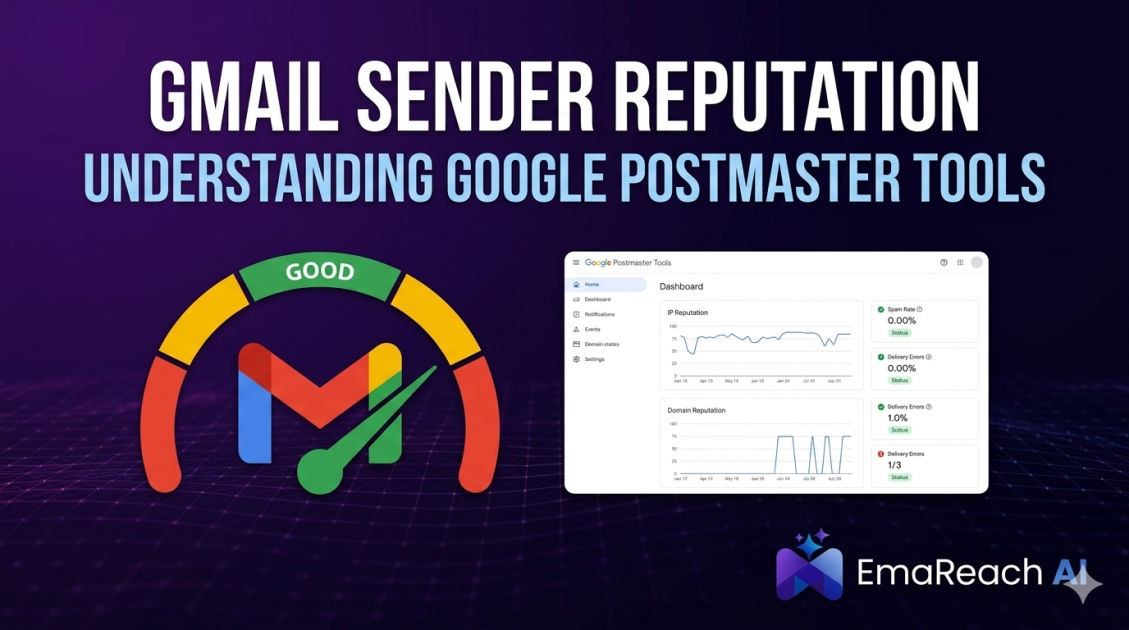
Gmail Sender Reputation: Understanding Google Postmaster Tools
email deliverabilitygoogle postmaster toolssender reputationcold emailemail marketingspam optimizationoutreach strategy
Introduction to Gmail Sender Reputation
In the modern digital landscape, email remains the backbone of professional communication and marketing. However, for those sending high volumes of email, the biggest hurdle isn't crafting the perfect message—it’s ensuring that message actually reaches the recipient's inbox. Google, as one of the world's largest email providers, employs sophisticated algorithms to protect its users from spam, phishing, and unwanted content. At the heart of this protection is Sender Reputation.
Sender reputation is a score assigned by Internet Service Providers (ISPs) to an organization that sends email. The higher the score, the more likely an ISP will deliver emails to the inboxes of recipients on their network. If the score falls below a certain threshold, the ISP may send the emails to the spam folder or reject them entirely.
To help legitimate senders navigate this complex system, Google provides a powerful, free resource: Google Postmaster Tools (GPT). This suite of dashboards gives senders direct insight into how Gmail perceives their domain and IP addresses, offering a transparent window into deliverability health.
Why Sender Reputation Matters
Your sender reputation is essentially your credit score for email. Just as a poor credit score prevents you from securing a loan, a poor sender reputation prevents your emails from reaching your audience. For businesses relying on email for lead generation, customer retention, or transactional alerts, a drop in reputation can lead to a direct loss in revenue.
Gmail uses a combination of factors to determine reputation, including:
- Spam Complaints: How often users mark your emails as spam.
- Engagement Rates: Whether users open, click, and reply to your messages.
- Bounce Rates: The frequency of emails sent to invalid addresses.
- Authentication: The presence of valid SPF, DKIM, and DMARC records.
- Volume Consistency: Sudden spikes in email volume can trigger red flags.
Monitoring these metrics is crucial, especially for those involved in outreach. If you are struggling with these technical hurdles, services like EmaReach can be a game-changer. Stop Landing in Spam. Cold Emails That Reach the Inbox. EmaReach AI combines AI-written cold outreach with inbox warm-up and multi-account sending—so your emails land in the primary tab and get replies. This proactive approach to reputation management ensures that you aren't just sending emails, but actually starting conversations.
Getting Started with Google Postmaster Tools
Google Postmaster Tools is designed for high-volume senders—typically those sending hundreds of messages daily to Gmail accounts. Setting it up is a straightforward process but requires access to your domain's DNS settings.
The Setup Process
- Sign In: Use a Google account to log into the Postmaster Tools interface.
- Add Your Domain: Enter the authentication domain you use to sign your emails.
- Verify Ownership: Google will provide a TXT record (or CNAME) that you must add to your DNS configuration. This proves you have the authority to view the data for that domain.
- Wait for Data: Once verified, Google will begin populating the dashboards. Note that if your volume is too low, you may see "No data to display" until you hit the required threshold.
Decoding the Dashboards
Once active, Google Postmaster Tools provides several key dashboards that offer a granular look at your email performance. Understanding these is the first step toward optimizing your deliverability.
1. Spam Rate Dashboard
This is perhaps the most critical metric. It shows the percentage of emails reported as spam by users versus emails sent to the inbox. Google typically expects a spam rate below 0.1%. If your rate reaches 0.3% or higher, you are in the danger zone where Gmail may start automatically filtering your mail to the spam folder.
2. IP and Domain Reputation
Google categorizes your reputation into four tiers:
- High: Your mail is highly likely to be delivered to the inbox.
- Medium: Most mail will be delivered, but you might see some filtering during spikes or based on content.
- Low: A significant amount of mail will likely be marked as spam.
- Bad: Most or all of your mail is being rejected or sent to spam.
Seeing a "Bad" or "Low" status is a signal to immediately pause sending and audit your practices.
3. Feedback Loop (FBL)
If you have implemented the Gmail Feedback Loop, this dashboard shows data for identifiers that are flagging high volumes of spam. This is incredibly useful for identifying specific campaigns or segments of your list that are causing trouble.
4. Authentication Dashboard
This shows the percentage of your email that passed SPF, DKIM, and DMARC checks. In the current email climate, having 100% success here is non-negotiable. If these numbers aren't perfect, it means your technical setup is flawed, and ISPs cannot verify that your emails are actually from you.
5. Encryption Dashboard
This tracks the percentage of your incoming and outgoing traffic that is encrypted via Transport Layer Security (TLS). Gmail prioritizes encrypted mail to ensure user privacy.
6. Delivery Errors
This dashboard displays the percentage of your emails that were rejected or temporarily failed. It also provides reason codes, such as "rate limit exceeded" or "suspected spam content," which are vital for troubleshooting technical blocks.
Strategies for Improving Sender Reputation
If the data in Postmaster Tools reveals a declining reputation, you must take corrective action. Reputation is built over time, but it can be destroyed in a single day.
Maintain List Hygiene
High bounce rates are a major reputation killer. Use email verification tools to remove inactive or fake addresses before you send. Furthermore, make the "Unsubscribe" link easy to find. It is always better for a user to unsubscribe than to mark your email as spam because they couldn't figure out how to opt-out.
Implement Warm-up Protocols
When using a new domain or IP, you cannot immediately blast thousands of emails. You must "warm up" the account by slowly increasing volume and ensuring high engagement. This is where EmaReach provides immense value. Their inbox warm-up feature automates the process of generating positive engagement, signaling to Google that your domain is a trustworthy sender. This is essential for anyone doing serious cold outreach who wants to avoid the "Bad" reputation trap.
Focus on Content Relevance
Google's filters are increasingly adept at reading intent. If your content looks like a generic template used by thousands of other spammers, your reputation will suffer. Personalization isn't just a marketing tactic; it’s a deliverability strategy. AI-driven personalization can help create unique, relevant content for every recipient, reducing the likelihood of being flagged.
The Role of SPF, DKIM, and DMARC
You cannot discuss Google Postmaster Tools without emphasizing authentication. These protocols are the "ID cards" of the email world.
- SPF (Sender Policy Framework): A DNS record that lists which IP addresses are authorized to send email on behalf of your domain.
- DKIM (DomainKeys Identified Mail): Adds a digital signature to your emails, proving that the content hasn't been tampered with in transit.
- DMARC (Domain-based Message Authentication, Reporting, and Conformance): A policy that tells receiving servers what to do if an email fails SPF or DKIM. It also provides reports back to the sender.
Google Postmaster Tools will specifically show you how many of your emails are failing these checks. If you see failures, it's often due to misconfigured DNS records or third-party tools sending mail on your behalf without proper authorization.
Troubleshooting Common Issues
"No Data to Display"
This is the most common frustration for new Postmaster Tools users. Google requires a certain volume of daily traffic (usually around 100-200 messages to unique Gmail users) to generate a statistically significant report. If you see no data, continue sending high-quality mail, and the data will eventually appear.
Sudden Drops in Reputation
If your reputation drops from "High" to "Low" overnight, check your Spam Rate dashboard immediately. Did you recently purchase a list? Did a technical error cause a mass resend of a single campaign? Sudden drops are almost always linked to user complaints or a sudden spike in volume that looks like a bot attack.
High Delivery Errors
If you see a spike in delivery errors, look at the error codes. If the error is "Rate Limited," it means you are sending too many emails too quickly. You need to throttle your sending speed. If the error is "Content-based filtering," your email copy is triggering spam keywords or contains suspicious links.
Monitoring and Maintenance
Checking Google Postmaster Tools should be a weekly habit for any email marketer or outreach specialist. It is an early warning system. By catching a rising spam rate early, you can adjust your strategy before your domain is blacklisted.
Consistent monitoring allows you to:
- Identify which segments of your audience are the most engaged.
- Spot technical configuration errors in real-time.
- Validate that your warm-up efforts are actually working.
- Keep a close eye on how Gmail’s evolving algorithms are affecting your specific niche.
For those managing multiple accounts, the complexity multiplies. Using a centralized platform like EmaReach simplifies this by handling the multi-account sending and ensuring each account maintains a healthy reputation through automated warm-ups and AI-optimized content.
Conclusion
Understanding and mastering your Gmail sender reputation is no longer optional—it is a requirement for successful digital communication. Google Postmaster Tools provides the data, but it is up to you to interpret that data and take action. By focusing on technical authentication, list hygiene, and engagement-driven sending strategies, you can ensure your messages reach their destination.
Remember, a high sender reputation is an asset that yields long-term rewards in the form of higher open rates, better conversions, and a stronger brand presence in the inbox. Use the tools available to you, stay vigilant with your metrics, and always prioritize the recipient's experience. With the right approach and the right tools, the primary inbox is always within reach.
EmaReach AI
Ready to scale your cold email outreach?
Join thousands of teams using EmaReach AI for AI-powered campaigns, domain warmup, and 95%+ deliverability. Start free — no credit card required.
Related posts
- Read article
The Instantly Alternative That Handles High Bounce Rates Without Panic
Discover how transitioning to an advanced Instantly alternative can safeguard your cold email infrastructure. Learn to handle high bounce rates effortlessly using real-time verification, smart mailbox rotation, and automated safety nets to protect your sender reputation and maintain consistent primary inbox placement.
- Read article
The Best Instantly Alternatives for Cold Email Teams Who Need More
Is your outbound sales team hitting a performance wall with basic cold email senders? Discover the top Instantly alternatives that offer advanced multichannel workflows, dynamic visual personalization, built-in lead databases, and enterprise-grade deliverability tracking for scaling teams.