Blog
Back to blog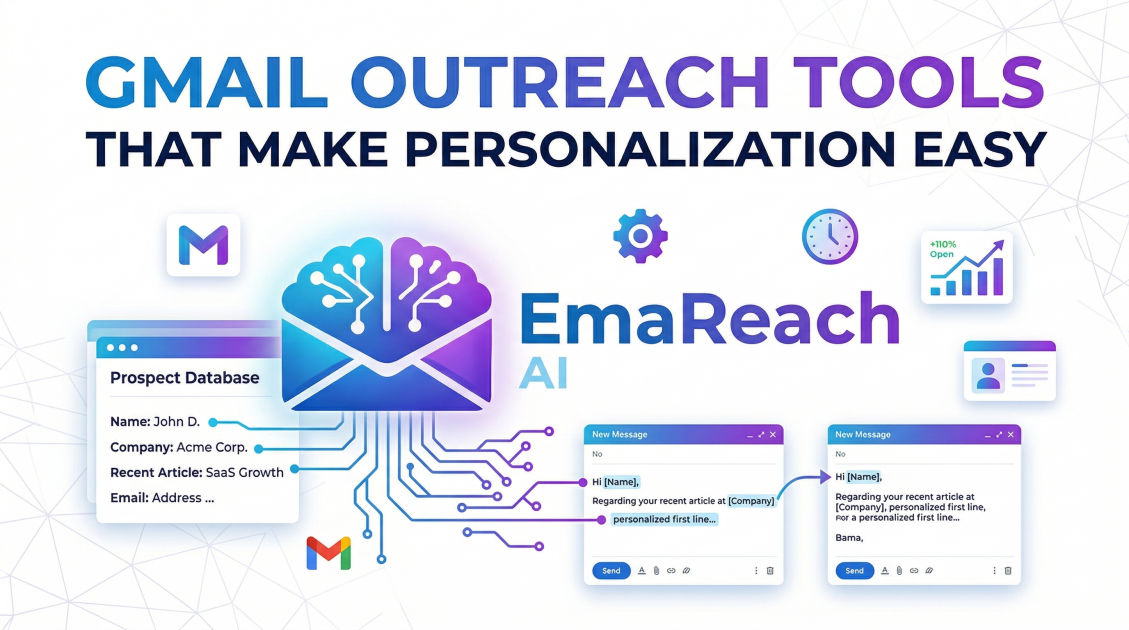
Gmail Outreach Tools That Make Personalization Easy
cold emailoutreach toolsemail deliverabilitygmail personalizationsales automationb2b outreach
Introduction
Getting a response in a crowded inbox is one of the most significant challenges modern sales and marketing professionals face. With decision-makers receiving hundreds of emails daily, standing out requires more than just a catchy subject line; it requires deep, meaningful personalization. The days of sending a generic, one-size-fits-all message via BCC are entirely obsolete. Today, if your outreach feels automated, it will be ignored, deleted, or, worse, flagged as spam.
However, manually writing every single cold email is not a scalable strategy for growing businesses. You need volume to hit your targets, but you need personalization to maintain your conversion rates. This is where the challenge lies: balancing the sheer scale of cold outreach with the customized touch of a one-on-one conversation.
For many professionals, Gmail is the preferred platform for communication. It offers a familiar interface, high deliverability rates compared to third-party SMTP servers, and seamless integration with Google Workspace. But out of the box, Gmail is not built for bulk, personalized outreach. To unlock its full potential, you need specialized Gmail outreach tools. These platforms connect directly to your inbox, allowing you to merge data, automate follow-ups, and utilize artificial intelligence to craft individualized messages at scale.
In this comprehensive guide, we will explore the critical role of personalization in cold email, dissect the anatomy of a perfectly personalized message, and review the top Gmail outreach tools that make executing these campaigns effortless and effective.
Why Personalization is Non-Negotiable in Cold Outreach
Personalization is no longer a luxury in cold email; it is a fundamental requirement. But why exactly does it matter so much? The answers lie in human psychology, email deliverability algorithms, and the evolving expectations of B2B buyers.
1. Bypassing Spam Filters
Email service providers (ESPs) like Google and Microsoft use sophisticated algorithms to protect their users from spam. One of the primary red flags for these algorithms is identical content being sent to hundreds or thousands of recipients simultaneously. When you heavily personalize your emails—using different names, company references, AI-generated opening lines, and varied phrasing—every single email that leaves your outbox looks unique. This massive variation in your email payload tells the ESPs that you are sending genuine, one-to-one communications, vastly improving your chances of landing in the primary inbox rather than the promotions or spam folder.
2. Capturing Attention Immediately
Humans are hardwired to notice their own names and information relevant to their immediate surroundings. When a prospect opens an email and sees a reference to a recent company milestone, an article they wrote, or a specific pain point unique to their industry, their cognitive filters relax. They immediately recognize that the sender took the time to do their research. This transitions the sender from an "annoying salesperson" to a "consultative peer," dramatically increasing the likelihood that the prospect will read the rest of the email.
3. Driving Reply Rates
Ultimately, the goal of cold outreach is not just to get an open, but to start a conversation. Highly personalized emails consistently yield significantly higher reply rates. By connecting your product or service directly to the specific, researched needs of the recipient, you are no longer making a generic pitch; you are offering a tailored solution. This relevance prompts prospects to reply, ask questions, or agree to a discovery call.
The Anatomy of a Perfectly Personalized Outreach Email
Before diving into the tools, it is essential to understand what elements of an email actually need personalization. True personalization goes far beyond just slapping {{First_Name}} at the beginning of your message.
The Subject Line
The subject line is the gatekeeper of your email. It needs to create curiosity without sounding like clickbait. Personalizing the subject line with the prospect's company name or a specific project they are working on can significantly boost open rates.
- Generic: Ideas for your sales team
- Personalized: Ideas for
{{Company_Name}}'s Q3 growth
The Icebreaker (Opening Line)
The first sentence of your email is crucial. It shows on the preview snippet in Gmail and dictates whether the recipient keeps reading. The best practice is to make this line entirely about the prospect, not about you. Mentioning a recent podcast appearance, a promotion, or a specific LinkedIn post shows that you have done your homework.
The Value Proposition
Your value proposition should be tailored to the recipient's specific role and industry. If you are selling marketing software, the benefits you highlight for a CEO (revenue growth) will be different from the benefits you highlight for a Marketing Manager (time saved on campaign execution). Advanced outreach tools allow you to use conditional logic to change the body text based on the prospect's job title or industry.
The Call to Action (CTA)
Even your CTA can be personalized. Instead of asking for a generic 15-minute call, tailor the ask to the friction level of the prospect. If it is a highly targeted, warm prospect, asking for a meeting might work. If it is a colder lead, offering a customized audit or a relevant case study is a much softer, more personalized approach.
Essential Features in Modern Gmail Outreach Tools
When evaluating tools to power your Gmail personalization, you should look beyond basic mail merge functionality. Modern campaigns require a robust suite of features designed for scale, deliverability, and deep customization.
Native Google Workspace Integration
The tool must connect seamlessly via Google's API, sending emails directly from your outbox. This ensures your emails inherit the sender reputation of your Google domain, which is crucial for deliverability.
Advanced Variable Mapping and Spintax
Basic tools allow you to insert names and companies. Advanced tools let you map dozens of custom variables from your CSV or CRM. Additionally, the ability to use Spintax (e.g., {Hi|Hello|Hey}) allows you to randomize greetings and phrases, making every email structurally unique to fool spam filters.
Artificial Intelligence Integration
The best modern tools integrate AI to help draft emails, rewrite content for different segments, or even automatically generate customized icebreakers by scanning a prospect's LinkedIn profile or company website.
Inbox Warm-Up
A suddenly high volume of outgoing email from a new or dormant Gmail account will trigger spam filters. Top-tier tools include automated inbox warm-up features. These systems send emails between a network of trusted inboxes, automatically opening, replying, and moving emails out of the spam folder to build a pristine sender reputation.
Multi-Account Sending (Inbox Rotation)
Google imposes strict daily sending limits on individual accounts. To scale campaigns safely, modern outreach tools offer multi-account sending, allowing you to rotate your campaigns across several different Gmail accounts seamlessly to keep daily volumes low per inbox while maintaining a high overall output.
Top Gmail Outreach Tools That Make Personalization Easy
With the criteria established, let's examine the leading platforms that connect with Gmail to facilitate highly personalized, scalable outreach campaigns.
1. EmaReach
If your primary concern is ensuring your personalized emails actually make it to the prospect's inbox, EmaReach is a powerhouse solution. Built around the philosophy of maximum deliverability and intelligent automation, EmaReach is designed to eliminate the technical headaches of cold email.
Stop Landing in Spam. Cold Emails That Reach the Inbox. EmaReach AI combines AI-written cold outreach with inbox warm-up and multi-account sending—so your emails land in the primary tab and get replies. The platform allows you to effortlessly generate highly personalized messaging using its advanced AI capabilities, tailoring the outreach to the specific pain points of your target audience.
What makes EmaReach particularly powerful for Gmail users is its seamless multi-account sending. You can connect multiple Google Workspace inboxes to a single campaign, and the tool will rotate the sending automatically. Coupled with its robust network for inbox warm-up, EmaReach ensures that your domains stay healthy and your carefully crafted, personalized emails are seen by human eyes.
2. GMass
GMass is unique because it lives entirely inside the Gmail interface. For users who prefer not to log into a separate dashboard, GMass adds mass email and mail merge capabilities directly to your standard Gmail compose window.
GMass allows you to connect directly to Google Sheets, automatically pulling in any number of custom columns to use as personalization variables. It also offers auto-follow-up sequences, open tracking, and reply tracking. Because it operates natively inside Gmail, the learning curve is incredibly low, making it a favorite for founders and small sales teams who want to start sending personalized campaigns immediately.
3. Yet Another Mail Merge (YAMM)
YAMM is one of the most widely used add-ons in the Google Workspace marketplace. Its appeal lies in its absolute simplicity. It is an extension for Google Sheets that allows you to draft your email template in standard Gmail (using {{tags}} for personalization) and then execute the merge directly from your spreadsheet.
While it lacks the complex multi-account rotation or AI-generation features of platforms like EmaReach, YAMM is perfect for lightweight campaigns. You can easily personalize subject lines, body copy, and even attachments based on the data in your Google Sheet. It is an excellent starting point for basic personalization.
4. Lemlist
Lemlist took personalization to a new level by introducing dynamic image and video personalization. While most tools focus heavily on text variables, Lemlist allows you to insert an image into your email where the text inside the image changes based on the recipient.
For example, you can send an email with a picture of yourself holding a whiteboard or a coffee cup, and the text on that object will dynamically display the prospect's name or company logo. This pattern interrupt is highly effective at grabbing attention. Lemlist also offers a comprehensive suite of deliverability tools, including warm-up functionality, making it a robust choice for sophisticated outreach teams.
5. Woodpecker
Woodpecker is specifically designed for B2B companies heavily reliant on cold email. It integrates seamlessly with Gmail and focuses deeply on safety and deliverability. Woodpecker acts like a human assistant, sending emails one by one at irregular intervals rather than blasting them out all at once.
Its personalization capabilities are strong, allowing for extensive custom fields and dynamic snippets. Woodpecker also features conditional logic in its follow-up sequences. For instance, if a prospect opens an email but does not reply, they might receive a different follow-up than someone who never opened the initial email at all. This behavioral personalization ensures the prospect receives the most relevant messaging based on their interaction level.
How to Build a Highly Personalized Outreach Campaign
Having the right tool is only half the battle. To truly leverage these platforms, you must build a structured, data-driven campaign. Here is a step-by-step approach to executing personalized outreach effectively.
Step 1: Hyper-Targeted List Building
Personalization fails if your target audience is too broad. Instead of building a list of 5,000 generic "Marketing Directors," build a list of 500 "Marketing Directors at B2B SaaS companies using HubSpot who recently received Series B funding." The tighter your segment, the easier it is to write highly relevant, personalized copy that applies to everyone on the list.
Step 2: Data Enrichment
Once you have your core list, enrich it with data points that you can use as variables in your tool. Standard data includes First Name, Last Name, and Company. Enriched data includes recent company news, the specific technology stack they use, the prospect's alma mater, or mutual connections. The more columns you have in your spreadsheet or CRM, the deeper your personalization can go.
Step 3: Crafting the Template
Write your master template utilizing the variables. Ensure that the sentence structure makes grammatical sense regardless of the data inserted. Always account for missing data by providing fallback text. For example, your tool should be set up so that if a {{First_Name}} variable is blank, it defaults to "there" (e.g., "Hi there,").
Step 4: A/B Testing the Variables
Never assume you know what will resonate best. Use your outreach tool to run A/B tests on your personalized elements. Test a highly personalized subject line against a short, vague one. Test an AI-generated opening line regarding their LinkedIn profile against an opening line mentioning a company milestone. Let the data dictate your ongoing strategy.
Metrics That Matter in Personalized Outreach
To gauge whether your personalization efforts and your chosen tools are actually working, you must monitor the right metrics. Vanity metrics can be misleading; focus on the numbers that indicate genuine engagement.
Deliverability and Bounce Rate
Before anyone can read your personalized email, it has to arrive safely. Keep a close eye on your bounce rate. If it creeps above 2-3%, you need to clean your email list. High bounce rates severely damage your Gmail sender reputation, which will ultimately land all your emails in the spam folder, rendering your personalization useless.
Open Rates vs. Reply Rates
Historically, open rates were the gold standard. However, due to various privacy updates (like Apple Mail Privacy Protection), open rates are increasingly inaccurate. While still useful as a baseline directional metric to test subject lines, your ultimate focus must be the positive reply rate. A truly personalized email should strive for a positive reply rate of 5% or higher. If your reply rate is near zero, your personalization is either not resonating, or your offer is completely disconnected from the audience's needs.
Meeting Booked Rate
This is the bottom-line metric for most outreach campaigns. It tracks how many of your positive replies actually convert into a scheduled discovery call or meeting. This metric tells you not only if your personalization got their attention, but if your value proposition was strong enough to warrant their time.
Conclusion
Mastering cold email outreach within the Gmail ecosystem requires a delicate balance of volume and individualized attention. Generic blasts are penalized by algorithms and ignored by humans, making deep personalization an absolute necessity for modern sales, marketing, and networking efforts. By understanding the core mechanics of how to personalize—from custom variables and dynamic images to AI-generated icebreakers—you can transform your cold prospects into warm conversations. Leveraging dedicated outreach platforms allows you to automate the repetitive tasks, safeguard your sender reputation through proper inbox warm-up, and scale your outreach without ever sacrificing the crucial human touch that drives responses and builds relationships.
EmaReach AI
Ready to scale your cold email outreach?
Join thousands of teams using EmaReach AI for AI-powered campaigns, domain warmup, and 95%+ deliverability. Start free — no credit card required.
Related posts
- Read article
Beyond Instantly: The Cold Email Platforms Worth Taking Seriously
Discover the top advanced cold email platforms that go beyond basic multi-inbox rotation. Learn how to optimize your technical infrastructure, leverage advanced personalization, and scale your B2B sales pipeline safely without landing in the spam folder.
- Read article
What the Cold Email Community Actually Says About Instantly Alternatives
Discover what growth marketers, agency owners, and outbound practitioners across major cold email communities are saying about the top alternatives to Instantly. This comprehensive, research-driven guide breaks down the real-world pros, cons, and technical features of tools like Smartlead, EmaReach, Saleshandy, and Lemlist based on community consensus.