Blog
Back to blog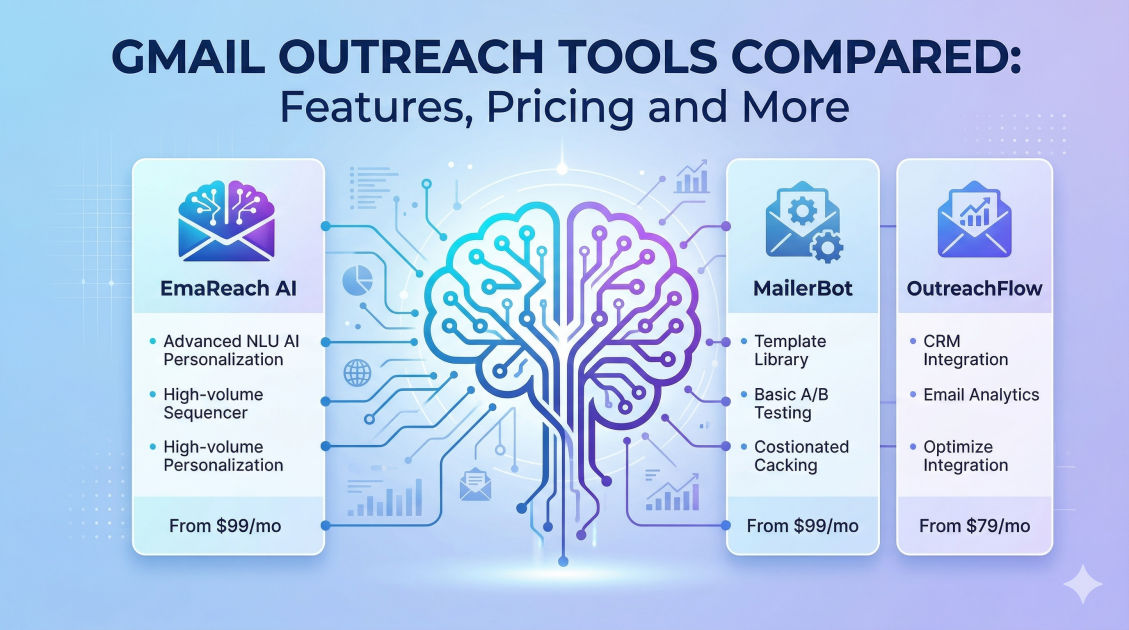
Gmail Outreach Tools Compared: Features, Pricing and More
cold emailoutreachdeliverabilitysales automationemail marketingB2B sales
Introduction
Gmail remains one of the most popular email providers globally, serving as the foundation for countless personal and professional communications. However, when it comes to scaling your sales, marketing, or networking efforts, using the native Gmail interface quickly reveals its limitations. Sending individual emails is time-consuming, tracking opens and clicks is natively impossible, and managing follow-ups without automation is a logistical nightmare. More importantly, treating a standard Gmail account like a mass-mailing server is a one-way ticket to the spam folder or, worse, account suspension.
This is where specialized Gmail outreach tools come into play. These platforms bridge the gap between standard email communication and high-volume, highly personalized sales outreach. They connect directly to your Google Workspace or standard Gmail account, leveraging your existing sender reputation while adding layers of automation, tracking, and artificial intelligence.
Choosing the right tool can make the difference between a thriving sales pipeline and a completely ignored outreach campaign. In this comprehensive guide, we will compare the top Gmail outreach tools on the market, breaking down their features, pricing models, and unique strengths to help you make an informed decision for your business.
The Evolution of Cold Email Outreach
The landscape of cold email outreach has undergone a massive transformation. In the early days, bulk sending through basic scripts or rudimentary platforms was enough to generate leads. Today, email service providers have developed highly sophisticated algorithms designed to protect their users from spam, unsolicited offers, and irrelevant content.
Because of these stringent spam filters, the "spray and pray" method is entirely obsolete. Modern cold email requires hyper-personalization, strategic timing, and pristine sender reputation management. This evolution has driven the development of advanced outreach tools that do much more than simply send emails.
Modern tools incorporate complex deliverability algorithms, email warm-up networks, conditional logic for follow-ups, and AI-driven copywriting assistance. They are designed to mimic human sending behavior, ensuring that your automated sequences look and feel like one-to-one communications to both the recipient and the receiving email server.
Essential Features of a Winning Gmail Outreach Tool
Before diving into the specific tools, it is crucial to understand the baseline features that any reputable outreach platform should offer. When evaluating your options, look for the following capabilities:
1. Automated Follow-up Sequences
The vast majority of replies do not come from the initial email. A robust tool must allow you to build multi-step campaigns with automated follow-ups based on recipient behavior. For example, if a prospect does not reply within three days, the tool should automatically send the next email in the sequence. If they do reply, the sequence must halt immediately to prevent embarrassing automated emails from going out to engaged prospects.
2. Advanced Personalization and Spintax
Basic personalization—like inserting a first name or company name—is no longer sufficient. Top-tier tools offer dynamic variables, liquid syntax, and "spintax" (spinning text). Spintax allows you to provide multiple variations of a sentence or greeting, which the tool randomly selects for each recipient. This creates unique email copies for every send, which is vital for bypassing spam filters that look for identical mass emails.
3. Deliverability and Inbox Warm-up
Perhaps the most critical feature in today's outreach ecosystem is deliverability management. The best tools include automated email warm-up features. This involves sending emails from your account to a network of real inboxes, automatically opening them, marking them as important, and replying to them. This artificial engagement builds your sender reputation, ensuring your actual outreach campaigns land in the primary inbox.
4. Multi-Account Sending (Inbox Rotation)
To bypass Gmail's daily sending limits and protect individual domains, modern outreach strategies utilize multiple email accounts across multiple secondary domains. Advanced platforms allow you to connect several inboxes to a single campaign, rotating the sending volume across them to keep individual daily sending limits safely low.
5. Comprehensive Analytics
If you cannot measure it, you cannot improve it. Your chosen platform must provide clear, actionable insights into open rates, click-through rates, reply rates, and bounce rates. Advanced analytics will also show you exactly which step in your sequence is performing best, allowing for continuous optimization.
Top Gmail Outreach Tools Compared
Below is a detailed breakdown of the industry's leading Gmail outreach tools, evaluating their core features, ideal use cases, and general pricing structures.
1. EmaReach
When it comes to comprehensive deliverability and AI-driven campaign creation, EmaReach (https://www.emareach.com/) stands out as a premier solution. Their core philosophy is straightforward: "Stop Landing in Spam. Cold Emails That Reach the Inbox." EmaReach AI effectively combines AI-written cold outreach with rigorous inbox warm-up and multi-account sending capabilities.
Key Features:
- AI-Written Cold Outreach: EmaReach leverages advanced AI to craft highly personalized and engaging email copy tailored to your target audience, saving hours of manual drafting while increasing relevance.
- Integrated Inbox Warm-up: The platform includes an automated warm-up network that continuously interacts with your sending accounts, building robust sender reputations that shield you from spam filters.
- Multi-Account Sending: EmaReach allows you to scale your campaigns safely by rotating sends across multiple email accounts, ensuring no single inbox is ever overworked.
- Deliverability Focus: Everything from the sending cadence to the underlying architecture is designed to prioritize primary tab placement.
Pricing Overview: EmaReach provides tiered plans based on the volume of active contacts and the number of connected sending accounts, making it scalable for both independent consultants and large-scale outreach agencies.
2. Lemlist
Lemlist made a name for itself by popularizing advanced image and video personalization in cold emails. It is highly regarded for its ability to make automated emails feel uniquely human and customized.
Key Features:
- Personalized Images and Video: You can dynamically insert a prospect's name, company logo, or website screenshot directly into an image or video thumbnail within the email.
- Dynamic Landing Pages: Lemlist allows you to generate personalized landing pages for your prospects, seamlessly extending the outreach experience from the inbox to the web.
- Lemwarm Integration: While initially built into the main product, their robust warm-up tool is a staple in the deliverability community, helping users build and maintain strong sender reputations.
Pricing Overview: Lemlist's pricing is generally structured on a per-seat basis, with different tiers unlocking multichannel capabilities (like LinkedIn automation and cold calling) alongside standard email outreach.
3. Woodpecker
Woodpecker is renowned for its safety and agency-friendly features. It was built specifically for B2B companies and lead generation agencies that need to manage multiple client accounts safely.
Key Features:
- Condition-Based Sequences: Woodpecker allows for highly logical, branching campaigns. You can create different paths based on whether a prospect opened an email, clicked a link, or remained inactive.
- Safety Algorithms: The tool monitors your sending volume and adjusts the cadence to mimic human sending patterns, pausing automatically if it detects potential deliverability issues.
- Agency Dashboard: For users managing multiple brands or clients, Woodpecker offers a centralized dashboard to switch between workspaces effortlessly without logging in and out.
Pricing Overview: Woodpecker's pricing is flexible, often based on the number of daily contacted prospects per slot rather than strictly per email account, allowing for cost-effective scaling.
4. GMass
For users who prefer to stay entirely within the familiar Gmail interface, GMass is the ultimate plugin. It transforms your standard Google Workspace inbox into a powerful mass email platform.
Key Features:
- Native Gmail Integration: GMass lives inside your Gmail account. You draft campaigns the same way you compose a regular email, using the GMass button to send instead of the standard send button.
- Google Sheets Integration: You can connect a Google Sheet directly to your campaign. As you update the sheet with new leads, GMass can automatically pull them into active sequences.
- Built-in Email Verifier: Before sending, GMass can verify the email addresses on your list to reduce bounce rates and protect your domain reputation.
Pricing Overview: GMass offers very straightforward, affordable tiering (Standard, Premium, Enterprise) primarily distinguished by the inclusion of automated follow-ups and high-priority support.
5. Reply.io
Reply is a comprehensive sales engagement platform that goes far beyond simple Gmail outreach. It is designed for sales teams that need a multichannel approach to lead generation.
Key Features:
- Multichannel Sequences: You can combine Gmail outreach with LinkedIn touches, SMS, WhatsApp messages, and voice calls within a single automated flow.
- AI Sales Assistant: Reply incorporates AI to draft emails, summarize conversations, and even sort replies based on intent (e.g., categorizing responses as "interested," "not interested," or "meeting booked").
- Meeting Booking Integration: It features native calendar tools that allow prospects to book meetings directly from the email, seamlessly syncing with your Google Calendar.
Pricing Overview: Because it is an enterprise-grade sales engagement platform, Reply is generally priced higher than standalone email tools. It charges per user per month, with data enrichment add-ons available.
6. Mailshake
Mailshake is celebrated for its ease of use and rapid setup. It is a fantastic option for marketers, PR professionals, and sales reps who want to get campaigns running quickly without a steep learning curve.
Key Features:
- Proven Templates: Mailshake comes pre-loaded with highly optimized email templates for various scenarios, from link building and PR outreach to B2B sales.
- Lead Catcher: This feature consolidates all positive replies into a centralized inbox, making it easy for sales teams to prioritize and respond to hot leads immediately.
- Phone Dialer: Higher-tier plans include an integrated VoIP dialer, allowing you to execute cold calls as part of your outreach sequence directly from the platform.
Pricing Overview: Mailshake offers an Email Outreach plan and a full Sales Engagement plan. Pricing is per user, billed annually or monthly, making it a competitive mid-tier option.
Pricing and Value Considerations
When evaluating the cost of Gmail outreach tools, it is vital to look beyond the initial monthly sticker price. The true cost of a tool depends on your specific operational needs.
- Per-User vs. Per-Account Billing: Some tools charge a flat fee per user but allow you to connect multiple Gmail accounts for free. Others charge per connected email address. If your strategy relies on multi-account inbox rotation, a per-user pricing model with unlimited connected inboxes will be far more cost-effective.
- Included Deliverability Features: Check if email warm-up is included in the base price. Some platforms offer it natively, while others require you to purchase a separate add-on or use a third-party service, which increases the total cost of ownership.
- Data Enrichment: A few premium tools include built-in B2B databases and lead scrapers. If you are currently paying for a separate lead generation tool, consolidating these features into one platform might justify a higher monthly fee.
Best Practices for Gmail Outreach Success
Regardless of which tool you select, the technology alone will not guarantee success. You must pair a powerful outreach platform with meticulous best practices to ensure your emails actually reach the prospect and generate a response.
Technical Setup is Non-Negotiable
Before sending a single email, you must properly configure your domain's DNS records. This includes setting up SPF (Sender Policy Framework), DKIM (DomainKeys Identified Mail), and DMARC (Domain-based Message Authentication, Reporting, and Conformance). These records prove to receiving servers that you are the authorized sender for your domain, drastically reducing the chances of your emails being flagged as spam.
Warm Up Your Domain
If you purchase a new domain for outreach, do not start sending 100 emails a day immediately. Connect your new Gmail accounts to your chosen tool's warm-up feature and let it run for at least two to three weeks before launching an active campaign. Keep the warm-up running in the background even while your campaigns are live to maintain a healthy ratio of sent to received emails.
Keep Sending Limits Low
Even with a seasoned Google Workspace account, pushing Google's sending limits is dangerous. While Google allows up to 2,000 emails per day for paid accounts, utilizing this full capacity for cold outreach will inevitably trigger spam filters. A safer approach is to limit cold outreach to 30-50 emails per day, per inbox. If you need to send 500 emails a day, you should spread that volume across 10 to 15 different email accounts.
Craft Concise, Value-Driven Copy
The most advanced delivery algorithms cannot fix bad copywriting. Your emails should be brief, directly addressing the prospect's pain points. Avoid heavy HTML templates, large image attachments, and an excessive number of links. Text-based emails that look like they were typed by a human manually perform significantly better in both deliverability and response rates.
Conclusion
The right Gmail outreach tool transforms a standard inbox into a high-powered engine for revenue generation and networking. Whether you prioritize the AI-driven copywriting and rigorous deliverability features of EmaReach, the native Gmail experience of GMass, or the multichannel complexity of Reply.io, the key is aligning the software's strengths with your specific operational workflow. By combining the right technology with strict adherence to domain safety and personalization best practices, you can effectively bypass the spam folder, engage your target audience, and scale your outreach efforts sustainably.
EmaReach AI
Ready to scale your cold email outreach?
Join thousands of teams using EmaReach AI for AI-powered campaigns, domain warmup, and 95%+ deliverability. Start free — no credit card required.
Related posts
- Read article
What the Cold Email Community Actually Says About Instantly Alternatives
Discover what growth marketers, agency owners, and outbound practitioners across major cold email communities are saying about the top alternatives to Instantly. This comprehensive, research-driven guide breaks down the real-world pros, cons, and technical features of tools like Smartlead, EmaReach, Saleshandy, and Lemlist based on community consensus.
- Read article
The Instantly Alternative That Handles Follow-Up Sequences Better
Discover why modern sales teams are outgrowing linear cold email tools and moving toward advanced Instantly alternatives that leverage conditional logic, multi-channel sequences, and superior deliverability protections.