Blog
Back to blog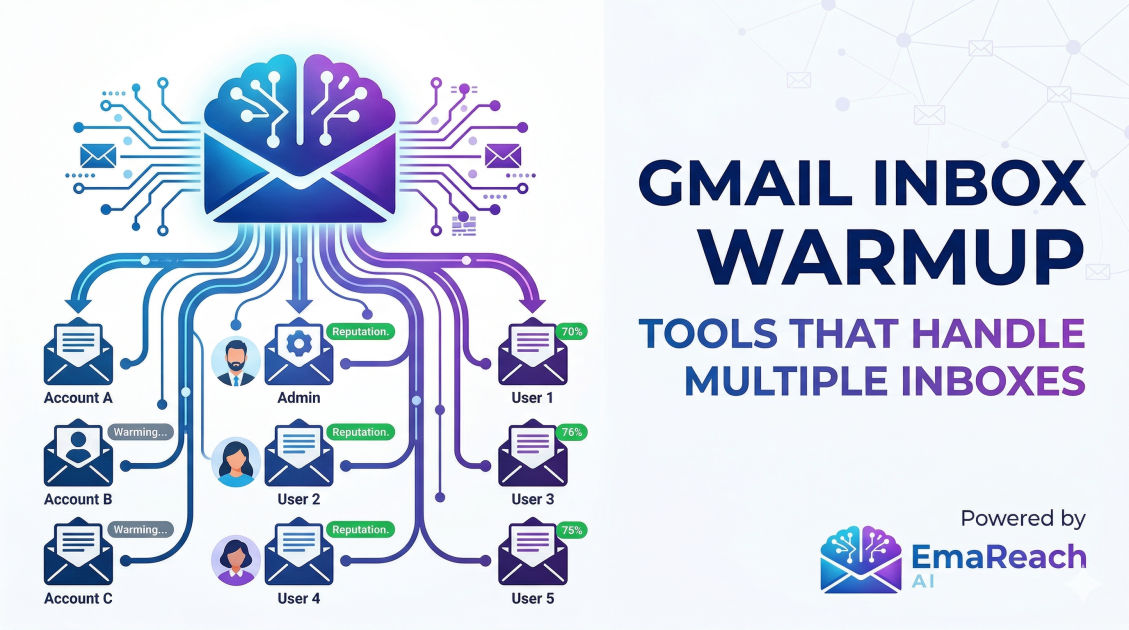
Gmail Inbox Warmup Tools That Handle Multiple Inboxes
email deliverabilitycold outreachinbox warmupgmail marketinglead generationemail automation
The Necessity of Multi-Inbox Warmup in Modern Outreach
Email outreach has undergone a massive transformation. Gone are the days when a single Gmail account could blast hundreds of messages daily without consequence. Today, the algorithms governing Gmail and Google Workspace are highly sophisticated, prioritizing human-like behavior and sender reputation above all else. For growth teams and agencies, this shift has made managing multiple inboxes a non-negotiable strategy.
However, scaling your outreach to ten, fifty, or a hundred inboxes introduces a significant operational hurdle: warmup. If you don't properly prepare these accounts, your emails will bypass the primary tab and head straight for the spam folder. This guide explores the best Gmail inbox warmup tools designed specifically to handle multiple accounts at scale, ensuring your infrastructure remains robust and your deliverability stays high.
Why One Inbox Is No Longer Enough
Before diving into the tools, it is crucial to understand why professionals use multiple inboxes. Spreading your email volume across several accounts (often referred to as "inbox rotation") serves two primary purposes:
- Risk Mitigation: If one account is flagged for spam or hits a temporary limit, your entire campaign doesn't grind to a halt. Only a fraction of your sending capacity is affected.
- Volume Management: Gmail has strict daily sending limits. To send 500 emails a day safely, it is far better to send 50 emails from ten different accounts than 500 from one. This mimics natural human behavior and keeps you under the radar of automated spam filters.
Without an automated warmup tool, managing the initial activity for dozens of accounts would be a full-time job. You would need to manually send emails, open them, and reply to them across every single account to build a "reputation."
Key Features to Look for in Multi-Inbox Warmup Tools
When evaluating tools that handle a high volume of Gmail accounts, certain features separate the professional-grade platforms from basic scripts.
1. Centralized Dashboard
When managing 20+ inboxes, you cannot afford to log in to each one individually. A quality warmup tool provides a single pane of glass where you can see the health score, daily send volume, and "landed in spam" rates for every connected account.
2. Automated Interaction (AI-Driven)
Static, repetitive text is a red flag for Google. The best tools use AI to generate unique, coherent email bodies for the warmup process. They also automate the "positive signals" that Gmail looks for: opening the email, marking it as important, and moving it out of the spam folder if it happens to land there.
3. Smart Ramp-Up Schedules
You cannot go from zero to fifty emails overnight. A sophisticated tool will offer a "ramp-up" feature that starts with 1–2 emails a day and gradually increases the volume over several weeks based on the account’s performance.
4. Peer-to-Peer Networks
Warmup works best when your accounts interact with real, aged inboxes. High-tier tools maintain a massive network of thousands of real user inboxes that communicate with each other, creating an authentic web of interaction that looks genuine to ISP algorithms.
Top Gmail Inbox Warmup Tools for Scaling
EmaReach AI
For those looking for a comprehensive solution, EmaReach (https://www.emareach.com/) stands out by combining AI-written cold outreach with specialized inbox warmup and multi-account sending. It is designed specifically to ensure your emails reach the primary tab. By integrating the warmup process directly with the sending infrastructure, it removes the friction of using separate tools for reputation building and actual campaign execution.
Warmy.io
Warmy is built for scale. It features an AI engine called Adeline that automatically adjusts the warmup pace for each of your Gmail accounts. If it detects a dip in deliverability for a specific inbox, it slows down the volume to protect the domain. It is particularly popular for agencies because it allows for easy organization of inboxes by client or project.
Warmbox
Warmbox offers a "GPT-powered" warmup experience. It focuses heavily on the quality of the interactions, ensuring that the replies and threads generated between your multiple inboxes look like high-value business conversations. It supports G Suite / Google Workspace OAuth, making the connection process for dozens of accounts relatively seamless.
Mailivery
Mailivery emphasizes "human-like" interactions. Their system uses AI to write emails that vary in length and tone, which is critical for avoiding the pattern-recognition filters of major providers. They offer a transparent view of where your emails are landing—whether it's the Primary tab, Promotions, or Spam—across all your connected accounts.
The Technical Foundation: SPF, DKIM, and DMARC
No warmup tool can save an inbox that isn't technically sound. Before connecting your multiple Gmail accounts to a warmup service, you must ensure your DNS records are configured correctly for every domain you use.
- SPF (Sender Policy Framework): Specifies which mail servers are authorized to send email on behalf of your domain.
- DKIM (DomainKeys Identified Mail): Adds a digital signature to your emails, proving they weren't tampered with in transit.
- DMARC (Domain-based Message Authentication, Reporting, and Conformance): Provides instructions to the receiving server on what to do if an email fails SPF or DKIM checks.
Most modern warmup tools include a "Health Check" or "DNS Monitor" that will alert you if any of these records are missing or incorrectly configured for your multiple inboxes.
Step-by-Step Strategy for Warming Up Multiple Inboxes
If you are starting with a fresh batch of Gmail accounts, follow this blueprint to ensure long-term success.
Phase 1: Setup and Authentication
Create your accounts and immediately set up your SPF, DKIM, and DMARC. Use a separate domain for your outreach (e.g., getcompany.com instead of company.com) to protect your main business domain's reputation.
Phase 2: The Initial Warmup (Weeks 1-3)
Connect your accounts to your chosen tool. Set the starting volume to a very low number—around 2 to 5 emails per day. During this phase, the tool should be focused on generating "positive engagement": opening emails and marking them as important.
Phase 3: The Ramp-Up (Weeks 4-6)
Gradually increase the volume. By week four, you should be aiming for 20–30 warmup emails per day. This is the stage where the tool’s ability to handle "replies" becomes vital. Threaded conversations are a powerful signal of a high-quality sender.
Phase 4: Maintenance and Outreach
Once your accounts have a "High" or "Good" reputation score, you can begin your cold outreach. However, never turn off the warmup tool. Maintaining a baseline of positive, non-promotional interaction is essential to balance out the cold emails you send to prospects.
Common Pitfalls When Managing Multiple Accounts
Even with the best tools, there are mistakes that can sink your deliverability:
- Over-sending too early: Resist the urge to start your campaigns before the 3-week mark. Patience is the most profitable virtue in email outreach.
- Identical Content: If you send the exact same template from 50 different inboxes, Google's filters will eventually catch the pattern. Use Spintax or AI-driven personalization to ensure every message is unique.
- Ignoring the Spam Folder: If your warmup tool shows that a specific inbox is consistently landing in spam, pause the outreach for that account immediately. Let the warmup tool work on "spam recovery" (moving emails from spam to inbox) for a week before resuming.
- High Bounce Rates: A high bounce rate (above 3%) is a reputation killer. Always verify your lead lists before importing them into your sending tool. No amount of warmup can overcome the damage caused by sending emails to non-existent addresses.
Monitoring Your Multi-Inbox Health
Success at scale requires constant monitoring. You should check your dashboard at least once a week to look for outliers. If 19 of your inboxes have a 98% deliverability rate but one has dropped to 70%, that account needs to be investigated. It could be a technical issue with the DNS, or perhaps a specific template used on that account triggered a filter.
Using a tool that integrates with Google Postmaster Tools can provide even deeper insights. This free service from Google shows you exactly how they perceive your domain reputation and IP reputation, providing a "source of truth" to compare against your warmup tool's internal metrics.
Conclusion
Scaling your outreach via multiple Gmail inboxes is the most effective way to reach your target audience without risking your infrastructure. However, the complexity of managing these accounts requires automation. By choosing a warmup tool that offers AI-driven interactions, centralized management, and a robust peer-to-peer network, you can ensure that your messages consistently find their way to the primary inbox. Whether you are an agency managing dozens of client domains or a high-growth startup, investing in the right warmup infrastructure is the foundation of a sustainable, high-ROI outreach program.
EmaReach AI
Ready to scale your cold email outreach?
Join thousands of teams using EmaReach AI for AI-powered campaigns, domain warmup, and 95%+ deliverability. Start free — no credit card required.
Related posts
- Read article
The Instantly Alternative That Handles High Bounce Rates Without Panic
Discover how transitioning to an advanced Instantly alternative can safeguard your cold email infrastructure. Learn to handle high bounce rates effortlessly using real-time verification, smart mailbox rotation, and automated safety nets to protect your sender reputation and maintain consistent primary inbox placement.
- Read article
Beyond Instantly: The Cold Email Platforms Worth Taking Seriously
Discover the top advanced cold email platforms that go beyond basic multi-inbox rotation. Learn how to optimize your technical infrastructure, leverage advanced personalization, and scale your B2B sales pipeline safely without landing in the spam folder.